

19 min read
.jpg)

NetSuite's licensing model differs from competing ERP platforms in how it combines platform subscriptions, user licenses, and functional modules. When comparing NetSuite to Microsoft Dynamics 365 Business Central, SAP Business One, Sage, Acumatica, and other ERP systems, organizations should evaluate licensing structure, scalability, user access, and long-term costs alongside functionality.
For CFOs, controllers, operations leaders, and IT decision-makers, the objective is not simply to identify the most capable ERP system. It is to determine which licensing model best aligns with business requirements, operational complexity, and future growth plans.
This guide compares NetSuite licensing with leading ERP competitors and explains the factors organizations should evaluate before selecting an ERP platform.
ERP Licensing Affects More Than Software Costs
When evaluating NetSuite competitors, licensing is often treated as a pricing discussion. In reality, licensing decisions influence how widely an ERP system can be adopted, how easily it scales, and how expensive it becomes to support over time.
Two ERP platforms may appear similar during a product demonstration. Both may offer financial management, inventory control, reporting, CRM, and operational workflows. The difference often emerges later when organizations add users, expand into new locations, acquire companies, deploy additional modules, or integrate new systems.
This is why ERP licensing should be evaluated alongside functionality. A platform that appears less expensive initially may require additional software, more administrative effort, or a different licensing structure as the organization grows. Conversely, a platform with a broader ERP footprint may reduce complexity by consolidating capabilities into a single system.
For manufacturers, distributors, retailers, ecommerce businesses, and service organizations, licensing decisions frequently influence operational flexibility as much as software costs.
The Licensing Questions ERP Buyers Should Ask
Before comparing NetSuite, Microsoft Dynamics 365 Business Central, SAP Business One, Sage, Acumatica, or other ERP systems, organizations should understand how licensing aligns with their business model. Questions such as the following often matter more than software subscriptions alone:
-
How many employees need ERP access?
-
Which departments will use the system daily?
-
What functionality is required now versus later?
-
How many legal entities or locations must be supported?
-
Are acquisitions or international expansion planned?
-
What reporting, compliance, or integration requirements exist?
The answers to these questions often determine which licensing structure makes the most sense.
Common ERP Licensing Approaches
While licensing structures vary by vendor, most ERP platforms use one of several common approaches.
Understanding these differences helps organizations compare ERP platforms more effectively. A licensing structure that works well for a 25-user manufacturer may be very different from what a multi-entity distributor or growing ecommerce business requires.
Read Next: NetSuite Licensing Guide 2026: What Every Buyer Needs to Know
Understanding NetSuite's Licensing Structure
Many ERP pricing discussions become confusing because organizations are not comparing the same things. One proposal may focus primarily on software subscriptions, while another includes additional users, modules, or platform capabilities. Understanding how NetSuite licensing is structured helps create a more accurate basis for comparison.
NetSuite Licensing is Built Around Three Components
NetSuite licensing is typically built around three primary components:
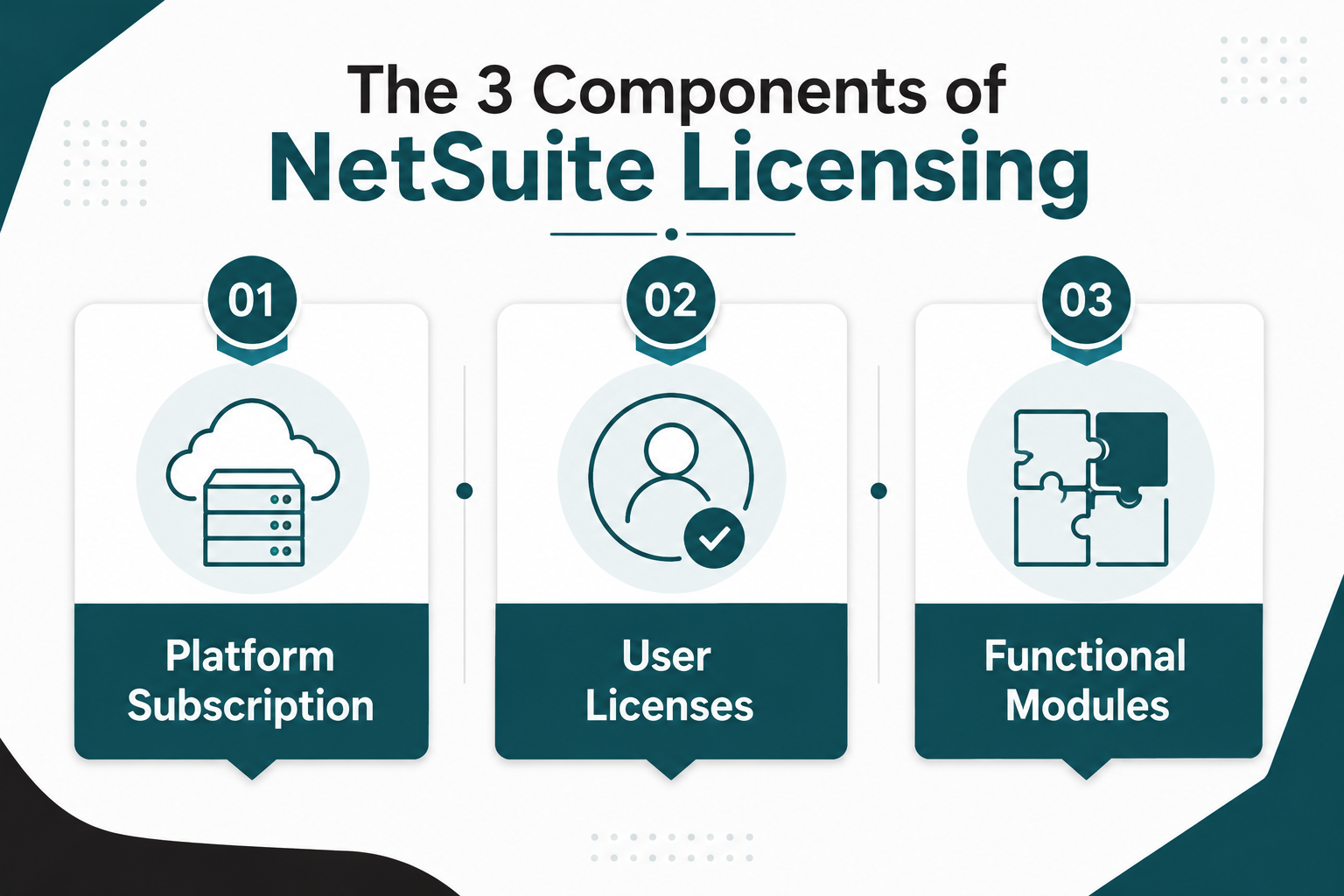
1. Platform Subscription: The platform subscription serves as the foundation of the ERP environment. It establishes the core system that supports financial management, operational processes, reporting, and business workflows.
2. User Licenses: User licenses determine who can access the system and how they interact with it. Access requirements vary significantly across organizations, making user planning an important part of licensing strategy. Not every employee requires the same level of ERP access, and aligning user roles with actual responsibilities can help control costs while supporting adoption.
3. Functional Modules: Modules extend ERP functionality into areas such as inventory management, CRM, warehouse operations, e-commerce, planning, project accounting, and other business-specific requirements. The modules an organization selects often depend on its industry, operational complexity, and growth objectives.
Because these three components can be combined in different ways, two organizations may both run NetSuite while supporting very different business requirements. If NetSuite is the right fit for your business, the next step is understanding which licenses and capabilities you actually need. Explore our NetSuite licensing guide to learn how NetSuite licensing works.
What Drives NetSuite Licensing Requirements?
NetSuite licensing is usually shaped more by business complexity than company size. Multi-entity structures, multiple currencies, advanced reporting requirements, and international operations often require different capabilities than a single-entity business.
Industry requirements also play a role. A manufacturer, distributor, ecommerce company, professional services firm, and field service organization may each require different modules, workflows, and levels of user access.
Organizations often discover that licensing decisions affect more than software access. User requirements, module selection, reporting needs, integrations, and organizational complexity can all influence implementation scope and deployment planning.
Protelo's NetSuite Implementation Services help organizations evaluate these requirements early in the ERP selection process, providing guidance on licensing strategy, implementation planning, data migration, integrations, and user adoption before deployment begins.
Read Next: NetSuite Module Licensing Explained: Pricing, Users, and What You Really Need
How NetSuite's Licensing Model Compares to Other ERP Platforms
Licensing comparisons are often reduced to software costs. In practice, organizations also need to consider scalability, user access, reporting requirements, implementation complexity, and future expansion plans.
The differences between ERP licensing models become more apparent as organizations add users, expand into new locations, acquire businesses, or deploy additional functionality. A licensing structure that works well for a growing distributor may be less suitable for a manufacturer with multiple entities or a professional services firm with complex project accounting requirements.
The table below highlights some of the key licensing differences between NetSuite and commonly evaluated ERP alternatives.
NetSuite vs Microsoft Dynamics 365 Business Central
Microsoft Dynamics 365 Business Central and NetSuite are among the most frequently compared ERP platforms in the mid-market. Both support core business processes such as financial management, inventory control, purchasing, reporting, and cloud deployment. The difference often lies in how organizations access and expand functionality.
Business Central generally follows a role-based licensing approach that aligns user access with responsibilities. NetSuite combines platform subscriptions, user licenses, and functional modules within a unified ERP environment.
Organizations already invested in Microsoft technologies often evaluate Business Central because of its integration with Microsoft 365, Power BI, and Azure. NetSuite is frequently considered by organizations looking for a single cloud ERP platform that supports financial, operational, and multi-entity requirements within one system.
Read Next: NetSuite vs Microsoft Dynamics 365 Business Central: Differences Buyers Find Out Too Late
NetSuite vs SAP Business One and Epicor
Organizations evaluating SAP Business One or Epicor are often focused on manufacturing, distribution, inventory management, and operational control.
SAP Business One traditionally uses a named-user licensing approach and is commonly evaluated by small and midsize businesses. Epicor's licensing structure varies by deployment and functionality requirements, but is frequently assessed by organizations with complex manufacturing or distribution operations.
The comparison typically extends beyond software licensing. Buyers often evaluate how each platform supports multi-site operations, reporting requirements, industry-specific workflows, and long-term growth plans.
Organizations anticipating acquisitions, international expansion, or increasing operational complexity frequently place greater emphasis on scalability and administrative flexibility during the evaluation process.
Read Next:
- NetSuite vs SAP Business One
- NetSuite vs Epicor: One ERP Software Is Better for Your Business—Here’s Why
NetSuite vs Sage, QuickBooks, and Xero
Organizations comparing NetSuite with Sage, QuickBooks, or Xero are often reaching a point where accounting software alone no longer provides the visibility or operational control they need. Inventory management, purchasing, reporting, workflow automation, ecommerce, and multi-entity operations frequently introduce requirements that extend beyond core accounting functionality.
At this stage, the evaluation is rarely limited to licensing or software costs. Decision-makers are often assessing whether their current platform can support broader business processes across finance, operations, inventory, sales, and reporting. As more departments begin relying on the system, user access, scalability, reporting requirements, and operational complexity typically become more important factors in ERP selection.
The comparison also depends on where the business is headed. A company managing multiple locations, expanding into new markets, adding subsidiaries, or looking to consolidate disconnected systems will often evaluate ERP platforms differently than an organization focused primarily on accounting and financial reporting.
Read Next:
- NetSuite vs Sage
- Top Reasons Rapid-Growth Companies Migrate from QuickBooks
- NetSuite vs Xero: Why Growing Businesses Are Making the Switch
NetSuite vs Acumatica and Odoo
Acumatica and Odoo are often evaluated by organizations looking for flexibility in how ERP functionality is licensed, deployed, and expanded over time. While all three platforms support core business processes, they approach licensing and scalability differently.
Acumatica's consumption-based licensing model differs from NetSuite's combination of platform subscriptions, user licenses, and functional modules. As a result, organizations with large user populations or broad ERP adoption often pay close attention to how each platform aligns software costs with operational usage.
Odoo takes a modular approach that allows organizations to deploy applications incrementally. This flexibility can appeal to businesses with specific requirements or phased implementation plans. However, as operational complexity increases, factors such as customization, administration, integrations, and long-term support often become more important evaluation criteria.
The comparison typically extends beyond licensing. Organizations evaluating NetSuite, Acumatica, and Odoo often assess reporting capabilities, industry-specific functionality, implementation requirements, scalability, and the resources required to support the system over time.
Read Next:
Why ERP Costs Extend Beyond Licensing
Software licensing is only one part of the ERP investment. Implementation, data migration, integrations, reporting, training, support, and future expansion can all affect the total cost of ownership.
These costs vary by organization. A manufacturer integrating production systems may face different requirements than a professional services firm focused on project accounting or a distributor managing multiple warehouses.
When evaluating NetSuite and competing ERP platforms, organizations should assess licensing alongside implementation effort, operational requirements, and long-term business objectives. An ERP system that appears less expensive upfront may require additional applications, customization, or administrative resources over time.
For that reason, ERP pricing discussions should focus on total cost of ownership rather than software licensing alone.
Read Next: Oracle NetSuite Pricing In 2026: A Clear Pricing Guide For Licensing, Implementation, and Budgeting
Licensing Factors Buyers Should Compare
ERP licensing comparisons are most effective when they focus on operational requirements rather than software costs alone. User access, functional requirements, and organizational complexity often have a greater influence on long-term ERP value than the licensing model itself.
The following factors can help organizations evaluate NetSuite and competing ERP platforms more consistently.
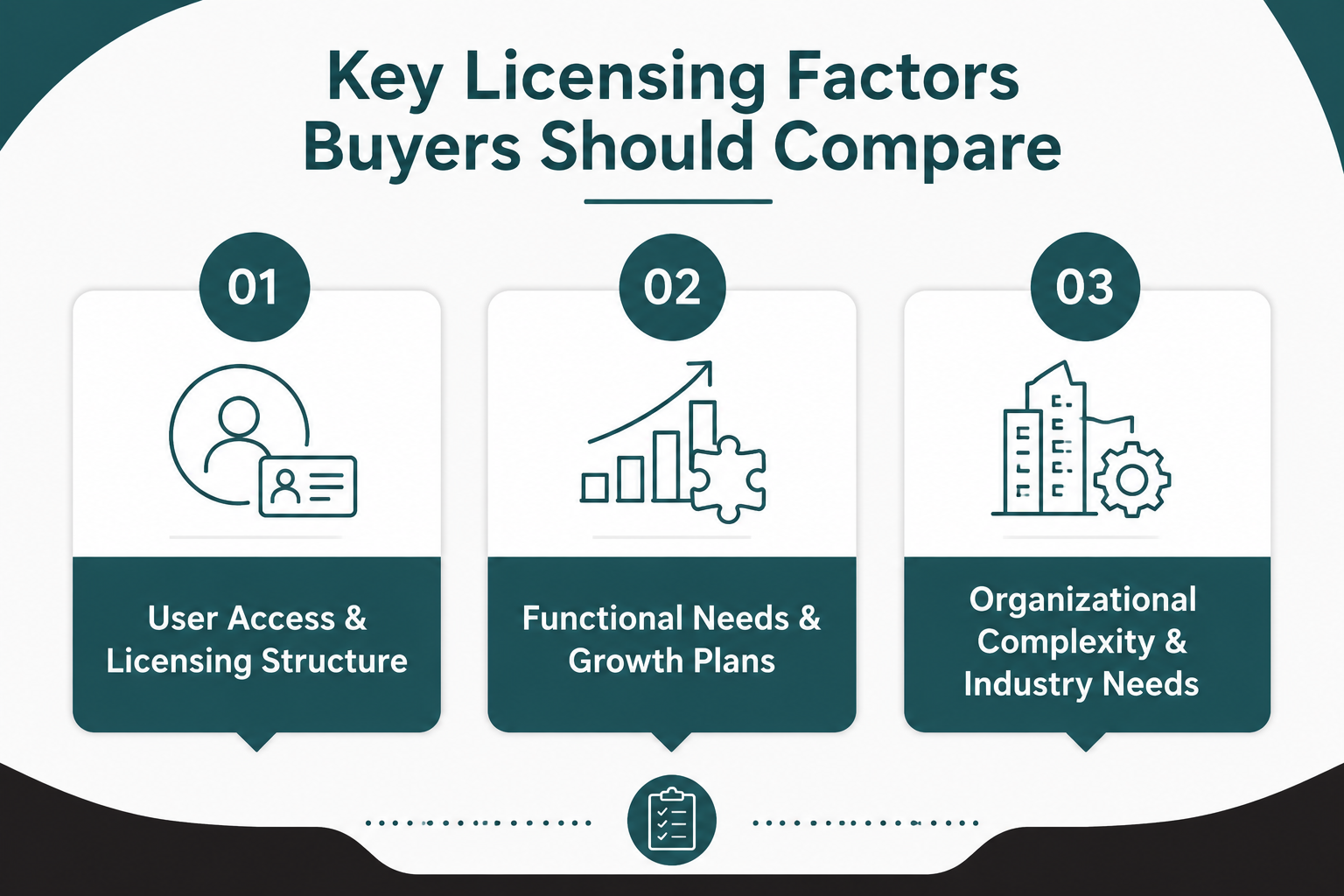
1. User Access and Licensing Structure
ERP licensing discussions often focus on user counts, but user access requirements usually have a greater impact on licensing decisions.
Different ERP platforms use named-user, role-based, or usage-based licensing models. Organizations should evaluate who needs daily system access, who requires occasional access, and whether customers, vendors, or field personnel need access to ERP information.
A manufacturer may have hundreds of employees who need visibility into inventory, production schedules, or order status, while only a smaller group requires full transactional access. Aligning licensing with actual user responsibilities can help control costs and support adoption.
2. Functional Requirements and Expansion Plans
Most ERP platforms provide core functionality for financial management, purchasing, sales, and reporting. Additional capabilities such as warehouse management, manufacturing, ecommerce, project accounting, advanced planning, or revenue recognition may require separate modules or licensing considerations.
Organizations should identify which functionality is required for the initial deployment and which capabilities may be added later. Phased expansion often reduces implementation complexity while allowing teams to focus on adoption and process improvement.
Read Next: NetSuite Module Licensing Explained: Pricing, Users, and What You Really Need
3. Organizational Complexity and Industry Requirements
Business structure often influences ERP licensing requirements as much as functionality.
Organizations operating multiple entities, currencies, locations, or reporting structures typically have different requirements than businesses operating from a single entity. Planned acquisitions, international expansion, and consolidated reporting requirements can also affect licensing decisions.
Industry requirements are equally important. Manufacturers often prioritize production planning and supply chain visibility. Distributors focus on inventory and warehouse operations. Retailers and e-commerce businesses emphasize inventory visibility and omnichannel processes, while professional services and field service organizations often require project accounting, resource management, scheduling, and mobile access.
Effective licensing evaluations consider how the ERP platform will support operational requirements, organizational complexity, and future growth.
Total Cost of Ownership Extends Beyond ERP Licensing
ERP licensing is only one component of the overall investment. Implementation, support, administration, and future system enhancements can have a significant impact on long-term ERP costs. Organizations evaluating NetSuite and competing ERP platforms should consider how much effort will be required to deploy, support, and expand the system over time.
Implementation Requirements Matter
Implementation requirements vary based on business processes, data quality, integrations, reporting needs, and organizational complexity.
A manufacturer integrating production systems and warehouse operations will typically face different implementation requirements than a professional services firm focused on project accounting and resource management.
Evaluating implementation effort alongside licensing helps organizations develop a more realistic understanding of the resources, timelines, and planning required for a successful ERP deployment.
ERP Costs Continue After Go-Live
ERP investments continue well beyond implementation. Ongoing responsibilities often include system administration, user support, reporting enhancements, process improvements, additional functionality, and periodic system updates.
Organizations should also understand how these responsibilities will be shared between internal teams, ERP partners, and software vendors. The answer can affect both long-term costs and the resources required to support the platform.
Which ERP Licensing Model Fits Your Business?
The right ERP licensing model depends on how your organization operates, how users access the system, and how the business expects to grow.
NetSuite is often evaluated by manufacturers, distributors, e-commerce companies, service organizations, and multi-entity businesses that need broad ERP functionality within a single cloud platform. Other organizations may prioritize different licensing approaches based on industry requirements, existing technology investments, operational complexity, or deployment preferences.
Licensing should be evaluated alongside implementation requirements, reporting needs, scalability goals, and long-term business objectives. Organizations that take a structured approach to ERP selection and implementation are often better positioned to align licensing decisions with operational requirements from the outset.
For companies considering NetSuite, Protelo's NetSuite Implementation Services can help evaluate licensing requirements, implementation scope, integrations, data migration considerations, and long-term ERP strategy before deployment begins.
Read Next: Top 14 NetSuite Competitors for ERP Buyers in 2026
The Right ERP Licensing Model Depends on Your Business Requirements
Comparing NetSuite licensing with competing ERP platforms involves more than evaluating software subscriptions, user licenses, or pricing structures. Organizations should also consider implementation requirements, reporting needs, operational complexity, scalability, and long-term business objectives.
Key Takeaways
-
NetSuite combines platform subscriptions, user licenses, and functional modules, while competing ERP platforms use different licensing approaches.
-
ERP licensing decisions affect scalability, implementation complexity, reporting capabilities, and long-term total cost of ownership.
-
The best ERP platform is typically the one that aligns with your operational requirements, organizational structure, and growth strategy.
Protelo helps organizations evaluate NetSuite and competing ERP solutions through ERP consulting, implementation planning, licensing guidance, data migration strategy, and long-term optimization services. Our NetSuite Implementation Services help businesses align ERP requirements, implementation scope, and licensing decisions before deployment begins.
Schedule an ERP Consultation to discuss your ERP requirements, compare licensing approaches, and determine which platform best supports your operational and growth objectives.
Frequently Asked Questions
How does NetSuite licensing differ from other ERP platforms?
Oracle NetSuite combines platform subscriptions, user licenses, and functional modules within a unified cloud ERP platform. Other ERP systems may use named-user, role-based, concurrent-user, or consumption-based pricing models. Understanding how each pricing structure aligns with business needs is often more important than comparing software subscriptions alone.
How does NetSuite pricing work?
NetSuite pricing varies based on user licenses, modules, business requirements, implementation scope, integrations, support needs, and deployment considerations. Because every NetSuite ERP environment is configured differently, organizations should evaluate licensing and implementation requirements together rather than focusing solely on software costs. Organizations researching NetSuite costs or the cost of NetSuite should evaluate the total ERP investment rather than software subscriptions alone.
What are the best NetSuite alternatives and competitors?
Common NetSuite competitors include Microsoft Dynamics 365 Business Central, SAP Business One, Acumatica, Sage, Epicor, Odoo, QuickBooks, and Xero. The best NetSuite alternatives depend on industry requirements, operational complexity, reporting needs, scalability objectives, and existing technology investments. Organizations evaluating an alternative to NetSuite should compare licensing models, ERP functionality, and long-term business fit.
What should organizations know before considering adopting NetSuite?
Organizations considering adopting NetSuite should evaluate business processes, reporting requirements, user access needs, integration requirements, and long-term growth plans. NetSuite ERP is often evaluated by companies seeking a cloud-based ERP platform that can support financial, operational, and multi-entity requirements within a single system.
What should organizations evaluate when comparing NetSuite vs competitors?
Organizations comparing NetSuite competitors should evaluate licensing models, ERP functionality, industry fit, reporting capabilities, integrations, implementation requirements, scalability, and long-term support considerations. User access requirements, deployment preferences, and future expansion plans can also influence which ERP platform is the best fit.
What should companies know before switching from NetSuite or implementing a new ERP system?
Organizations considering switching from NetSuite or moving away from NetSuite should assess data migration requirements, integrations, user adoption, reporting needs, implementation scope, and long-term support requirements. A structured evaluation process helps ensure the selected ERP system aligns with current operations, future business objectives, and long-term scalability requirements.