

47 min read
.jpg)

NetSuite pricing depends on how your business needs to use, configure, and implement the platform. The factors that shape your investment include the number and types of users, required modules, subsidiaries, integrations, data migration, customization, and the complexity of your business processes.
This guide explains the key factors that influence NetSuite subscription and implementation costs, what to review when defining project scope, and how to prepare for a more accurate pricing estimate. Because every business has different requirements, understanding what your system needs to support is an important first step toward evaluating your investment.
Table of Contents
- NetSuite Pricing at a Glance
- What Determines NetSuite Pricing?
- NetSuite Licensing Costs
- NetSuite User Licenses
- NetSuite Modules and Add-On Costs
- NetSuite Implementation Costs
- NetSuite Support and Ongoing Costs
- How Much Does NetSuite Cost?
- How to Estimate Your NetSuite Pricing
- Frequently Asked Questions About NetSuite Pricing
NetSuite Pricing at a Glance
The table below provides practical budgeting ranges based on the pricing guidance already used in this article. It is designed to help buyers estimate the scale of a potential NetSuite investment before getting into the detailed licensing and implementation breakdown.
These are Protelo budgeting ranges, not published Oracle list prices. Actual NetSuite pricing can vary based on the number and type of users, modules, subsidiaries or entities, integrations, data migration scope, implementation complexity, and contract structure.
Use these ranges as a planning reference rather than a fixed quote. A company with relatively simple financial requirements may fall toward the lower end of a range, while businesses with more entities, integrations, operational workflows, or implementation requirements may require a larger investment.
Want to estimate NetSuite costs for your business?
The pricing ranges above provide a general starting point, but your actual investment depends on your users, modules, and implementation requirements. Use Protelo's NetSuite pricing calculator to build a preliminary estimate based on your business needs.
Example NetSuite Pricing Scenarios
NetSuite pricing can look very different depending on how much of the business the platform needs to support. The scenarios below show how user count, modules, integrations, data migration, and operating complexity can affect both licensing and implementation scope.
1. Finance-Focused Company
A company with roughly 10–15 users, one legal entity, core financials, standard reporting, limited historical data migration, and few or no major integrations will generally have a simpler NetSuite scope than a business using the platform across multiple operational functions.
-
What drives licensing cost: The number and type of users, core financial functionality, and any additional reporting or finance-related modules required.
-
What drives implementation cost: Financial configuration, chart-of-accounts design, opening balances or historical data migration, reporting requirements, testing, training, and go-live preparation.
-
What can increase complexity: Additional entities, more extensive historical transaction migration, custom reporting, or integrations with payroll, CRM, expense management, or other systems.
-
What to validate in the quote: Confirm the user types, financial modules, amount of historical data included, reporting deliverables, training scope, and any integrations that are assumed or excluded.
2. Growing Distributor
A distributor with roughly 30–50 users may need NetSuite to support financials, purchasing, inventory, order management, multiple warehouses, and connections to ecommerce, 3PL, or other fulfillment systems.
-
What drives licensing cost: User volume, inventory and order-management capabilities, warehouse requirements, and any additional modules needed for the operating model.
-
What drives implementation cost: Inventory setup, item and customer data migration, warehouse processes, purchasing and order workflows, integrations, testing, and user training.
-
What can increase complexity: Multiple warehouses, large item catalogs, ecommerce or 3PL integrations, complex fulfillment rules, lot or serial tracking, and inconsistent legacy data.
-
What to validate in the quote: Confirm which warehouses, integrations, inventory processes, data sets, test cycles, and fulfillment workflows are included in scope.
Read More: NetSuite vs Sage 100: A Guide for Distributors
3. Manufacturer
A manufacturer with roughly 50–75 users may require financials, inventory, purchasing, manufacturing functionality, bills of materials, routings, planning, and connections to other operational systems.
-
What drives licensing cost: Manufacturing and inventory functionality, user count, planning requirements, and any additional modules needed to support production.
-
What drives implementation cost: Manufacturing configuration, bills of materials, routings, work-center or production-process setup, inventory migration, integrations, testing, and training.
-
What can increase complexity: Multiple production locations, advanced planning requirements, complex bills of materials, legacy manufacturing data, shop-floor processes, and integrations with specialized applications.
-
What to validate in the quote: Confirm which manufacturing processes are in scope, how bills of materials and routings will be migrated, which integrations are included, how many test cycles are planned, and what training is provided for operational users.
Read More: NetSuite vs. Sage X3
4. Multi-Subsidiary Organization
A multi-subsidiary organization with roughly 75–150+ users may require NetSuite OneWorld, multiple legal entities, multiple currencies, consolidated reporting, revenue-management capabilities, and several integrations.
-
What drives licensing cost: User count, OneWorld requirements, additional modules, subsidiaries, and the breadth of functionality used across the organization.
-
What drives implementation cost: Multi-entity design, consolidation requirements, intercompany processes, currency configuration, data migration, integrations, testing, and coordinated training across business units.
-
What can increase complexity: Different processes across subsidiaries, multiple legacy systems, international requirements, intercompany activity, large migration volumes, and the need to standardize reporting across entities.
-
What to validate in the quote: Confirm which entities and currencies are included, how intercompany processes will be handled, what historical data will be migrated, which integrations are in scope, and whether training and post-go-live support cover all participating business units.
Understand How NetSuite Pricing Works
NetSuite pricing works differently from a simple tiered SaaS subscription because the platform can be configured around a wide range of financial and operational requirements. The cost of NetSuite therefore depends on the scope of the system a business needs rather than company size or revenue alone.
Two organizations of similar size can have very different licensing and implementation costs. The number and type of users, required modules, subsidiaries, integrations, data migration, customization, and implementation scope can all affect the total investment.
Understanding NetSuite pricing requires looking at each major cost component separately. The sections below explain the factors that influence licensing, user access, modules, implementation, integrations, data migration, ongoing support, and your overall NetSuite investment.
#1) NetSuite Licensing Cost: What Drives Your Base Subscription
NetSuite is licensed through an annual subscription, and the total license fee depends on the scope of functionality a business needs. Rather than using one fixed pricing model for every customer, the NetSuite pricing structure typically reflects the core platform, the number and type of user licenses, and any additional modules required.
A company using NetSuite primarily for financial management and standard reporting will have a different licensing footprint from a business that also needs capabilities such as OneWorld, Advanced Inventory, manufacturing, demand planning, warehouse management, or ecommerce. In practical terms, the main factors that influence NetSuite licensing cost include:
-
Core Platform and Edition: The foundational NetSuite environment required to support the business.
-
Number of User Licenses: How many employees need access and what level of functionality each role requires.
-
Modules and Add-Ons: Additional capabilities for financial management, inventory, manufacturing, planning, ecommerce, revenue management, and multi-entity operations.
- Business Structure: Subsidiaries, currencies, reporting requirements, and other operational needs that may require additional functionality.
- READ OUR GUIDE:
The right licensing structure depends on the functionality your business needs and the level of access each user requires. Before estimating your subscription, it helps to understand the available license types, editions, and options. Read our guide to how NetSuite licensing works for a closer look at these factors.
This is why buyers should not evaluate the cost of NetSuite based on a single headline number. Before you purchase NetSuite, the more useful question is which capabilities, users, and modules are actually required to support your business processes.
The next major licensing variable is user access, because both the number of users and the type of access they need can materially affect recurring subscription cost.
#2) NetSuite User Licensing: How User Types Affect Pricing
NetSuite uses a named-user licensing model, which means each employee who works in NetSuite needs an assigned level of access. The number of user licenses matters, but so does the type of access each person requires.
A company with many employees performing core ERP activities across finance, operations, sales, and administration will have a different licensing profile from one where most users only approve transactions, enter time, submit expenses, or complete other limited tasks.
Understanding NetSuite User Types
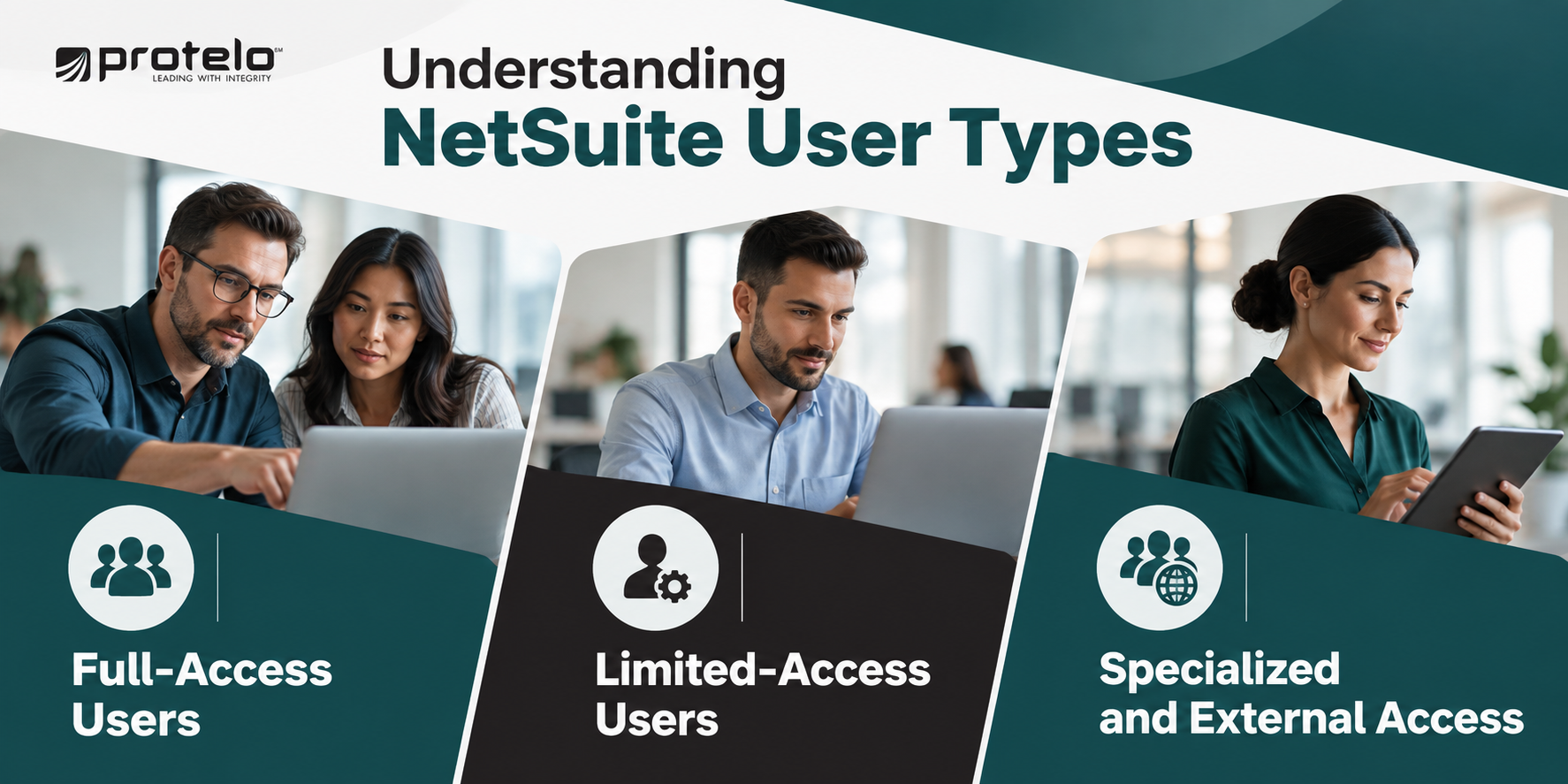
Full-Access Users
Full-access users typically manage day-to-day ERP processes, create and edit transactions, maintain records, run reports, and administer the system. These users may include finance teams, accounting staff, operations personnel, sales operations, and NetSuite administrators.
Because they require broader access to NetSuite functionality, full-access users generally represent the largest portion of user-related licensing cost.
Limited-Access Users
Limited-access roles are intended for employees who participate in specific workflows without needing complete access to NetSuite functionality. Depending on the role, these users may submit expenses, enter time, approve transactions, or interact with a narrower set of records.
Using limited-access roles where appropriate can help avoid unnecessary cost while still giving employees access to the processes they need.
Specialized and External Access
Some access is designed around specific functions or audiences, such as HR-related workflows, customer portals, or vendor portals. These options can support participation in NetSuite processes without requiring every user to have broad internal ERP access.
How User Licensing Affects Total Cost
User licensing affects cost in more than one way. First, the number and mix of licenses influence recurring subscription expense. Assigning broad access to employees who only need limited functionality can increase the annual licensing baseline unnecessarily.
Second, more users and roles can also increase implementation and support effort. Additional access requirements may require more security configuration, testing, training, documentation, and ongoing administration. For that reason, buyers should define user requirements by workflow and responsibility rather than simply by department or job title.
How to Structure NetSuite Licensing Effectively
Before finalizing user licenses, identify:
-
Who needs to create and manage transactions?
-
Who needs to approve or review activity?
-
Who only needs limited interaction with the system?
-
Which external users may be better served through customer or vendor access?
Then map those needs to actual business processes such as order-to-cash, procure-to-pay, record-to-report, and approval workflows.
A practical licensing plan should also be revisited after go-live and before renewal. Actual system usage may reveal opportunities to adjust access levels, simplify roles, or avoid carrying unnecessary cost into future contract periods. Each user should have enough access to perform their role without carrying a broader, more expensive license than the work requires.
#3) NetSuite Modules and Add-Ons: How Module Pricing Affects Cost
NetSuite uses a modular pricing model, so companies can add functionality based on the processes they need to support. Module pricing is separate from the core platform and user licensing, which means the annual subscription increases as more capabilities are added.
NetSuite offers modules for areas such as financial management, inventory, warehouse operations, manufacturing, planning, revenue management, multi-entity operations, human resources, and ecommerce. The modules a company licenses can also affect implementation scope because each one may introduce additional configuration, data, testing, training, and process design.
How NetSuite Modules Are Licensed
Modules are generally added to the core NetSuite environment as separate functional components. Some extend existing financial processes, while others introduce new operational workflows.
A finance-focused deployment may require only a limited set of modules. A distributor, manufacturer, or multi-subsidiary organization may need several additional capabilities, increasing both the subscription footprint and the implementation effort.
How Modules Affect Implementation Cost
Adding a module usually means more than paying an additional license fee. It can also introduce more configuration, new process flows, additional data requirements, expanded testing, role-specific training, and extra reporting or integration work.
For example, warehouse management can affect inventory, fulfillment, scanning, and warehouse workflows. Manufacturing functionality may introduce bills of materials, routings, work orders, planning, and production data. This is one reason implementation costs can rise as more modules are included in the initial scope.
Common NetSuite Modules Buyers Evaluate
Not every business needs these capabilities at go-live. Module selection should reflect the processes that need to be operational in the first phase rather than every capability the company may eventually use.
Adjacent NetSuite Products and Additional Costs
Some products associated with the broader NetSuite ecosystem are licensed separately from standard ERP modules. NetSuite Planning and Budgeting, for example, supports planning, forecasting, scenario modeling, and financial planning workflows. It can integrate with NetSuite but may involve its own subscription and implementation scope.
Analytics platforms, integration tools, and third-party applications can create similar additional costs. Buyers should distinguish between functionality included in the core NetSuite environment, optional NetSuite modules, adjacent Oracle products, and third-party applications when reviewing pricing.
Controlling Module Cost
Module selection should be tied to the requirements of the initial implementation. Capabilities that are not needed for the first operational phase can often be evaluated later rather than included automatically at the start.
This keeps the initial scope more focused and makes it easier to see which additional modules are justified by actual business requirements.
#4) NetSuite Implementation Cost: What Drives Scope and Budget
NetSuite implementation costs vary widely because the required effort depends on the processes, systems, data, and technical requirements included in the project. A relatively standard financial implementation will generally require less effort than a deployment involving multiple integrations, extensive historical data, manufacturing workflows, or custom automation.
Implementation should therefore be evaluated separately from the annual software subscription. Licensing determines the NetSuite functionality a company can use, while implementation services cover the work required to configure that functionality around the business and prepare it for go-live.
For companies that need help translating those requirements into a defined project scope, Protelo’s NetSuite Implementation Services cover the implementation lifecycle from planning and configuration through testing, training, and go-live.
Start Estimating Your NetSuite Requirements
The effort required to implement NetSuite depends on the processes you need to support, the systems you need to connect, the data you plan to migrate, and the functionality required at go-live. Defining these requirements helps create a clearer starting point for discussing your project.
Use Protelo’s NetSuite pricing calculator to share information about your business and begin a conversation about your pricing needs.
Major NetSuite Implementation Cost Drivers
NetSuite Integration Costs
The cost of NetSuite integrations depends on more than the number of systems being connected. Complexity also comes from what data must move between systems, how frequently it moves, which system owns each record, and how errors or exceptions are handled.
For example, integrating NetSuite with an e-commerce platform or 3PL may require customer, item, order, inventory, fulfillment, and shipment data to move between systems. A proposal that simply states “integration included” may not provide enough detail to determine how much work is actually covered.
Before implementation begins, each integration should have a defined endpoint, data flow, ownership model, frequency, testing requirement, and approach to exception handling. When those requirements involve custom connectors, APIs, workflows, or surrounding applications, Protelo’s NetSuite Integrations & Customizations services can help define and deliver that technical scope.
Data Migration & Testing
Data migration is another area where implementation costs can vary significantly. The effort depends on what will be moved into NetSuite and the condition of the source data. Migrating master records and opening balances is a different project from bringing across several years of detailed transactions, attachments, item histories, bills of materials, pricing records, or data from multiple legacy systems.
For projects with complex legacy data or multiple source systems, Protelo’s NetSuite Data Extraction & Migration services address the extraction, preparation, migration, and validation work required to move business data into NetSuite.
The migration scope should also define how many trial conversions and reconciliation cycles are included. Mock conversions allow the project team to identify mapping errors, data-quality issues, and reconciliation problems before the final cutover.
Read More: Sage 100 to NetSuite Migration Checklist for a Successful Go Live
Customization and Reporting
Standard NetSuite configuration can address many business requirements, but some implementations require custom workflows, scripts, reports, or other extensions.
Customization adds implementation effort and can create ongoing maintenance requirements, so each request should be tied to a clear business need. The same applies to reporting: standard reports may cover some requirements, while specialized dashboards, saved searches, KPIs, or management reports can require additional configuration and testing.
A well-scoped implementation proposal should make these requirements visible before the project begins rather than leaving significant technical work to be defined after kickoff. A useful way to keep implementation scope measurable is to define what “done” means before the project begins. For example, “complete one full month-end close in NetSuite” gives the project team a clearer operational milestone than simply “finish implementation.”
Read Next: NetSuite Implementation Timeline & Milestones: From Planning to Go-Live
#5) NetSuite Support, ACS, and Ongoing Costs
The cost of NetSuite continues after implementation. Subscription renewals, administration, reporting updates, integration maintenance, release testing, training, and future enhancements can all contribute to recurring costs after go-live.
How much a company spends on ongoing support depends on the complexity of the NetSuite environment, the capabilities of the internal team, and how much outside assistance is required. A relatively straightforward financial system with an experienced internal administrator may need less external support than a multi-entity environment with several integrations, custom workflows, and frequent reporting requests.
Not Sure Where to Start with NetSuite?
Protelo's NetSuite experts can help you evaluate your options, understand your business needs, and plan your next steps. Explore NetSuite solutions to learn how we can support your business through licensing, implementation, and ongoing support.
Common Ongoing NetSuite Costs
Ongoing expenses commonly include:
-
Subscription Renewals: Continued licensing for the NetSuite environment, users, and modules.
-
System Administration: User provisioning, permissions, forms, workflows, troubleshooting, and routine configuration changes.
-
Reporting and Analytics: Changes to saved searches, dashboards, KPIs, financial reports, and management reporting.
-
NetSuite Integration Maintenance: Monitoring and updating connections with ecommerce, banking, tax, shipping, EDI, 3PL, payroll, and other systems.
-
Release Testing: Reviewing important workflows, scripts, integrations, and processes as NetSuite updates are introduced.
-
Training: Supporting new employees, role changes, process updates, and newly introduced functionality.
-
Optimization and Enhancements: Adding automation, modules, subsidiaries, reports, or improvements that were deferred from the initial implementation.
-
Third-Party Applications: Subscription and support costs for other applications used alongside NetSuite.
These costs are often smaller individually than the initial implementation, but they become part of the operating budget for using NetSuite over time.
How NetSuite Advanced Customer Support Fits In
NetSuite Advanced Customer Support (ACS) is an ongoing support service available from NetSuite for customers that need assistance with administration, optimization, reporting, and system changes after implementation.
Some organizations use ACS as their primary external support resource. Others build NetSuite expertise internally or work with an experienced NetSuite partner for ongoing administration and optimization. Companies may also use a combination of these approaches.
When comparing support options, consider the type of work your team expects to need, how frequently requests arise, the expertise available internally, and how support is delivered. Support costs should be considered alongside the initial licensing and implementation costs rather than addressed only after go-live.
Integration Maintenance and Release Testing
NetSuite integrations can continue generating work after implementation. When a connected ecommerce platform, tax application, shipping system, bank, payroll platform, or other application changes, the integration may also need to be reviewed or updated.
Release testing creates a similar ongoing responsibility. Business-critical workflows, customizations, and integrations should be checked when changes to the NetSuite environment could affect how they operate.
Companies with a larger number of integrations or custom processes will generally have more to maintain than businesses using a comparatively standard NetSuite configuration.
Plan for Support Before Go-Live
Ownership of the system should be clear before the implementation ends. Determine who will handle routine administration, reporting requests, user changes, integration issues, release testing, training, and enhancement requests once the implementation team steps away.
Companies that do not plan to handle all of that work internally can also evaluate Protelo’s NetSuite Support Options for ongoing administration, troubleshooting, optimization, and system changes. That makes ongoing costs easier to budget and reduces the chance that routine NetSuite work becomes an unexpected post-go-live expense.
What NetSuite Pricing Includes and What It Doesn't
A NetSuite quote can look straightforward at a high level, but the total price does not always tell you how much of the project is actually covered. Software licensing, implementation services, integrations, migration, training, and post-go-live support may all be scoped differently depending on the proposal.
That makes it important to look beyond the headline number and understand exactly what is included, what is limited, and what could become an additional cost later. The table below highlights the areas buyers should review most closely.
The biggest pricing surprises usually come from items that were assumed rather than explicitly scoped. If a proposal does not clearly define integrations, migration depth, training, testing, support, or third-party dependencies, those gaps can create additional cost during or after implementation.
A stronger proposal should make the commercial and delivery boundaries easy to understand before work begins. Buyers should be able to see what they are paying for, what is excluded, and which requirements may need separate budget later. That clarity also makes it much easier to compare competing NetSuite proposals on a like-for-like basis rather than relying on the quoted total alone.
What Drives Up NetSuite Pricing? Key Cost Multipliers
If you’re trying to estimate where your project may fall within the budgeting ranges above, these are the factors most likely to increase both NetSuite ERP pricing and implementation scope.
-
OneWorld and Multi-Entity Requirements: Multiple subsidiaries, currencies, tax jurisdictions, intercompany processes, and consolidated reporting add configuration and testing complexity.
-
Inventory and Fulfillment Complexity: Multi-location inventory, lot or serial tracking, advanced picking, warehouse workflows, and more complex fulfillment processes can expand both module requirements and implementation effort.
-
Customer-Facing Channels: Ecommerce requirements, including SuiteCommerce or other connected sales channels, can add catalog, payments, tax, shipping, integration, and process-design work.
-
Compliance-Heavy Workflows: Revenue recognition, audit controls, approval structures, and other regulated or tightly controlled processes often require more configuration, stakeholder review, and testing.
-
High Integration Volume: Connecting NetSuite with CRM, ecommerce, 3PL, payroll, billing, EDI, banking, or data platforms can turn integration into a major project workstream. Prebuilt SuiteApps may reduce effort in some cases, but they do not eliminate the need to validate data flow, ownership, and testing requirements.
-
Messy or Fragmented Data: Duplicate records, inconsistent classifications, poor master data, multiple legacy systems, and large historical datasets can increase cleanup, mapping, reconciliation, and migration effort.
-
Heavy Customization: Custom scripts, workflows, reports, and business logic can increase implementation effort and create future maintenance requirements.
-
Large or Distributed User Groups: More business units, locations, roles, and approval paths can increase licensing, configuration, training, testing, and administration.
The biggest pricing differences usually come from a combination of these factors rather than one item in isolation. A modest user count does not necessarily mean a simple implementation if the project also includes multiple entities, advanced operations, several integrations, or a difficult migration.
NetSuite Total Cost of Ownership (TCO): Year 1 Through Year 5
NetSuite total cost of ownership goes beyond the initial software subscription and implementation. The mix of expenses changes after go-live, so the first-year budget should not be treated as a proxy for what NetSuite will cost every year.
Year 1 usually carries the highest concentration of implementation-related costs. Later years shift toward subscription renewals, support, administration, integration maintenance, training, third-party applications, and continued optimization. Expansion can also introduce new costs as the business adds users, modules, subsidiaries, locations, or connected systems.
NetSuite Year 1 Cost
Year 1 combines the annual NetSuite subscription with the work required to implement the system. Depending on scope, that can include configuration, data migration, integrations, customization, testing, training, third-party applications, and go-live support.
Internal resources matter here as well. Finance, operations, IT, and other stakeholders may spend significant time on requirements, data preparation, testing, training, and implementation decisions even though that effort does not appear as a line item on the NetSuite quote.
Recurring Annual NetSuite Cost
Once the initial implementation is complete, the cost profile changes. Subscription renewals become the main recurring software expense, alongside any ongoing support, administration, integration maintenance, third-party applications, release testing, and training the business requires.
The annual cost can also increase as the NetSuite environment grows. Additional users, modules, subsidiaries, integrations, or support requirements can push recurring spend above the original post-go-live baseline.
NetSuite 3-Year Cost
A three-year budget should account for more than three years of subscription fees. By this point, a company may have introduced additional functionality, refined reports and workflows, expanded integrations, or completed improvements that were intentionally deferred during the initial implementation.
Planning for those changes gives buyers a more useful view of NetSuite ERP cost than simply multiplying the first renewal amount by three.
NetSuite 5-Year Cost
Over five years, changes to the business can become a larger part of the TCO calculation. Acquisitions, international expansion, new subsidiaries, warehouses, sales channels, applications, or operating models may require additional NetSuite functionality or implementation work.
There is no universal five-year cost that applies to every NetSuite customer. A useful five-year model should separate predictable recurring expenses from likely expansion and optimization work, then revisit those assumptions as the business changes.
How a Phased NetSuite Implementation Can Control Cost
Not every NetSuite capability needs to be implemented at go-live. For companies with a broad ERP roadmap, separating immediate operational requirements from functionality that can be introduced later can keep the initial project more focused and make implementation costs easier to manage.
Effective phasing separates functionality that is essential for go-live from capabilities that can be introduced later. Core processes, controls, data, and integrations required to operate the business need to be ready for go-live. Capabilities that provide additional value but are not required for the first operational phase may be better candidates for a later rollout.
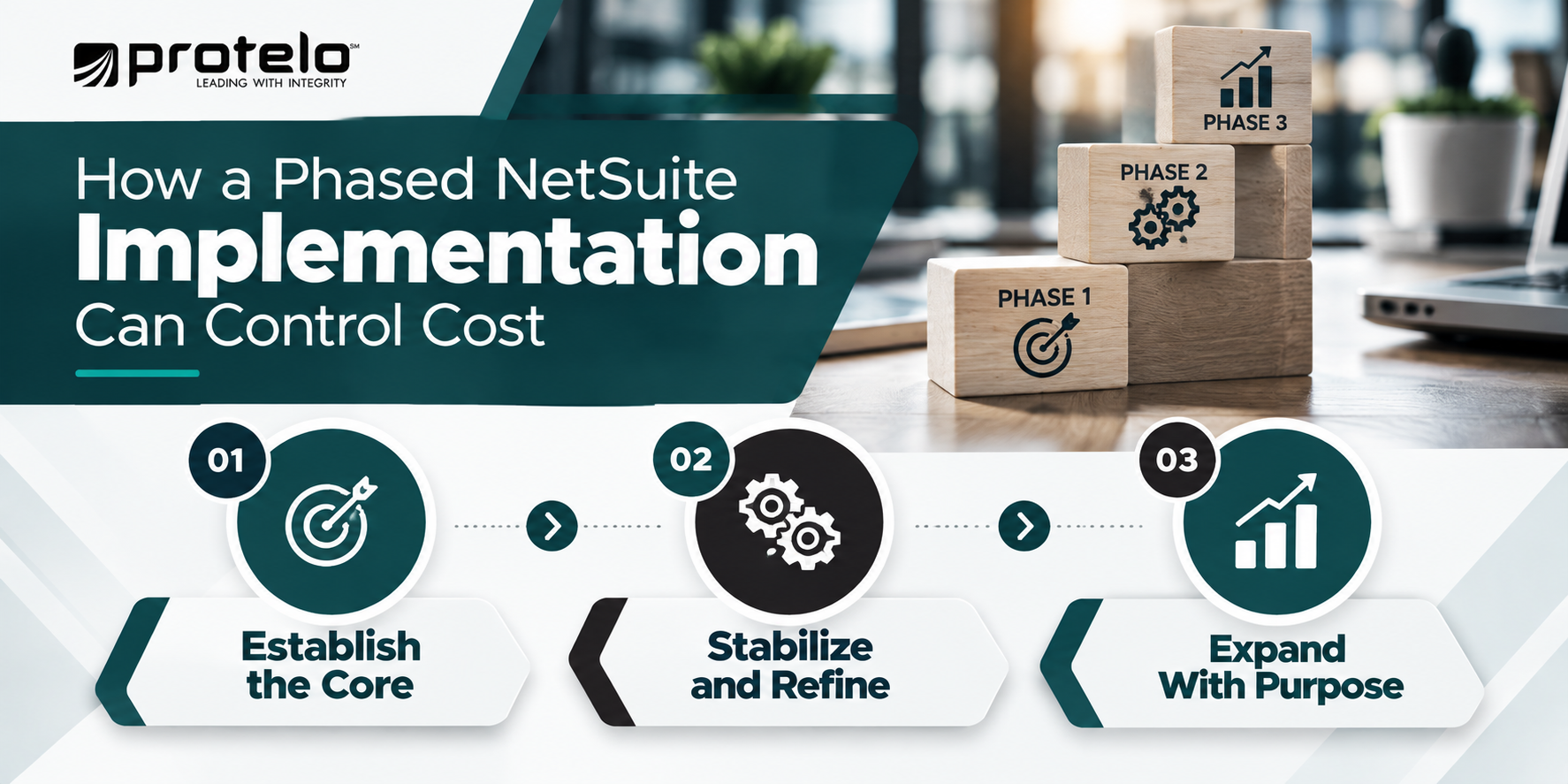
Phase 1: Establish the Core
Start with the functionality required to run the business reliably in NetSuite. Depending on the company, that may include core financials, the required organizational structure, essential reporting, user roles, and the operational workflows needed to process transactions.
Keeping Phase 1 focused can reduce the amount of configuration, testing, training, and data preparation required before go-live.
Phase 2: Stabilize and Refine
After go-live, use actual operating cycles to identify where processes, reports, roles, and controls need refinement. Month-end close, purchasing, fulfillment, approvals, and other routine activities often reveal requirements that are difficult to fully anticipate during implementation workshops.
This period can also provide better information about user access, reporting requirements, and workflow changes before additional NetSuite functionality is introduced.
Phase 3: Expand Where the Business Case Supports It
Once the core environment is stable, additional capabilities can be introduced based on operational priorities. Depending on the business, later phases might include advanced warehouse management, revenue management, planning, SuiteCommerce, additional integrations, or other specialized functionality.
A phased approach can also help prevent unnecessary cost by giving the business time to determine which requirements actually justify additional modules, integrations, or customization.
What Can Be Deferred Until After Go-Live?
Good candidates are requirements that add capability without being essential to operating the business on day one. Examples might include an ecommerce replatforming project when the immediate priority is financial modernization, advanced warehouse functionality while inventory processes are still being standardized, or custom automation designed around a process the company has not yet finalized.
There is an important distinction here: phasing should not be used to postpone critical requirements simply to lower the initial quote. Required integrations, controls, regulatory processes, data, or workflows still need to be accounted for in the implementation plan.
Read More: How to Switch from Sage 100 to NetSuite
NetSuite vs Other ERP Systems: Pricing Model Differences
Comparing NetSuite with another ERP platform is rarely as simple as comparing subscription prices. Different vendors structure licensing around different combinations of users, applications, modules, deployment models, and usage, so two proposals that look similar at first may cover very different amounts of functionality.
NetSuite typically combines a core platform subscription with user licenses and additional functional modules. Competing ERP systems may use different licensing structures, which can shift where costs show up across the software, implementation, integrations, and long-term support. Protelo’s ERP licensing comparison makes the same point: buyers should evaluate licensing structure, scalability, user access, implementation requirements, and long-term cost together rather than looking at software fees in isolation.
For a useful comparison, normalize the scope before comparing price. Look at which business processes are covered, which users and access levels are included, what modules or applications are required, which integrations must be built, what implementation work is included, and what ongoing support or administration will cost.
A lower software quote may not translate into a lower overall ERP cost if the business still needs additional applications, integrations, services, or manual work to support the same operating requirements. The better benchmark is the total environment required to run the business.
Read Next: Top 14 NetSuite Competitors for ERP Buyers in 2026
NetSuite Contract and Renewal Costs: What Buyers Should Understand
NetSuite contracts affect more than the initial software price. Contract length, the licenses and modules purchased at the outset, renewal terms, and future additions can all influence recurring cost over time.
Before signing an agreement, buyers should understand how the initial NetSuite environment is being licensed and what happens as the business changes. The commercial structure matters because decisions made during the original purchase can shape the subscription baseline used in later years.
Review the Initial Contract Term
Start with the length of the agreement and the products covered during that term. Confirm which users, modules, environments, and other licensed NetSuite functionality are included. If the proposal includes introductory pricing or other commercial incentives, document how those terms apply and what changes when the initial period ends. Avoid assuming that the first-year price will remain unchanged at renewal unless the agreement clearly states how future pricing will be handled.
Understand What Happens at Renewal
Renewal should be reviewed before the original NetSuite contract is signed, not only when the renewal date approaches. Questions worth clarifying include:
- How will renewal pricing be determined?
- Which licenses and modules will renew?
- Are there contractual provisions that address future pricing changes?
- When must changes to the subscription be requested?
- What happens to products or services that are no longer needed?
The answers should come from the specific agreement rather than general assumptions about NetSuite contracts.
Plan for Additional Users and Modules
A growing company may need more licenses or functionality during the contract term. Before you purchase NetSuite, clarify how additional users, modules, subsidiaries, or other products would be added and how those purchases affect the ongoing subscription. This is particularly important for companies expecting acquisitions, headcount growth, international expansion, new warehouses, or additional business lines.
Avoid Over-Licensing at the Start
Buying more users or modules than the business expects to use in the near term can increase recurring cost before those capabilities create value. The module and user planning discussed earlier in this guide should therefore carry through to the contract review. License the functionality required for the planned scope and understand how additional capacity can be added when the business is ready for it.
Ask About Environments and Related Services
If the project requires sandbox environments, additional testing resources, support services, or adjacent products, confirm whether they are included in the quoted subscription or licensed separately. These items can be easy to overlook when the initial discussion is centered on the core NetSuite ERP license.
A well-reviewed contract should leave the buyer with a clear understanding of the initial subscription, the recurring cost, the process for adding functionality, and the commercial terms that apply at renewal. Any point that is unclear should be resolved in the agreement before the implementation begins.
How to Estimate NetSuite Pricing For Your Business
Estimating NetSuite pricing becomes much easier when the discussion starts with scope rather than a single headline price. A useful estimate should reflect what NetSuite needs to support, who will use it, which modules are required, what systems must connect to it, and how much implementation work is involved. The steps below help turn those requirements into a budget you can later compare against an actual NetSuite proposal.
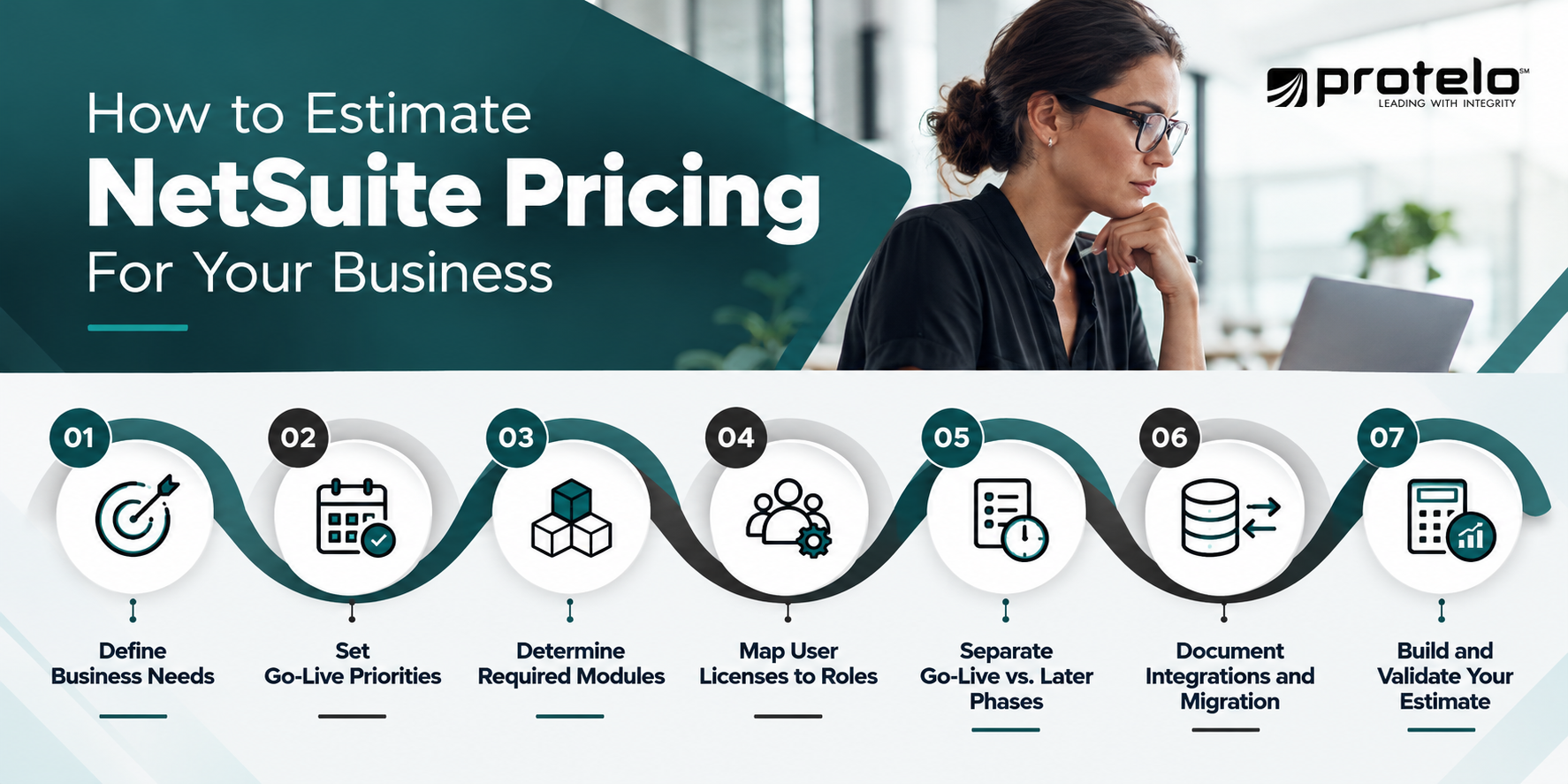
Step 1: Define What NetSuite Needs to Solve
Start by documenting the business problems and operational requirements that are driving the ERP evaluation. The estimate will be more reliable if those needs are expressed in concrete terms rather than broad goals like “improve efficiency” or “modernize systems.” Examples might include:
- Reduce manual work during month-end close
- Improve inventory accuracy across locations
- Consolidate reporting across multiple subsidiaries
- Replace disconnected finance and operational systems
- Connect ecommerce, fulfillment, and financial data
- Support more consistent approval and reporting processes
These requirements help determine which NetSuite capabilities, modules, integrations, user roles, and implementation work need to be included in the estimate.
Step 2: Decide What Must Work at Go-Live
Identify the processes that need to be fully operational on day one. This may include order-to-cash, procure-to-pay, record-to-report, inventory receiving, fulfillment, returns, project billing, or other workflows essential to running the business.
Be specific about what “go-live ready” means. A concrete milestone such as completing the first month-end close in NetSuite is more useful than simply saying the implementation is finished.
Step 3: Determine the NetSuite Functionality That You Need
Once the required processes are clear, identify the NetSuite edition, modules, and capabilities needed to support them. A finance-focused deployment may require a relatively narrow scope, while a distributor, manufacturer, or multi-subsidiary company may need additional functionality for inventory, planning, manufacturing, OneWorld, ecommerce, or other operational requirements.
This step establishes the software portion of the estimate before implementation services are added.
Step 4: Map User Licenses to Actual Roles
Estimate the number of user licenses based on what people need to do in NetSuite, not simply on employee headcount. Separate users who need broad transactional access from those who only need to approve activity, enter expenses, submit time, or interact with a smaller part of the system. A simple role map is usually enough at this stage:
- Who creates or manages transactions?
- Who approves activity?
- Who needs reporting or operational access?
- Who only needs limited participation?
This gives you a more realistic licensing estimate and reduces the risk of budgeting for broader access than the work requires.
Step 5: Separate Go-Live Modules From Later Phases
List the modules needed for the first implementation phase, then separate functionality that can be introduced later. This keeps the initial estimate tied to the actual go-live scope while still accounting for the longer-term roadmap. It also makes it easier to understand which costs belong in Year 1 and which may appear later as the NetSuite environment expands.
Step 6: Document Integrations and Migration Requirements
Create an inventory of the systems and data that NetSuite will need to connect with or replace. That may include:
- CRM
- Ecommerce
- 3PL or warehouse systems
- Payroll
- Billing or subscription platforms
- Tax applications
- Banks
- Reporting or BI tools
For each integration, identify what data needs to move and how often. Do the same for migration. Define which records and historical data need to be brought into NetSuite, how many legacy systems are involved, and whether significant cleanup or reconciliation will be required.
These inputs are essential to estimating implementation services accurately.
Step 7: Build a Preliminary Estimate, Then Validate It
Once the licensing, modules, users, integrations, migration scope, and implementation requirements are documented, you can build an initial cost range. Protelo’s NetSuite Pricing Calculator can help establish a directional starting point based on some of these inputs.
That estimate should then be validated through a scoped discovery process before it is treated as a final budget. Discovery is where assumptions about processes, data, integrations, reporting, and implementation effort can be tested against the actual requirements of the business.
A pricing estimate is most useful when it is built from real operating requirements rather than a generic benchmark. Once those inputs are clear, the next step is to compare them against the proposal itself and confirm that the quoted scope actually matches what the business expects to implement.
What to Validate in a NetSuite Quote
A NetSuite quote should do more than show a software total and an implementation fee. It should make the assumptions behind those numbers clear enough that you can see what is included, what is excluded, and which items could create additional cost later.
That level of detail matters because two proposals with similar totals can represent very different scopes. One may include more migration work, testing, training, or post-go-live support, while another leaves those items for a later phase or treats them as additional services.
Before approving a proposal, review the areas below in detail.
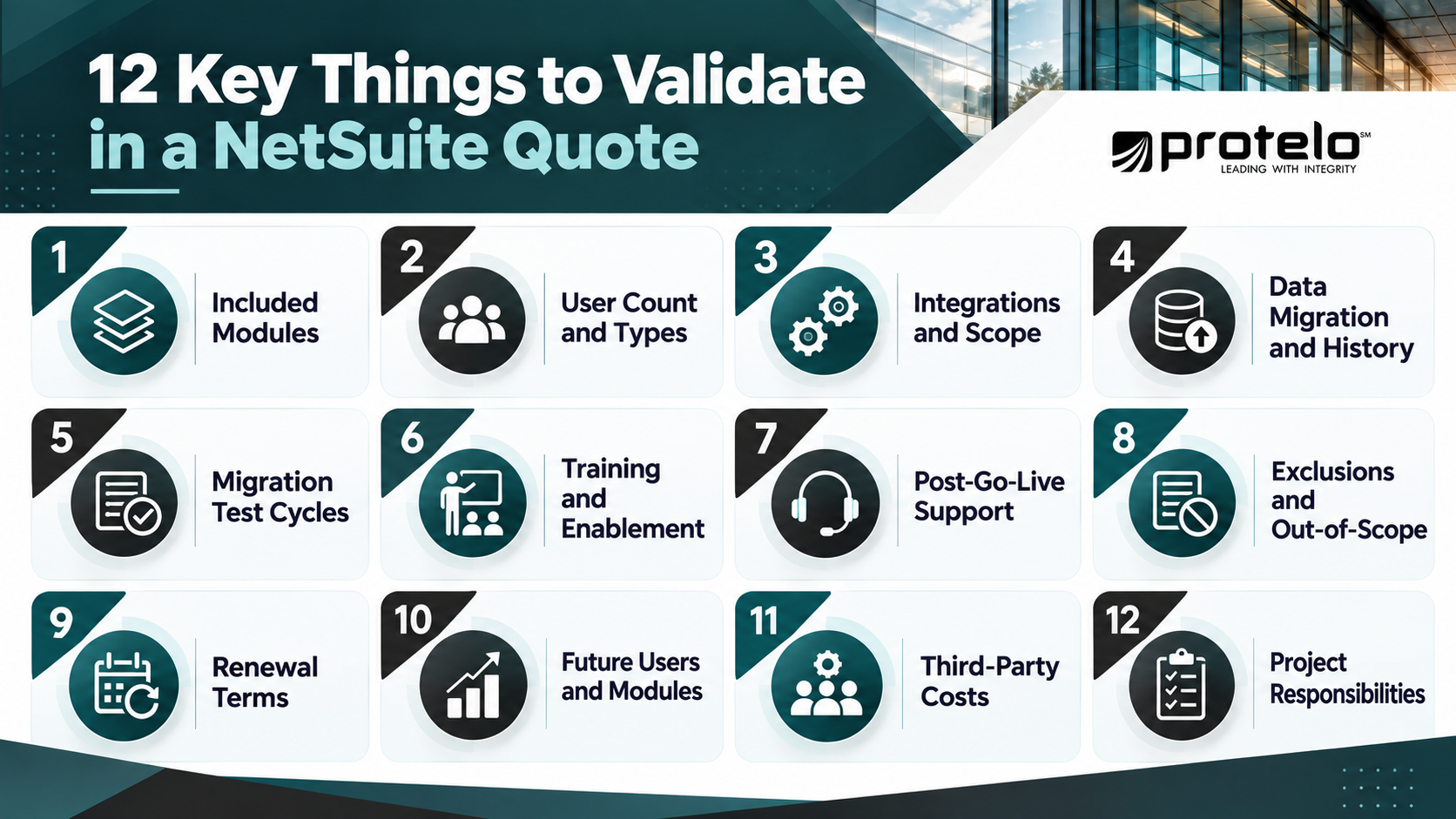
1. Which Modules Are Included?
Confirm every module included in the subscription and make sure each one supports a real business requirement.
Also check whether any functionality discussed during demos or sales conversations depends on a module that is not included in the quote. This helps separate the Year 1 subscription from functionality that may require additional licensing later.
2. How Many Users and User Types Are Included?
Review both the number of user licenses and the access level assumed for each role.
The key question is what each person needs to do in NetSuite. Too many full-access users can raise recurring costs, while too few licenses can create additional expense after go-live. Ask to see the assumptions behind the user count rather than accepting a single total.
3. Which Integrations Are Explicitly Scoped?
Every NetSuite integration should be named and described rather than grouped under a phrase like “integrations included.” Confirm which systems are in scope, what data moves between them, how often it syncs, and who is responsible for testing and exception handling. This makes it easier to distinguish a straightforward connector from more complex integration work.
4. How Much Historical Data Will Be Migrated?
The proposal should define which records and historical transactions are included in the migration. Clarify whether the scope covers master data, open transactions, detailed history, attachments, bills of materials, pricing records, or data from multiple legacy systems. More history generally means more cleanup, mapping, validation, and reconciliation work.
5. How Many Migration Test Cycles Are Included?
Ask how many mock conversions or trial migrations are included before the final cutover. Test cycles give the project team time to identify mapping errors, data-quality issues, and reconciliation problems before go-live. The proposal should also make clear who is responsible for validating the migrated data and approving the results.
6. What Training is Included?
Confirm who will receive training, how it will be delivered, and which roles or processes are covered.
Look for details around administrator training, end-user sessions, role-specific instruction, documentation, recorded materials, and any training available after go-live. A broader user base generally requires a more structured training plan.
7. What Support is Immediately Included After Go-Live?
Find out how long the implementation team remains available after launch and what that support period covers.
Ask whether the proposal includes hypercare, issue resolution, first-close support, workflow adjustments, or early optimization. It should also be clear when included support ends and what happens after that point.
8. What is Explicitly Excluded From the Statement of Work?
The exclusions section deserves the same attention as the included services.
Review anything listed as a customer responsibility, future phase, third-party dependency, assumption, or out-of-scope item. These exclusions may be reasonable, but they still need to be understood before the project begins.
9. What Happens at Renewal?
Confirm how users, modules, environments, and related services will be handled when the initial NetSuite contract term ends.
Review any language around renewal pricing, notice periods, subscription changes, or future additions. Important commercial assumptions should be reflected in the agreement rather than left to verbal expectations.
10. How Are Future Users and Modules Handled?
If the company expects growth, acquisitions, new locations, or additional business processes, ask how future users, modules, subsidiaries, or other NetSuite functionality can be added.
Understanding that process upfront makes it easier to plan for future recurring costs without over-licensing the initial deployment.
11. Which Costs Depend on Third Parties?
Identify any part of the proposed solution that depends on outside applications, connectors, consultants, or vendors.
The NetSuite proposal may not include every third-party subscription, implementation fee, support agreement, or integration cost required to run the full environment. Those boundaries should be clear before the budget is finalized.
12. Who Owns Each Project Responsibility?
A well-scoped proposal should clearly separate the responsibilities of the implementation team from those of the customer. Pay particular attention to data cleanup, data extraction, testing, process decisions, training, integration coordination, user acceptance testing, and cutover preparation. Unclear ownership can create delays or unexpected project effort later.
The proposal should clearly document scope, assumptions, responsibilities, and exclusions. If an important requirement came up during discovery, demos, or sales discussions but does not appear in the proposal or statement of work, get it clarified before signing.
That detail makes it easier to compare proposals, build a realistic Year 1 budget, and spot potential additional costs before implementation begins.
Already Have a NetSuite Quote?
If you already have a NetSuite proposal, it can be worth reviewing the assumptions behind the numbers before implementation begins. Protelo can help you look at areas such as user licensing, modules, integrations, migration scope, implementation services, exclusions, renewal considerations, and post-go-live support so you have a clearer picture of what the proposal actually covers.
A quote review can help identify:
- Scope gaps or assumptions that need clarification
- Costs that may sit outside the initial proposal
- Licensing or module choices that may not match the planned go-live scope
- Integration, migration, or support items that could affect the budget later
Plan Your NetSuite Investment with Protelo
A reliable NetSuite budget starts with a scope that reflects how the business actually operates and what needs to be ready at go-live. Protelo helps companies turn those requirements into a practical NetSuite plan, from licensing and implementation scope to integrations, migration, phased rollout, and post-go-live support.
If you are still trying to estimate what NetSuite may cost for your business, start with Protelo’s NetSuite Pricing Calculator to get a directional estimate based on your requirements. If your scope is already taking shape and you want to discuss implementation planning in more detail, Protelo can help you turn those requirements into a practical plan.
NetSuite Pricing FAQs
How much does NetSuite ERP cost in 2026?
The cost of NetSuite depends on the edition, user licenses, modules, implementation scope, integrations, and data migration requirements. Protelo’s budgeting ranges in this guide start at roughly $55K–$100K for Year 1 for a smaller deployment, with larger or more complex environments requiring more.
These are planning ranges, not published Oracle NetSuite list prices. An actual estimate should reflect the specific scope of your NetSuite solution.
How much does NetSuite cost for a small business?
NetSuite pricing for a small business depends more on what the system needs to support than on employee count alone. A smaller company that needs core financials, a modest number of users, limited integrations, and straightforward migration may have a relatively focused deployment.
Costs can rise quickly if the business also needs inventory management, ecommerce, multiple entities, advanced modules, or extensive integrations. Small businesses evaluating NetSuite should therefore define the processes the system needs to support before deciding whether the investment fits their budget and growth plans.
How much do NetSuite integrations cost?
The cost of NetSuite integrations depends on the systems involved and the complexity of the data moving between them. A straightforward connector may require relatively limited configuration, while a custom integration involving multiple data flows, business rules, exception handling, and testing can require substantially more implementation effort.
When estimating integration costs, document each connected application, the records being exchanged, sync frequency, ownership, connector or middleware requirements, and ongoing maintenance needs.
What ongoing support costs should I budget for after implementing NetSuite?
Support costs after implementation can include system administration, integration maintenance, reporting updates, release testing, training, third-party applications, and future optimization. The amount depends on the complexity of the NetSuite system and how much NetSuite expertise the company has internally.
Some organizations use NetSuite Advanced Customer Support, while others work with a NetSuite solution provider or maintain an internal administrator. Buyers should include post-go-live support in their total cost of ownership rather than treating implementation as the end of the budget.
Can I purchase NetSuite directly from Oracle or work with a NetSuite partner?
Yes. Companies can purchase NetSuite directly from Oracle NetSuite or work with an authorized NetSuite partner, depending on the type of sales, implementation, and advisory support they need.
NetSuite Solution Providers are part of Oracle NetSuite’s partner ecosystem and can support software sales and implementation, while Alliance Partners focus on services such as implementation, integration, advisory, and ongoing optimization.
For buyers, the more important question is how the software purchase and implementation scope will be handled together. An experienced NetSuite partner can help define requirements, integration needs, migration scope, implementation responsibilities, and post-go-live support before the project begins.