

18 min read


NetSuite's licensing model combines subscription editions, functional modules, and user types into a structure that can either control costs or quietly inflate them depending on how well you understand what you're buying.
The core challenge isn't whether NetSuite offers the capabilities you need (it usually does) but whether you can accurately map your business processes to the right combination of modules and user licenses before you sign a NetSuite contract.
Most buyers underestimate how quickly license costs compound when they add modules they aren't ready to implement or assign full user licenses to roles that need only self-service access.
This guide walks through NetSuite's licensing model, explains how core ERP, add-on modules, and user types affect total cost of ownership, and shows you how to build a licensing strategy that aligns Oracle NetSuite pricing with real business needs and implementation capacity.
TL;DR: NetSuite Licensing in Plain English
-
NetSuite subscription includes core ERP; most advanced capabilities require separate add-on modules and licensing.
-
Full user licenses cost significantly more than self-service access; right-sizing user types controls ongoing costs.
-
Modules like OneWorld, WMS, and PSA often double the implementation cost even when licensing fees seem modest.
-
NetSuite typically costs scale with module count and user licenses, not just company size or revenue.
-
Licensing strategy should map modules to workflows you can implement now, deferring the rest until later.
-
Certified NetSuite solution providers help structure contracts to avoid unnecessary cost and implementation complexity upfront.
How NetSuite's Licensing Model Actually Works
NetSuite's licensing model is built around three interconnected decisions: which edition you choose, which modules you license, and how many users of each type you need. Each decision affects not just your annual license fee but also implementation cost, training requirements, and how quickly you'll see ROI. Buyers who treat licensing as a simple software purchase often discover months into implementation that they've committed to modules they can't deploy, or user counts that don't match actual access needs.
Editions, Core ERP, and Subscription Structure
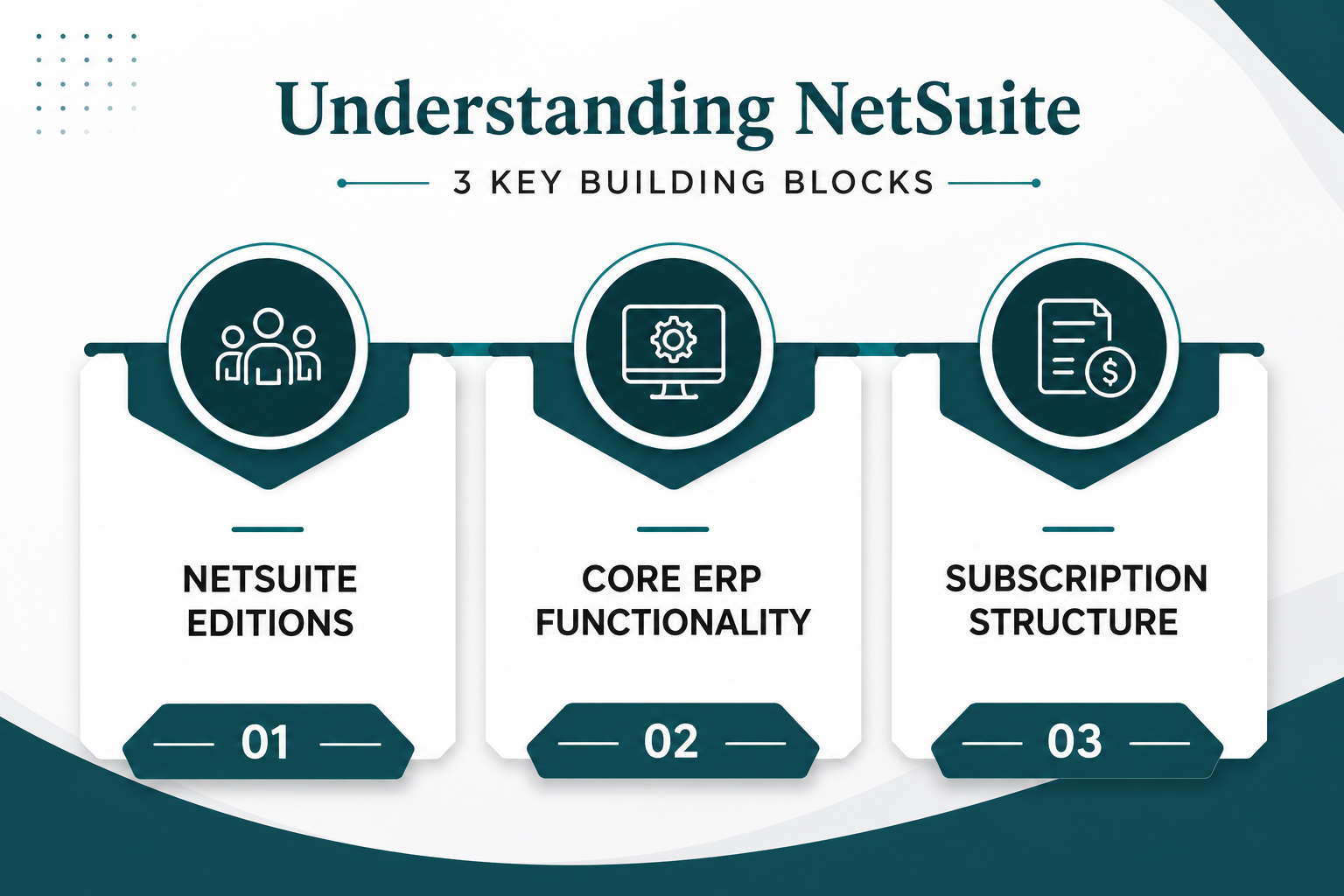
NetSuite offers three primary editions: Starter, mid-market, and enterprise. Each is designed for different company sizes and operational complexity.
-
NetSuite Starter Edition: Supports up to 10 users and is positioned for smaller businesses with straightforward financials and order management.
-
NetSuite Mid-market Edition: Scales from 11 to 1,000 users and adds multi-entity support, making it the most common choice for growing companies.
-
NetSuite Enterprise Edition: Supports 1,000+ users and includes advanced consolidation, localization, and performance capabilities for global operations.
Core ERP functionality comes bundled in every edition and includes general ledger, accounts payable and receivable, basic inventory management, order management, purchasing, and expense reporting. This baseline covers essential financial management and order-to-cash workflows, but most mid-market buyers quickly discover that "core" doesn't include the modules their business actually depends on. Warehouse management, advanced revenue recognition, CRM automation, and multi-subsidiary consolidation all require additional modules.
Oracle NetSuite pricing is structured as an annual subscription, with the license fee determined by your edition, the number of modules you add, and the types of user licenses you need. Most companies work with a NetSuite solution provider rather than buying directly from NetSuite, since partners can often negotiate better terms and provide implementation services that Oracle doesn't offer directly.
Types of User Licenses and How They Affect Cost
NetSuite distinguishes between full user licenses and self-service access, and the cost difference is significant enough to make user planning a critical part of the licensing strategy.
The most common licensing mistake is assigning full user licenses to roles that only need Employee Center access. A warehouse associate who scans inventory or a consultant who logs time doesn't require the same system privileges as a financial controller, but many buyers default to full licenses because they don't understand the access tiers. Right-sizing user types can reduce license costs by 20–30% without limiting operational capability.
Subscription Term, Service Tiers, and Implementation Cost
NetSuite subscription terms typically run one to three years, with longer commitments sometimes unlocking discounted pricing. The annual license fee covers software access, automatic bi-annual upgrades, and basic support, but it does not include the professional services required to configure, customize, and deploy the system.
NetSuite offers service tiers such as SuiteSuccess, which bundles pre-configured industry workflows and a structured implementation methodology. SuiteSuccess can accelerate deployment for companies with standard processes, but it still requires a certified implementation partner to handle discovery, data migration, integration, testing, and training.
NetSuite implementation cost varies widely based on the number of modules, data complexity, customization requirements, and whether you're deploying across multiple subsidiaries or locations. A mid-market implementation typically ranges from $50,000 to $100,000, while enterprise deployments with advanced modules and integrations can exceed $150,000.
The key distinction is that license costs are recurring and predictable, while implementation costs are a one-time investment that scales with scope. Buyers who focus only on the annual subscription fee often underestimate the total cost of ownership in Year 1, when implementation services, data migration, and training represent the largest expense.
NetSuite Modules Explained (and What They Mean for Licensing)
NetSuite's modular architecture lets you start with core ERP and add capabilities as your business grows, but that flexibility also means you need a clear view of which modules solve real problems and which ones you're not ready to implement. This section maps the most common NetSuite modules to business needs and licensing implications, so you can build a licensing strategy that aligns with operational priorities and avoids unnecessary cost.
.png?width=1672&height=941&name=NetSuite%20Modules%20Explained%20(and%20What%20They%20Mean%20for%20Licensing).png)
Financial Management and Advanced Financials
Core financials (general ledger, accounts payable, accounts receivable, bank reconciliation, and basic reporting) are included in every NetSuite edition. For many small businesses, that's sufficient. But as soon as you add complexity (multiple subsidiaries, multiple currencies, revenue recognition under ASC 606, or multi-book accounting for different reporting standards) you'll need additional modules.
NetSuite OneWorld is the multi-subsidiary, multi-currency module that enables global consolidation and intercompany accounting. It's required if you operate legal entities in different countries or need to report financials in multiple currencies with automatic revaluation.
Revenue Management automates ASC 606 and IFRS 15 compliance for companies with subscription billing, multi-element arrangements, or deferred revenue. NetSuite fixed assets management tracks depreciation schedules and asset lifecycles. Advanced Financials adds capabilities like advanced budgeting, allocation rules, and financial planning.
Each of these modules increases both license costs and implementation scope. OneWorld, for example, often adds 30–50% to implementation cost because it requires careful subsidiary hierarchy design, intercompany elimination rules, and currency management configuration. Revenue Management demands deep process mapping to ensure revenue recognition logic matches your contracts and compliance requirements.
If your business operates in a single entity with straightforward revenue recognition, deferring these modules until you actually need them keeps Year 1 costs manageable. But if multi-entity consolidation or complex revenue recognition is a day-one requirement, licensing these modules upfront is non-negotiable.
Protelo's NetSuite Implementation services include configuration of advanced financial modules, with consultants who average 20+ years of ERP experience and understand how to structure subsidiary hierarchies, intercompany workflows, and revenue recognition rules without over-engineering the system.
Customer Relationship Management Modules
NetSuite CRM is included in the base subscription and covers lead tracking, opportunity management, case management, and basic marketing automation. For companies that need lightweight customer relationship management (tracking sales pipeline, logging customer interactions, and managing support cases) the native CRM module is often sufficient.
The licensing question becomes more complex when you need advanced CRM capabilities: territory management, partner relationship management, incentive compensation, or deep integration with marketing automation platforms.
NetSuite offers CRM+ as an add-on module that extends sales force automation, adds advanced forecasting, and integrates with third-party marketing tools. If your sales team is large or your sales process is complex, CRM+ may justify the additional license fee. But if CRM is a secondary priority and your team is small, the core module usually covers what you need in Year 1.
The bigger licensing implication is user count. Sales reps typically require full user licenses because they need access to opportunities, quotes, orders, and customer records. If you're licensing NetSuite primarily for financials and operations but plan to add a 10-person sales team later, that decision will increase your annual license costs significantly.
Planning user needs by role and distinguishing between full CRM access and read-only reporting access helps you avoid over-licensing users who don't need write permissions.
Inventory, Supply Chain, and Warehouse Management Modules
Core inventory management in NetSuite handles item records, stock levels, reorder points, and basic lot and serial tracking. It's designed for businesses with straightforward inventory needs: retailers, light manufacturers, or distributors with a single warehouse and simple fulfillment workflows.
As operational complexity increases, you'll need additional modules to manage multi-location inventory, automate warehouse workflows, or optimize supply chain planning.
The most common mistake is licensing warehouse management before the business is ready to implement it. WMS requires mobile hardware, barcode labels, process retraining, and often custom workflows to handle exceptions.
Professional Services Automation (PSA) and Project Modules
NetSuite PSA is designed for service businesses (consulting firms, agencies, IT services, and professional services organizations) that need to manage projects, track time and expenses, bill clients, and recognize revenue by project. The module includes project management, resource planning, time and expense capture, project billing, and project-based revenue recognition.
Licensing PSA affects both module cost and user count. Project managers and consultants typically need full user licenses to create projects, log time, and manage budgets. But field staff or contractors who only log time can use Employee Center licenses, which cost significantly less. The key is mapping user needs to access requirements before you finalize the NetSuite contract.
PSA implementation cost is often underestimated because the module requires careful configuration of billing rules, revenue recognition logic, and project templates. If your services business has complex billing arrangements (fixed fee, time and materials, milestone-based, or retainer billing) you'll need a partner who understands how to configure NetSuite's billing engine to match your contracts without creating manual workarounds.
For companies that manage internal projects but don't bill clients, NetSuite offers SuiteProjects as a lighter-weight alternative. It provides project tracking and resource planning without the full billing and revenue recognition capabilities of PSA. If you're not a services business but need project visibility for internal initiatives, SuiteProjects may be a better fit at a lower license cost.
Commerce and SuiteCommerce (B2B/B2C)
NetSuite SuiteCommerce is the platform's native e-commerce solution, designed to unify online and offline sales channels with real-time inventory, order management, and customer data. It's available in two editions: SuiteCommerce Standard and SuiteCommerce Advanced.
SuiteCommerce modules often come with discounted pricing when bundled with NetSuite ERP, but the total cost of ownership includes both the annual license fee and the implementation cost to design, configure, and launch the site. SCA implementations can exceed $100,000 when they involve custom themes, complex product catalogs, or integrations with marketing automation and analytics platforms.
The licensing decision hinges on whether e-commerce is a core revenue channel or a secondary capability. If you're a distributor moving from phone and email orders to a self-service B2B portal, SuiteCommerce Advanced may justify the investment because it eliminates the need for a separate ecommerce platform and keeps inventory, pricing, and customer data unified in NetSuite.
If e-commerce is exploratory or low-volume, starting with a third-party platform like Shopify or BigCommerce and integrating it with NetSuite may be a lower-risk path until you're ready to commit to SuiteCommerce.
Analytics, Planning, and Other Add-On Modules
NetSuite Analytics Warehouse is a data warehousing and business intelligence module that integrates with Oracle Analytics Cloud. It's designed for companies that need to combine NetSuite data with external data sources, build complex data models, or deliver self-service analytics to business users. The module adds both license cost and implementation complexity, so it's typically deferred until core reporting is stable and the business has a clear analytics roadmap.
Planning and Budgeting is a cloud-based module for financial planning, scenario modeling, and rolling forecasts. It's useful for finance teams that need to move beyond spreadsheet-based budgeting, but it requires process discipline and a clean chart-of-accounts structure to deliver value. If your budgeting process is still maturing, investing in this module early may create more complexity than it solves.
Other add-on modules (Fixed Assets, Advanced Revenue Management, Incentive Compensation, Contract Renewals, and more) each solve specific problems for specific business models. The licensing strategy question is always the same: does this module solve a problem you have today, or is it solving a problem you might have in two years? If it's the latter, defer it. NetSuite allows you to add modules mid-contract, so there's no penalty for starting lean and expanding as your business and implementation capacity grow.
Protelo's AI for NetSuite – RightInsight AI offers a way to extend analytics capabilities without committing to heavy modules upfront. RightInsight AI lets non-technical users query NetSuite data in plain English, surface trends and anomalies, and answer business questions in real time, all for $20 per user per month. It's a practical alternative to over-investing in analytics modules before you've fully adopted core ERP.
Read Next: NetSuite Price in 2026: Oracle NetSuite Pricing Guide, Implementation Cost & Cost Breakdown
Building a Licensing Strategy: Right Modules, Right Users, Right Time
A licensing strategy aligns NetSuite's capabilities with your implementation capacity, budget, and business priorities over a 12–24 month horizon. The goal is to license what you can implement well in Year 1, defer what you're not ready for, and leave room to expand as your business and system maturity grow.
Map Business Processes to Modules Before You Sign
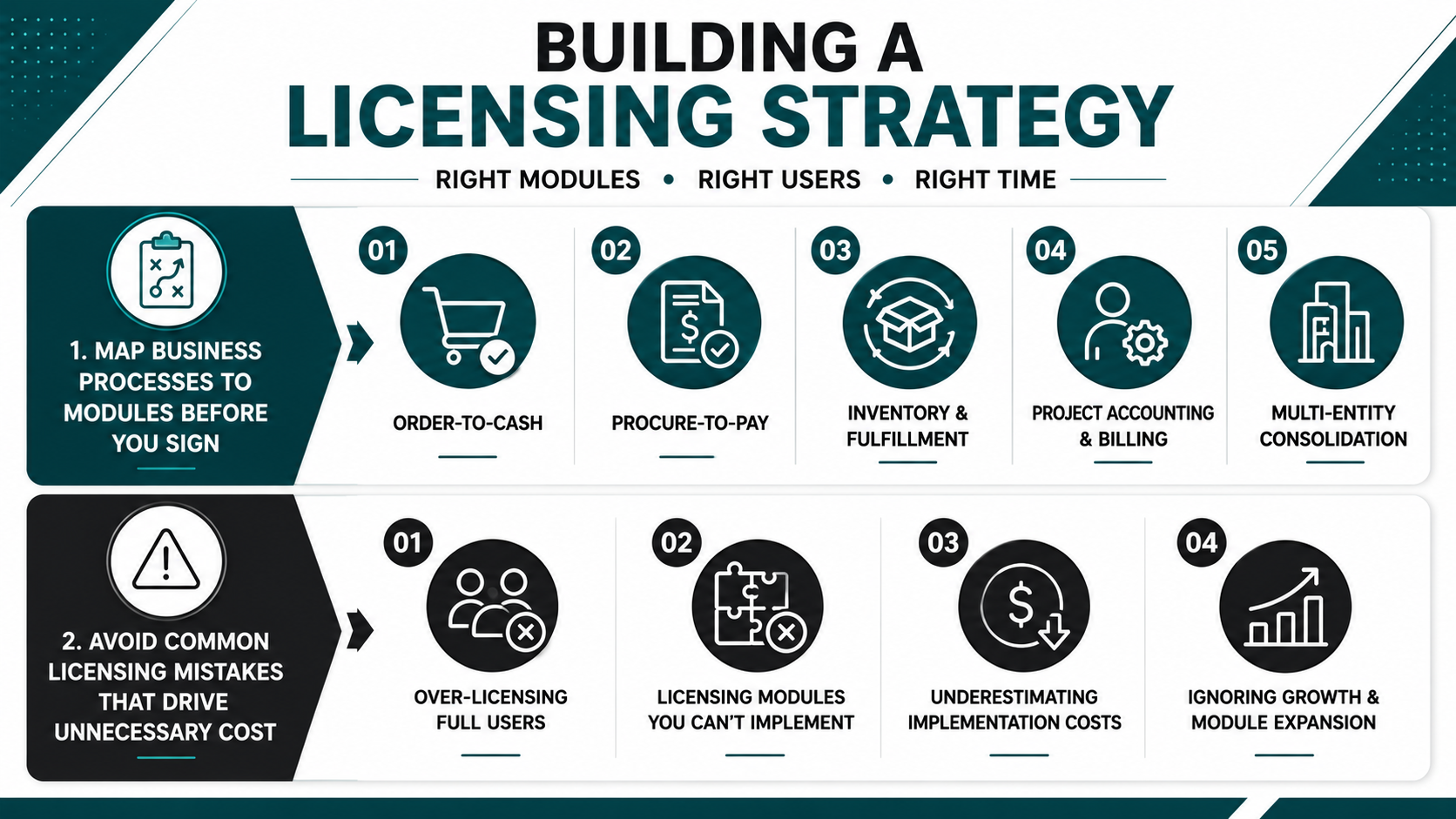
The most effective way to avoid over-licensing is to map your core business processes to NetSuite modules before you finalize the contract. Start with the workflows that create the most pain or risk in your current system, then identify which modules are required to fix them.
-
Order-to-cash: Core ERP handles order entry, invoicing, and accounts receivable. Add CRM if you need sales pipeline visibility. Add SuiteCommerce if you're moving to self-service ordering. Add Advanced Revenue Management if you have complex revenue recognition.
-
Procure-to-pay: Core ERP covers purchase orders, receiving, and accounts payable. Add Advanced Procurement if you need requisition workflows and multi-level approvals. Add Vendor Portal if you want suppliers to submit invoices and track POs directly.
-
Inventory and fulfillment: Core inventory management handles stock levels and basic lot tracking. Add WMS if you need directed putaway, wave picking, and mobile scanning. Add Demand Planning if you need automated replenishment and safety stock optimization.
-
Project accounting and billing: SuiteProjects handles internal project tracking. Add PSA if you bill clients by project and need time and expense capture, project-based revenue recognition, and resource planning.
-
Multi-entity consolidation: Core financials support a single legal entity. Add OneWorld if you operate multiple subsidiaries, currencies, or countries and need automated intercompany eliminations and consolidated reporting.
Avoid Common Licensing Mistakes That Drive Unnecessary Cost
Even experienced buyers make predictable licensing mistakes that inflate costs without delivering proportional value. Recognizing these patterns upfront helps you structure a leaner, more effective NetSuite contract.
-
Over-licensing full users: Assigning full user licenses to roles that only need self-service access is the most common cost driver. Warehouse staff, field technicians, and hourly employees rarely need full system access. Employee Center licenses cost a fraction of full licenses and still provide time entry, expense submission, and case visibility.
-
Licensing modules you can't implement: Buying WMS, PSA, or SuiteCommerce because they're part of a bundled discount sounds smart until you realize your team doesn't have the capacity to implement them in Year 1. Unused modules create shelf-ware cost and often get abandoned before they're ever configured.
-
Underestimating implementation cost relative to license cost: A $50,000 annual subscription may seem reasonable, but if the modules you've licensed require $150,000 in implementation services, your Year 1 total cost of ownership is $200,000. Always model license cost and implementation cost together, not separately.
-
Ignoring user growth and module expansion: Your initial contract locks in pricing for the term, but adding users or modules mid-contract often triggers higher per-unit costs. Build a 12–24 month growth forecast into your licensing plan so you're not surprised by cost increases when you scale.
The best licensing strategies are conservative in Year 1 and expansionary in Year 2. Start with the modules and users you know you need, implement them well, and add capacity once the system is stable and delivering ROI.
Read Next:
Turn NetSuite Licensing Into a Strategic Asset
NetSuite's licensing model offers the flexibility to start lean and scale as your business grows, but only if you understand how editions, modules, and user types interact to shape the total cost of ownership. The companies that get the most value from NetSuite are the ones that treat licensing as a strategic decision: mapping modules to real workflows, right-sizing user access, and phasing implementation to match capacity and budget. The companies that struggle are the ones that over-license upfront, underestimate implementation cost, or sign contracts without a clear view of which modules they're actually ready to deploy.
-
Tie modules to real workflows before choosing a NetSuite edition to avoid over-buying functionality you can't implement.
-
Right-size full user licenses versus self-service access to align license costs with actual user needs and roles.
-
Treat NetSuite license fees, implementation cost, and add-on modules as one total cost of ownership decision, not separate line items.
Protelo combines licensing expertise, NetSuite Implementation services, on-demand NetSuite Support and Administration, and deep technical capabilities across SuiteScript, SuiteFlow, and SuiteTalk to help companies understand NetSuite's pricing structure, choose the right NetSuite edition and modules, and implement NetSuite ERP for long-term success.
Get a module-licensing review to align your NetSuite edition, modules, and user licenses with real business needs and long-term total cost of ownership.
FAQs
What is the difference between NetSuite core ERP and add-on modules?
Core ERP includes general ledger, accounts payable and receivable, basic inventory, order management, purchasing, and expense reporting in every NetSuite edition. Add-on modules like OneWorld, WMS, PSA, Revenue Management, and SuiteCommerce provide advanced capabilities that require separate licensing and increase both subscription cost and implementation scope.
How do NetSuite user licenses affect total cost?
Full user licenses provide complete system access by role and represent the largest portion of annual license costs. Employee Center users cost significantly less and cover time entry, expense submission, and self-service access. Right-sizing user types based on actual access needs can reduce license costs by 20–30% without limiting operational capability.
Can I add NetSuite modules after the initial contract is signed?
Yes, NetSuite allows you to add modules mid-contract as your business needs evolve. However, adding modules or users after the initial term may trigger higher per-unit pricing, so it's worth forecasting 12–24 months of growth when structuring your initial licensing agreement to lock in better rates.
What is NetSuite OneWorld and when do I need it?
NetSuite OneWorld is the multi-subsidiary, multi-currency module required for companies operating multiple legal entities, managing intercompany transactions, or reporting financials in multiple currencies. It's essential for global businesses but adds 30–50% to implementation cost due to subsidiary hierarchy design, currency management, and intercompany elimination configuration.
How much does NetSuite implementation cost compared to the annual license fee?
NetSuite implementation cost typically ranges from $50,000 to $100,000 for mid-market deployments and can exceed $150,000 for enterprise implementations with advanced modules, integrations, and multi-subsidiary configurations. In Year 1, implementation services often represent a larger expense than the annual subscription, making total cost of ownership planning critical.
Should I work with a NetSuite partner or buy directly from Oracle?
Most mid-market buyers benefit from working with a certified NetSuite solution provider because partners offer licensing strategy guidance, implementation services, and often better contract terms than buying directly from NetSuite. Partners like Protelo help right-size your module and user licensing footprint, handle configuration and data migration, and provide ongoing support that Oracle doesn't offer directly.