

28 min read


Most finance teams don't realize they've outgrown QuickBooks. The software still works—it just doesn't work well anymore. Orders take longer to process. Reports need manual cleanup. The team spends more time reconciling data than analyzing it.
QuickBooks is good accounting software. However, the question is whether accounting software alone can still support the business, or whether the company now needs a system that connects finance, inventory, orders, CRM, and operations.
NetSuite and QuickBooks are two different solutions built for different stages. QuickBooks handles accounting. NetSuite runs the business. Understanding where one ends and the other begins makes the decision clearer.
This guide covers:
-
How QuickBooks Online, QuickBooks Enterprise, and NetSuite differ in scope and fit
-
Where QuickBooks reaches its ceiling and why companies switch from QuickBooks to NetSuite
-
What changes in cost, reporting, inventory, CRM, and multi-entity control when comparing NetSuite and QuickBooks
P.S. If your team is evaluating whether to stay with QuickBooks or move to a full ERP suite, Protelo's NetSuite Implementation Services support data migration, CRM alignment, ecommerce connections, supply chain tool integration, and replacing or consolidating QuickBooks files without disrupting operations. Migrate to NetSuite to unify accounting, inventory, reporting, CRM, and operations in one system.
TL;DR: NetSuite And QuickBooks Solve Different Stages Of Growth
QuickBooks Online Vs QuickBooks Enterprise: What Buyers Should Clarify First
Before comparing NetSuite vs QuickBooks, it is important to understand which QuickBooks product is actually in play. The QuickBooks product family includes cloud and desktop options, and they don't all solve the same problems. QuickBooks Online and QuickBooks Enterprise serve different buyers with different needs, and knowing which version fits your business changes how you evaluate the comparison of NetSuite and QuickBooks.
This overview of QuickBooks shows how the product family is structured and where each option fits best.
NetSuite Vs QuickBooks: What Actually Changes The Decision?
The comparison between NetSuite and QuickBooks determines what kind of system the business actually needs. Understanding this difference helps clarify when to use QuickBooks and when to use NetSuite.
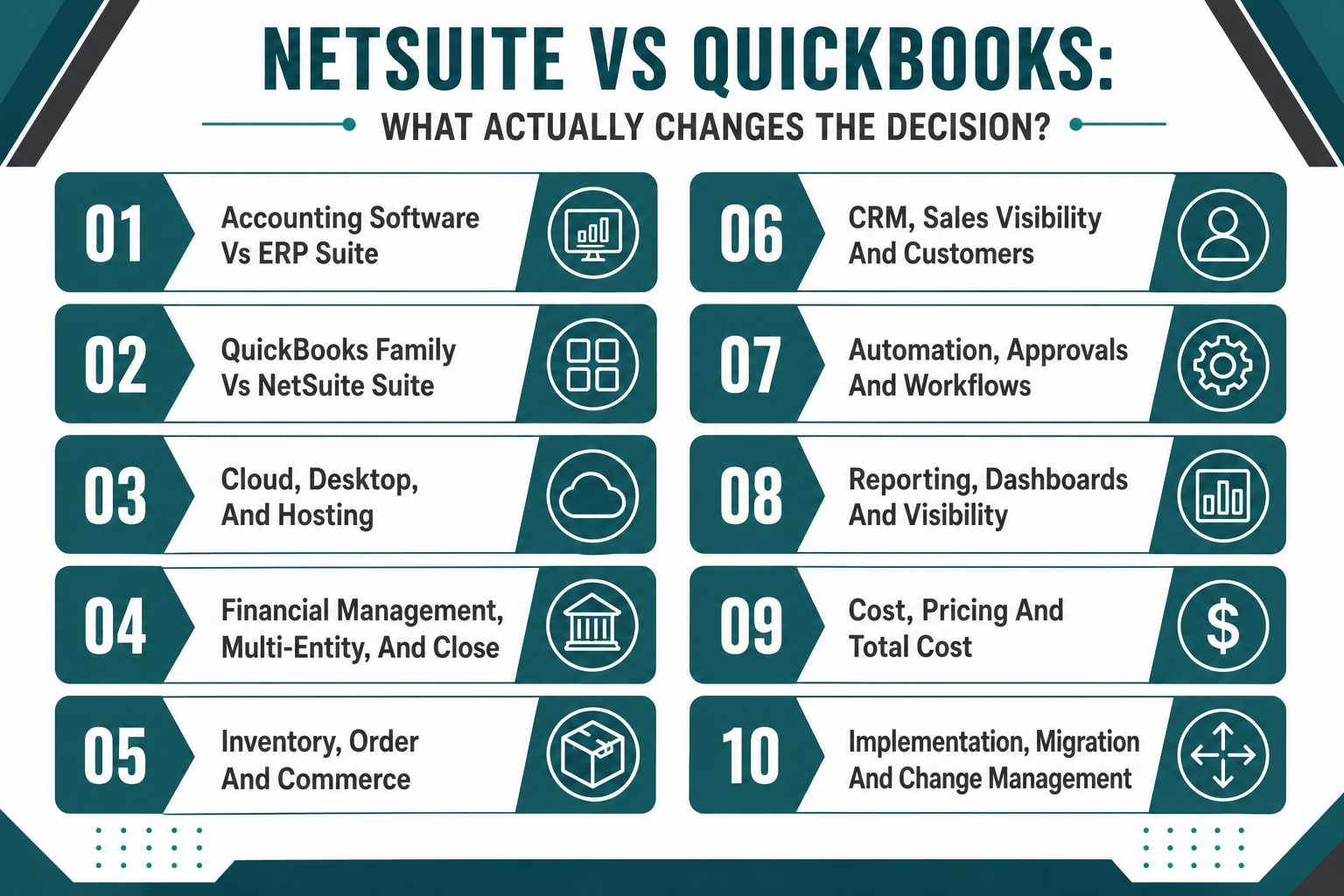
Accounting Software Vs ERP Suite
The biggest difference between NetSuite and QuickBooks is scope. QuickBooks is an accounting software solution. NetSuite is cloud-based enterprise resource planning software that includes accounting, CRM, inventory, order management, and supply chain tools in one system. This distinction matters because it determines what the software can handle and where it reaches its limit.
NetSuite:
-
Full ERP Scope: NetSuite offers a comprehensive suite that connects finance, operations, sales, and fulfillment. It's built for companies that need more than accounting software.
-
Unified Data Model: NetSuite allows teams to work from one database instead of syncing data between accounting, CRM, inventory, and e-commerce tools.
-
Growth Runway: NetSuite is a cloud-based ERP designed to scale from mid-market to enterprise without re-platforming. Companies use NetSuite when they need a system that grows with them.
QuickBooks:
-
Accounting-First Design: QuickBooks handles bookkeeping, invoicing, expense tracking, and financial reporting. It's strong at accounting but doesn't extend into CRM, supply chain, or advanced operations.
-
Add-On Dependency: QuickBooks may require third-party tools for inventory, CRM, e-commerce, and reporting. That works early on but creates integration complexity as the business grows.
-
Ceiling Risk: QuickBooks becomes harder to maintain when teams rely on spreadsheets, add-ons, and duplicate entry to support daily operations.
QuickBooks Product Family Vs One NetSuite ERP Suite
QuickBooks offers multiple products, including QuickBooks Online, QuickBooks Online Plus, QuickBooks Online Advanced, QuickBooks Desktop Enterprise, and QuickBooks Enterprise—each designed for different business sizes and needs. NetSuite, by contrast, is one ERP suite that scales across company sizes through modules and configurations. This structural difference affects how businesses evaluate QuickBooks vs NetSuite.
Cloud, Desktop, And Hosting Architecture
The way software is deployed affects accessibility, updates, scalability, and long-term maintenance. QuickBooks Online is a cloud-based accounting platform, and NetSuite is also cloud-based, but they differ in architecture and scope. QuickBooks Desktop Enterprise is a desktop software that changes how teams access and manage the system.
NetSuite:
-
True Cloud ERP: NetSuite is built as cloud accounting software from the ground up. It runs entirely in the cloud with no local installation, automatic updates, and access from any device.
-
Multi-Tenant Architecture: NetSuite uses a multi-tenant model, which means all customers run on the same version. Updates happen automatically twice a year without downtime or manual upgrades.
-
Global Access: NetSuite allows teams to work from anywhere with internet access. It's designed for distributed teams, remote work, and multi-location operations.
QuickBooks Online:
-
Cloud-Based Accounting: QuickBooks Online is cloud-based and accessible from browsers and mobile devices. It's easier to deploy than desktop options.
-
Automatic Updates: QuickBooks Online updates automatically, so users don't manage versions or patches.
-
Simpler Infrastructure: QuickBooks Online works well for small businesses that want cloud access without managing servers or hosting.
QuickBooks Enterprise:
-
Desktop Software: QuickBooks Desktop Enterprise runs locally on Windows machines. It requires installation, local data storage, and manual updates.
-
Hosting Option Available: QuickBooks Enterprise can be hosted in the cloud through third-party providers, but it's still desktop software running remotely—not true cloud architecture.
-
Version Management: Desktop users manage their own subscription to QuickBooks Desktop, including updates, backups, and data security.
The difference between cloud and desktop matters for teams that need remote access, automatic updates, and scalability. NetSuite and QuickBooks Online are both cloud platforms, but NetSuite offers broader ERP functionality. QuickBooks Enterprise is a desktop software that appeals to companies that prefer local control but limits flexibility.
Read Next: How to Choose Between Cloud vs. Desktop Accounting for Growth
Financial Management, Multi-Entity Control, And Close Complexity
Financial management is where the difference between accounting software and ERP becomes most visible. QuickBooks accounting software handles bookkeeping, invoicing, and financial reporting for single-entity businesses. It works well when accounting is straightforward and the company operates in one location with one legal entity. On the other hand, NetSuite provides multi-entity consolidation, intercompany transactions, and global financial management.
NetSuite OneWorld supports multiple subsidiaries, currencies, and tax jurisdictions in one system. That's why CFOs switch from QuickBooks when the business expands into new markets, acquires other companies, or needs consolidated reporting across entities. QuickBooks can manage multiple companies, but each company file is separate. Consolidating data across QuickBooks files requires manual work or third-party tools. Intercompany transactions, eliminations, and multi-currency reporting become harder as the business grows.
NetSuite handles multi-company files natively. It tracks intercompany transactions automatically, supports consolidated reporting across subsidiaries, and manages currency revaluation without spreadsheets. The close process is faster because NetSuite eliminates manual consolidation work.
The difference between NetSuite and QuickBooks becomes clear when the business needs to report across entities, manage intercompany billing, or support global operations. QuickBooks is accounting software for single entities. NetSuite is ERP software for multi-entity businesses.
Companies often upgrade from QuickBooks to NetSuite when spreadsheets start supporting close work instead of the accounting system. If the finance team spends more time reconciling data than analyzing it, that's a signal the business has outgrown QuickBooks accounting. Many businesses eventually outgrow QuickBooks when financial complexity increases.

Northwest Management Customer Success Story
Moving Beyond Disconnected Accounting Systems
Northwest Management was managing its business across Sage, QuickBooks, and Excel, creating manual processes and making it difficult to get a clear view of financial and project performance.
Protelo helped bring those systems and processes together in NetSuite, giving Northwest Management better financial reporting, project visibility, and workflow automation. By moving from disconnected systems to a more connected business platform, the company gained better access to the information needed to manage its operations.
Inventory, Order Management, And Commerce Complexity
Inventory and order management separate accounting software from ERP. QuickBooks handles basic inventory tracking, but it's not designed for complex supply chain operations, multi-location stock management, or high-volume order processing. NetSuite, by contrast, includes full inventory management, warehouse management, demand planning, and order fulfillment as part of the suite.
Read Next: QuickBooks & Fishbowl to NetSuite: Why Distributors Choose NetSuite
CRM, Sales Visibility, And Customer Records
CRM integration is another area where QuickBooks and NetSuite have different approaches. QuickBooks can manage customer records for invoicing and payments, but it's not designed to be the center of a sales strategy. NetSuite includes CRM inside the ERP suite, which means customer data, sales activity, orders, invoices, and support history live in one system. This matters when sales, finance, and operations need to work from the same customer data.
NetSuite:
-
Native CRM Coverage: NetSuite CRM sits inside the suite, helping sales, finance, fulfillment, and support teams connect customer activity with transactions, orders, and billing.
-
Customer Record Continuity: NetSuite is stronger when the business wants customer data, order history, invoices, inventory, and support context closer to one system.
-
Quote-To-Cash Fit: NetSuite fits companies that need customer activity tied into quoting, orders, fulfillment, invoicing, renewals, and reporting.
QuickBooks:
-
Accounting-First Customer Data: QuickBooks allows users to manage customers for invoices, payments, and accounting workflows, but it is not usually the center of a full CRM strategy.
-
Outside CRM Need: Growing teams often need a separate CRM when sales management, pipeline visibility, support history, and customer lifecycle reporting become important.
-
Integration Tradeoff: QuickBooks and NetSuite differ because QuickBooks may require more connected tools to approximate an ERP and CRM solution.
Read Next: Simplifying the Suite: NetSuite Integrations
Automation, Approvals, And Workflow Control
Workflow automation becomes more important as businesses grow. QuickBooks provides basic approval features, but it's not designed for complex workflow automation across departments. NetSuite includes a workflow engine that handles approvals, notifications, and process automation without custom code. This matters when companies need purchase order approvals, expense approvals, and order routing to be automated.
NetSuite:
-
Workflow Engine: NetSuite includes SuiteFlow, a workflow automation tool that handles approvals, notifications, and process automation without custom code. It's built for companies that need purchase order approvals, expense approvals, and order routing to be automated.
-
Role-Based Permissions: NetSuite allows admins to control what users see, edit, and approve based on role. That's useful for companies with multiple departments, locations, or subsidiaries.
-
Scalable Automation: NetSuite supports complex workflows that span finance, operations, and sales. It's designed for businesses that need automation to scale without adding headcount.
QuickBooks:
-
Basic Approval Features: QuickBooks Online Advanced includes workflow approvals for expenses and purchase orders, but it's limited compared to ERP-level automation. QuickBooks also offers some approval routing.
-
Manual Workarounds: QuickBooks often requires manual steps for approvals, routing, and process control. That works early on but becomes a bottleneck as the business grows.
-
Add-On Dependency: Companies that need advanced automation often layer third-party tools on top of QuickBooks, which adds cost and complexity.
Read Next: Strategic NetSuite Projects That Drive Efficiency

Trinity Solar Customer Success Story
From QuickBooks to Better Financial Visibility
Trinity Solar had outgrown QuickBooks Enterprise as its business grew, making it harder to manage increasing transaction volume and maintain visibility across financial and operational processes.
Protelo helped move Trinity Solar to NetSuite, bringing financials, job costing, AP, billing, inventory, and operations into one connected system. The company reduced its financial close from up to 30 days to 10–12 days while gaining better visibility across the business.
See How Trinity Solar Moved From QuickBooks to NetSuite →
Reporting, Dashboards, And Role-Based Visibility
Reporting is where the difference between accounting software and ERP becomes most visible. QuickBooks reporting focuses on financial statements—P&L, balance sheet, cash flow, and tax reports. NetSuite reporting spans the entire business, including financials, inventory, sales, CRM, and operations.
| Comparison Area | QuickBooks Online | QuickBooks Enterprise / Desktop | NetSuite |
|---|---|---|---|
| Reporting Focus | Pre-built financial reports—works for basic P&L, balance sheet, and cash flow reporting. | Stronger reporting than QuickBooks Online with more customization and advanced financial reports. | Full business intelligence with financial, operational, and custom reporting across all modules. |
| Visibility | Limited real-time visibility—reports are accounting-focused and don't extend into inventory, CRM, or operations. | Better reporting depth, but still focused on accounting and inventory—doesn't cover CRM or supply chain. | Real-time dashboards and KPIs across finance, sales, inventory, fulfillment, and operations. |
| Customization | Limited report customization—users work with pre-built templates and basic filters. | More customization than QuickBooks Online, but still constrained by accounting software design. | Fully customizable reports, saved searches, and dashboards—users can build reports that span multiple modules. |
| User Experience | Simple interface designed for small business owners and bookkeepers. QuickBooks is easier to learn for basic accounting tasks. | Desktop interface with more control but a steeper learning curve than QuickBooks Online. | Role-based dashboards that show relevant KPIs and reports based on user role—designed for multi-department visibility. |
| Best Fit | Small businesses that need basic financial reporting without heavy customization. | Companies that need stronger reporting than QuickBooks Online but aren't ready for ERP-level analytics. | Mid-market to enterprise companies that need real-time visibility across finance, operations, and sales. |
Read Next: Generate Multi-Level NetSuite Reports Instantly with RightInsight AI
Cost, Pricing, And Total Cost Of Ownership
Pricing is one of the most common questions when comparing NetSuite vs QuickBooks. QuickBooks is cheaper upfront, but the total cost of ownership increases when add-ons, integrations, and manual workarounds pile up. NetSuite costs more initially but reduces long-term TCO when the business needs an ERP scope. Understanding the full cost picture—licensing, implementation, add-ons, and ongoing support—helps clarify which platform delivers better value over time.
Note: All pricing figures are directional estimates, not fixed rates. Total cost depends on factors such as modules, number of users or employees, integrations, and implementation complexity. Both NetSuite and QuickBooks Enterprise/Desktop typically require custom pricing based on business requirements.
Read Next: NetSuite Price in 2026: Oracle NetSuite Pricing Guide, Implementation Cost & Cost Breakdown
Implementation, Migration, And Change Management
QuickBooks is designed for self-service setup, which means most small businesses can start with QuickBooks without consulting or implementation services. NetSuite requires full implementation, including data migration, system configuration, user training, and testing. This difference affects timeline, cost, and change management when making the transition to NetSuite.
NetSuite:
-
Full Implementation Required: Moving from QuickBooks to NetSuite requires data migration, system configuration, user training, and testing. Implementation typically takes 3–6 months, depending on complexity.
-
Partner-Led Deployment: Most companies work with a NetSuite partner to handle implementation, data migration, and go-live support. That ensures the system is configured correctly and users are trained.
-
Change Management: NetSuite implementation involves process changes, not just software changes. Teams need training, documentation, and support to adopt the new system.
QuickBooks:
-
Self-Service Setup: QuickBooks Online is designed for self-service setup. Most small businesses can start using QuickBooks without consulting or implementation services. QuickBooks helps small businesses get started quickly.
-
Faster Deployment: QuickBooks Online and QuickBooks Desktop Enterprise deploy faster than ERP because the scope is narrower. Companies can be up and running in days or weeks.
-
Lower Change Impact: QuickBooks requires less change management because it's focused on accounting. Teams don't need to learn CRM, inventory, or supply chain workflows.
The difference matters when evaluating whether to upgrade from QuickBooks to NetSuite. QuickBooks is faster to deploy. NetSuite requires more upfront work but delivers broader functionality and long-term scalability.
Read Next: The Benefits of a Phased NetSuite Implementation for a Faster ROI
Choose QuickBooks Online If:
QuickBooks Online fits small businesses that need basic bookkeeping, invoicing, and expense tracking without heavy inventory or multi-entity reporting. It's the right choice when the business operates in one location, sells a limited number of products, and doesn't need CRM or supply chain tools.
QuickBooks Online is a cloud-based accounting platform that works well for service businesses, freelancers, and small retailers that need affordable accounting software with cloud access. It's also a good fit when the team wants QuickBooks payments integrated with invoicing and doesn't need advanced reporting or automation. QuickBooks is known for ease of use and affordability, making it an ideal choice for early-stage companies.
Use QuickBooks Online when the business is still in the early stage and doesn't need ERP yet. It's the most affordable option in the QuickBooks product family and the easiest to deploy. Compare QuickBooks Online plans—Simple Start, Essentials, Plus, and Advanced—to find the right fit based on user count and feature needs. QuickBooks is a great starting point for small businesses that need reliable accounting software.
Choose QuickBooks Enterprise If:
QuickBooks Enterprise fits accounting-heavy companies that need stronger inventory, advanced pricing, and deeper reporting than QuickBooks Online but aren't ready for full ERP. It's the right choice when the business prefers desktop software, needs more user control, and wants better inventory tracking without moving to NetSuite.
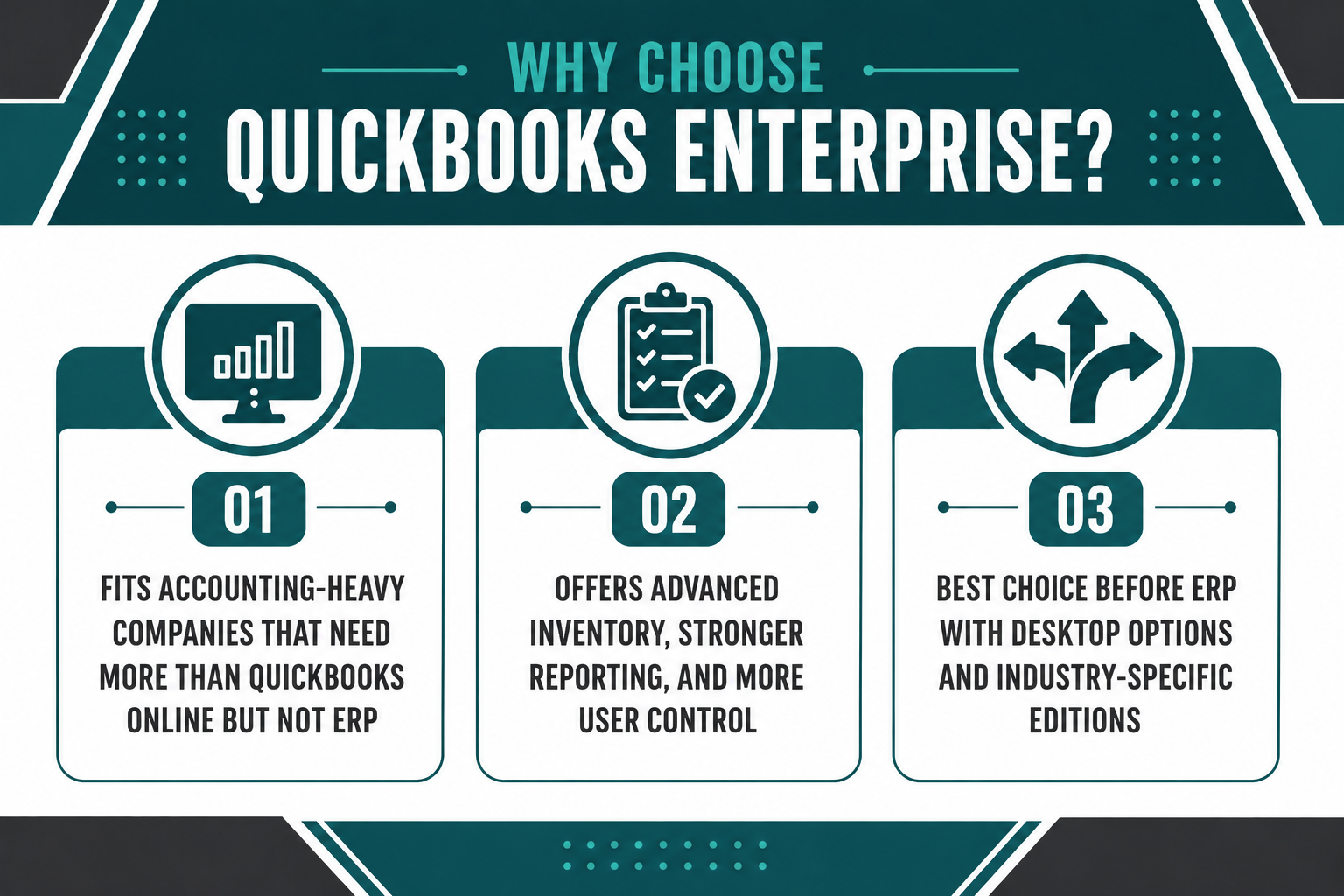
QuickBooks Enterprise offers advanced inventory, FIFO/LIFO costing, and stronger reporting than QuickBooks Online. It also supports more users, better payroll integration, and more granular permissions. That makes it a good fit for distributors, manufacturers, and retailers that need more than QuickBooks Online but want to delay ERP investment.
Choose QuickBooks Enterprise when the business has outgrown QuickBooks Online but isn't ready to switch from QuickBooks to NetSuite. It's the strongest QuickBooks offering before ERP. QuickBooks Desktop Premier Plus is another option for companies that need desktop software with moderate inventory and reporting depth. QuickBooks also offers industry-specific editions for manufacturing, contracting, and nonprofit organizations.
Choose NetSuite If:
NetSuite fits companies outgrowing accounting software. It's the right choice when the business needs multi-entity reporting, inventory and order complexity, CRM integration, ecommerce growth, and fewer workarounds.
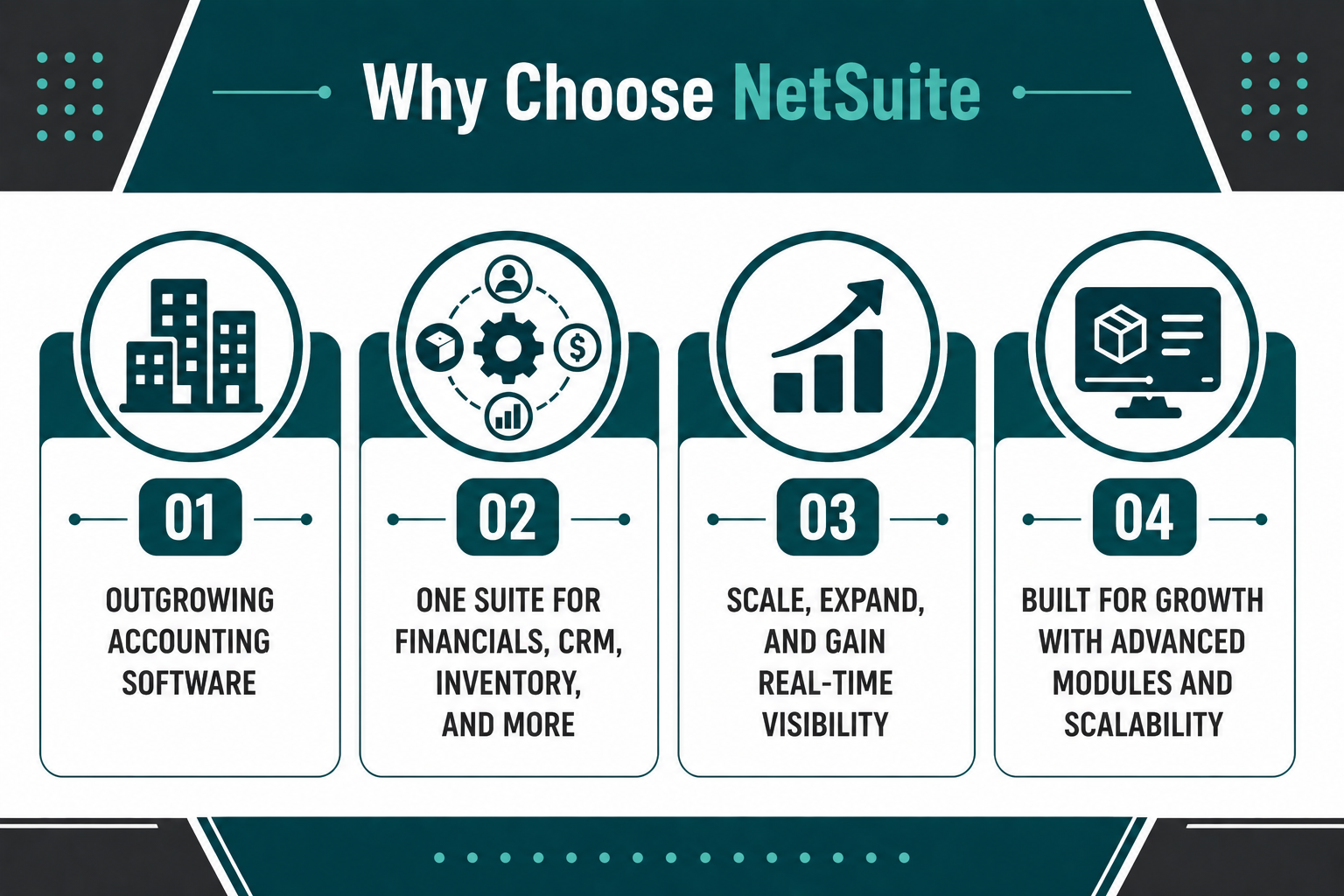
NetSuite is built for companies that need more than accounting. It handles financials, CRM, inventory, order management, supply chain, and reporting in one suite. That's why companies switch from QuickBooks to NetSuite when spreadsheets, add-ons, and manual processes start slowing down growth. The features of NetSuite include native CRM, advanced inventory management, multi-entity consolidation, and real-time reporting across all business functions.
Choose NetSuite when the business is planning to scale, expand into new markets, or consolidate multiple systems. It's also the right choice when the finance team spends more time reconciling data than analyzing it—or when the business needs real-time visibility across departments.
NetSuite or QuickBooks becomes a growth-stage decision. QuickBooks works when accounting is the main need. NetSuite works when the business needs an ERP scope. NetSuite also offers NetSuite Advanced modules for companies that need deeper functionality in specific areas like revenue management, warehouse management, or manufacturing. The overview of NetSuite shows it's designed for long-term scalability and operational complexity that QuickBooks can't support.
The Better Comparison Is QuickBooks' Ceiling Vs NetSuite's Growth Runway
For companies evaluating NetSuite vs. QuickBooks, the real decision point is whether accounting software alone can still support the business, or whether the company now needs a system that connects finance, operations, sales, and fulfillment without workarounds.
Key Takeaways:
-
QuickBooks is accounting software; NetSuite is ERP software: QuickBooks handles bookkeeping and financial reporting. NetSuite ERP runs the entire business—finance, operations, sales, and fulfillment. The difference between NetSuite and QuickBooks is scope, not just features. NetSuite and QuickBooks offer different solutions for different business stages.
-
QuickBooks works until it doesn't: Companies often upgrade from QuickBooks when spreadsheets, add-ons, and manual workarounds start slowing down growth instead of supporting it. Moving from QuickBooks to NetSuite happens when the business needs more than accounting. Compared to QuickBooks, NetSuite handles multi-entity operations, advanced inventory, and full CRM integration natively.
-
NetSuite costs more upfront but reduces long-term TCO: QuickBooks is cheaper initially. NetSuite requires a higher investment but eliminates add-ons, integrations, and manual work over time. NetSuite pricing reflects the broader scope and long-term value.
Protelo's NetSuite Implementation Services support companies moving from QuickBooks to NetSuite, including data migration, CRM alignment, ecommerce connections, and supply chain tool integration. We help businesses replace or consolidate QuickBooks files, configure NetSuite to fit their operations, and train teams to use the new system without disrupting daily work. Migrate to NetSuite to unify accounting, inventory, reporting, CRM, and operations in one system—and reduce the manual workarounds that slow down growth.
FAQs
What is the main difference between NetSuite and QuickBooks?
QuickBooks is accounting software designed for bookkeeping, invoicing, and financial reporting. NetSuite is enterprise resource planning software that includes accounting, CRM, inventory, order management, and supply chain tools in one suite.
When should a company upgrade from QuickBooks to NetSuite?
Companies often upgrade from QuickBooks when they need multi-entity reporting, inventory complexity, CRM integration, or real-time visibility across departments. The migration trigger usually appears when spreadsheets, add-ons, and manual workarounds start slowing down growth instead of supporting it.
Can QuickBooks Enterprise replace NetSuite?
QuickBooks Enterprise offers advanced inventory, pricing rules, and reporting better than QuickBooks Online, but it doesn't include CRM, supply chain management, or multi-entity consolidation. Companies that need an ERP scope typically choose NetSuite over QuickBooks Enterprise. Comparing NetSuite and QuickBooks Enterprise shows that NetSuite offers broader functionality for growing businesses. NetSuite or QuickBooks Enterprise becomes a decision about whether the business needs accounting software or a full ERP.
How much does it cost to switch from QuickBooks to NetSuite?
NetSuite pricing depends on company size, user count, and modules. Small businesses (1–10 users) typically invest $30,000–$55,000 annually in licensing plus $25,000–$45,000 in implementation services. Mid-market companies (10–100 users) invest $60,000–$150,000+ annually, plus $50,000–$100,000 in implementation. Enterprise companies invest $150,000–$300,000+ annually, plus $100,000–$200,000+ in implementation.
Is NetSuite or QuickBooks better for small businesses?
QuickBooks is better for small businesses that need affordable accounting software without an ERP scope. NetSuite is better for small businesses that are growing fast, need multi-location visibility, or want to avoid re-platforming later. The choice depends on whether the business needs accounting software or a full ERP suite.
What happens to QuickBooks data when migrating to NetSuite?
QuickBooks data, including customers, vendors, items, transactions, and balances, can be migrated to NetSuite during implementation. Most companies work with a NetSuite partner to handle data migration, mapping, and validation to ensure accuracy. Historical data is preserved, and the migration process is designed to minimize disruption to daily operations.