

17 min read

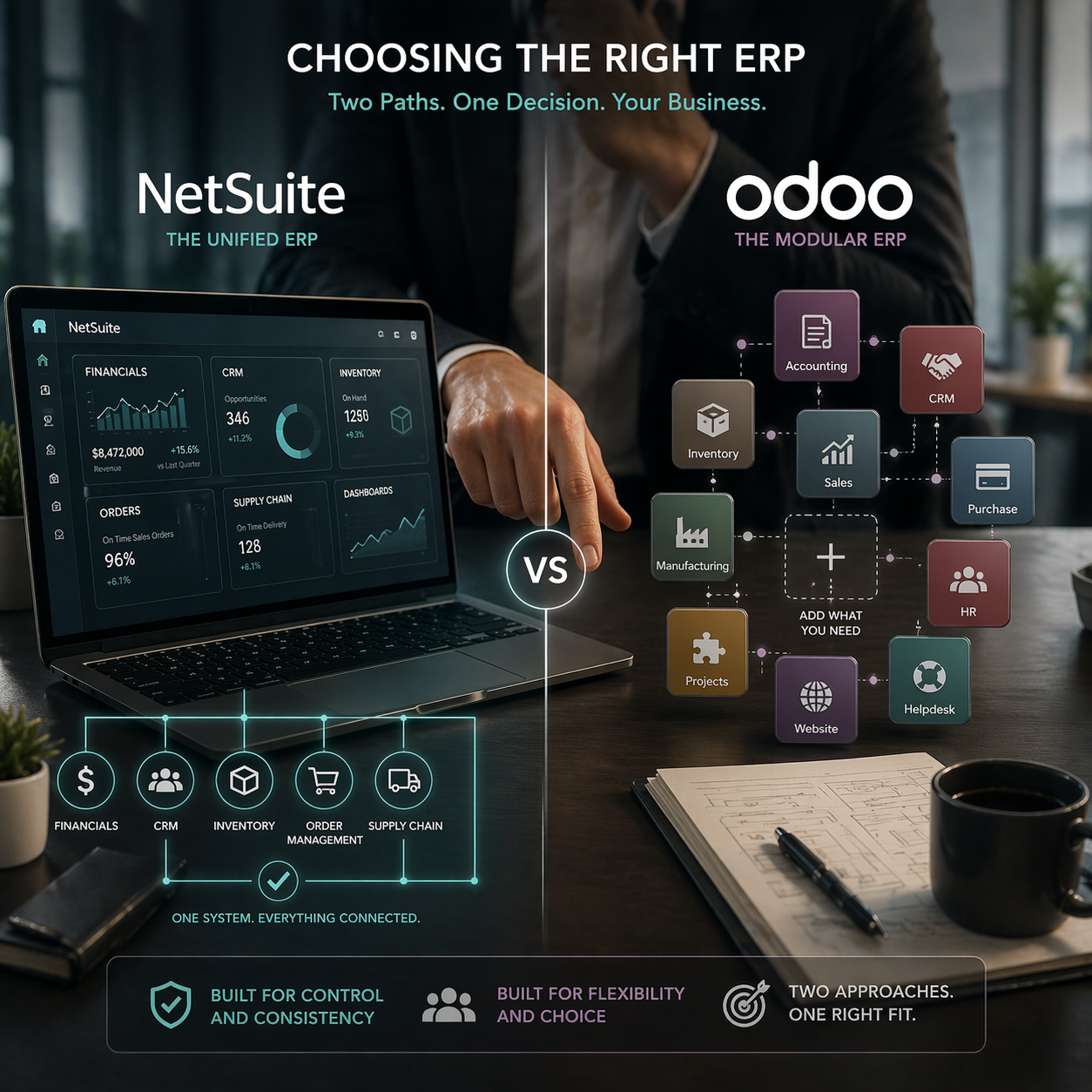
Selecting an ERP shapes how your business manages finance, operations, reporting, and day-to-day execution. The right system needs to support the way your company works today while leaving room for growth without creating unnecessary complexity.
NetSuite brings financials, CRM, inventory, and supply chain management into a single cloud platform. Odoo takes a modular approach, allowing businesses to add functions as needs evolve. Each path creates a different experience for implementation, customization, and long-term management.
Those key differences become more important as financial requirements grow, operations become more connected, and internal teams take on more responsibility for system oversight.
This guide covers:
-
How NetSuite and Odoo differ in platform design, financial tools, and operational coverage
-
Where flexibility helps and where it creates more work for your team
-
Why entry price matters less than total cost once you factor in implementation and maintenance
P.S. Switching from one ERP system to another means more than exporting data and hoping it fits. Protelo's NetSuite Implementation Services help businesses moving to NetSuite by pulling all records, transactions, customer and vendor history, item data, saved searches, scripts, and attachments into structured formats you can use.
Migrate to NetSuite to keep your historical data intact and reduce risk during the transition.
TL;DR: Odoo vs NetSuite
What Makes NetSuite and Odoo Different?
The real question is whether your business needs a system that handles financial controls, operations, and reporting from day one, or whether you'd rather start smaller and add capabilities as you grow—even if that means managing more technical work yourself.
NetSuite is a cloud-based ERP software that combines financials, operations, CRM, inventory, and supply chain in one platform. It works well for businesses that need consistency across departments, multi-entity reporting, and want to streamline work without spending time connecting separate tools.
Odoo offers a modular structure with open-source flexibility. You start with basic accounting or CRM capabilities, then add modules as your needs expand. It appeals to businesses that want more control over how the system is built and are comfortable managing technical work—or hiring partners to handle it.
The choice between NetSuite and Odoo clearer once you look at financial depth, operational scope, who handles customization, how complex implementation becomes, what the real costs are, and who maintains everything once you're live.
Read Next: Top 14 NetSuite Competitors for ERP Buyers in 2026
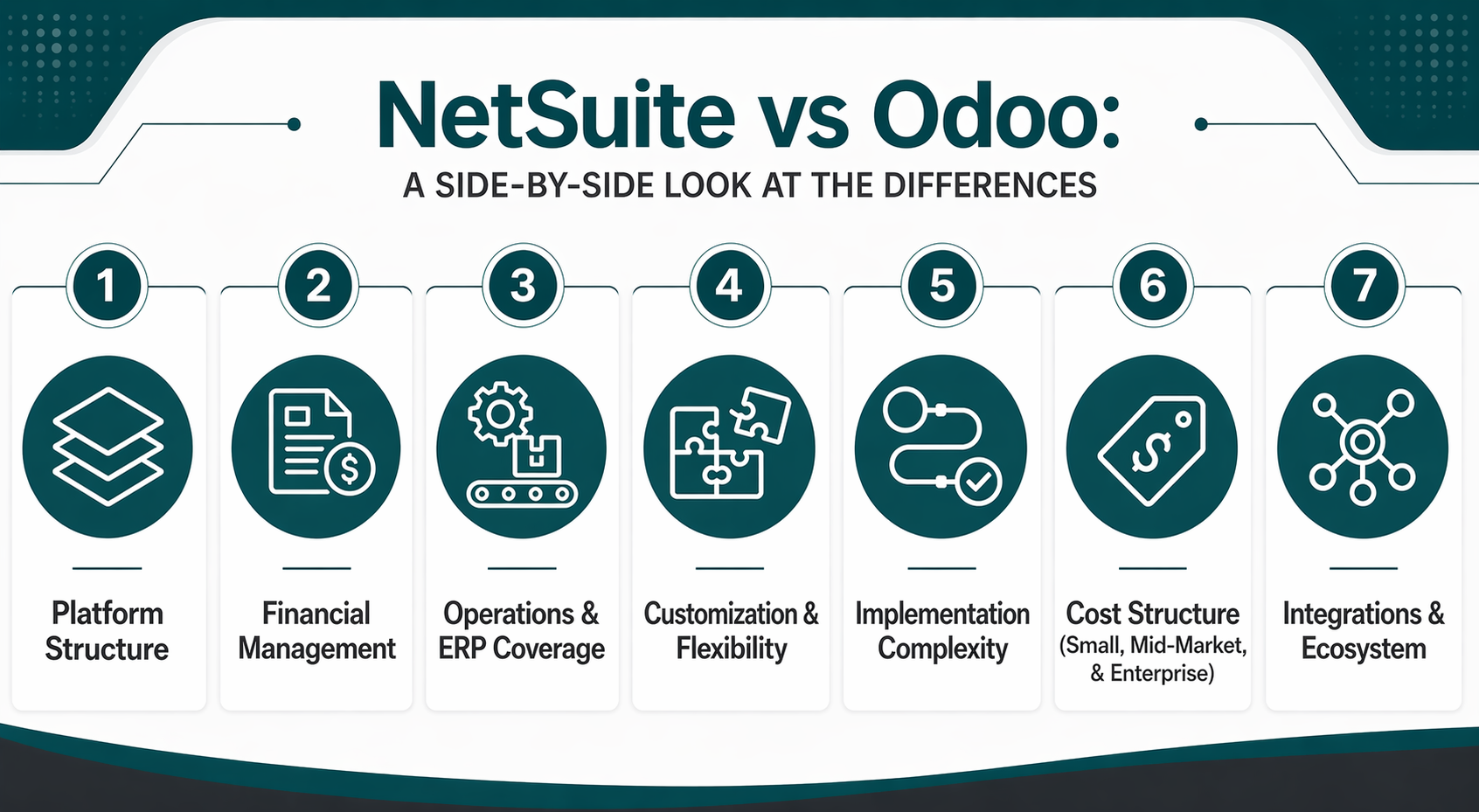
NetSuite vs Odoo: A Side-by-Side Look at the Differences
Both Odoo and NetSuite can support core business functions, but they are built around different operating models. That difference affects how each platform fits into the business, how much internal ownership it requires, and how companies expand the system over time.
Platform Structure
Choosing between one integrated suite and building your system module by module changes how many tools you manage, how many connections need oversight, and who handles problems when the platform needs updates.
NetSuite:
-
Unified cloud-based ERP suite: Combines financials, CRM, inventory, order management, and supply chain in one platform, so you don't need to connect and maintain multiple tools.
-
Consistent workflows: NetSuite offers the same processes across departments, which makes cross-functional reporting, multi-entity consolidation, and upgrades simpler.
-
Controlled environment: Reduces the risk of too many apps and connector conflicts by keeping core business functions in one system instead of relying on external modules.
Odoo:
-
Modular structure: Lets you start with a smaller scope and add modules as you go, which can simplify initial rollout and lower entry cost.
-
Open-source nature: Gives you access to source code, so you can customize workflows more deeply if you have technical teams or partners who can manage that level of control.
-
Phased adoption: Supports businesses that prefer building ERP capability module by module instead of deploying a full suite at once.
Remember that the Odoo setup can vary depending on which edition you use and how much custom work your environment needs over time.
Financial Management
Finance requirements matter more once reporting, consolidation, and controls go beyond basic bookkeeping. The difference between Odoo's finance path and NetSuite's financial management becomes clearer when you evaluate multi-entity structures, compliance needs, and month-end close business processes.
NetSuite:
-
Complete financial management: Includes general ledger, accounts receivable and payable, budgeting, billing, global financial management, and compliance reporting natively, so you don't need external tools or custom development.
-
Multi-entity and multi-currency support: Handles consolidation, intercompany transactions, and currency revaluation without needing extra modules or manual reconciliation.
-
Stronger financial controls: Provides role-based access, approval workflows, audit trails, and tax management that support businesses with tighter compliance and reporting requirements.
Odoo:
-
Finance module coverage: Supports accounting, invoicing, and basic financial reporting, which works for businesses with simpler finance needs or less complex organizational structures.
-
Modular finance expansion: Lets you add financial functionality as you go, but may need more evaluation when control, reporting, and consolidation requirements deepen.
-
Customization dependency: Businesses needing advanced financial workflows, multi-entity consolidation, or compliance automation may need custom development or third-party modules, which shifts more work to internal teams or partners.
The financial management decision often determines whether you can scale your ERP without switching platforms once finance complexity increases.
Operations & ERP Coverage
Accounting software comparisons aren't enough once cross-functional operations matter. Businesses evaluating enterprise resource planning beyond finance need to review how much inventory management, order fulfillment, CRM, supply chain coordination, and workflow automation each platform provides natively versus through additional modules or integrations.
NetSuite:
-
Broad operational coverage: Includes inventory management, order management, CRM, ecommerce, procurement, and supply chain tools in one system, so you don't need to build and maintain separate business apps.
-
Cross-functional workflows: Connects sales, fulfillment, finance, and customer service in real time, which simplifies order-to-cash processes, inventory visibility, and customer data management.
-
Supply chain and warehouse management: Provides native tools for demand planning, lot and serial tracking, warehouse operations, and shipping integration, which supports businesses managing complex fulfillment or multi-location inventory.
Odoo:
-
Modular operational expansion: Lets you add inventory, CRM, sales, purchasing, and manufacturing modules as needed, which can simplify initial scope and reduce entry cost.
-
Flexible module assembly: Supports businesses that prefer building operational coverage step by step instead of deploying a full suite at once.
-
Review needed for complexity: Businesses managing high-volume fulfillment, multi-warehouse operations, or complex supply chain coordination should check whether Odoo's modular path provides the depth and integration quality they need without excessive custom work or connector dependence.
Read Next: NetSuite WMS: Smarter Inventory & Fulfillment
Customization & Flexibility
Standard workflows stop matching your business at some point, and you have to decide how much system shaping you want to own. The difference between Odoo's flexibility and NetSuite's customization model becomes clearer once you evaluate who manages changes, who owns upgrade compatibility, and who maintains custom work over time.
NetSuite:
-
Configuration and scripting tools: Provides SuiteScript, SuiteFlow, SuiteTalk, and SuiteBuilder to customize workflows, automate processes, and extend platform functionality without changing source code.
-
Upgrade compatibility: Keeps customizations inside a controlled framework that reduces the risk of breaking changes during bi-annual platform updates, which lowers long-term maintenance work.
-
Controlled flexibility: Balances the ability to shape workflows with the need to maintain a stable, supportable ERP over time.
Odoo:
-
Open source flexibility: Provides access to source code, so you can modify workflows, data models, and system behavior more deeply than configuration-based tools allow.
-
Higher customization control: Appeals to businesses with technical teams or partners who can manage source-code changes, custom module development, and the maintenance work that comes with deeper system shaping.
-
Ownership tradeoff: Shifts more responsibility to internal teams or partners for testing, upgrading compatibility, and maintaining custom work as the platform changes.
Customization helps when it solves real workflow problems. It becomes a burden when too much custom work creates upgrade conflicts, technical debt, and dependence on specific developers or partners who understand the changes.
Read Next: Simplifying the Suite: NetSuite Integrations
Implementation Complexity
Rollout conditions shape implementation difficulty before cost even enters the discussion. The difference between NetSuite’s implementation path and Odoo’s phased rollout becomes clearer when you look at scope, data migration, customization, testing, and internal ownership during deployment.
NetSuite often requires more upfront planning because businesses are usually deploying financials, operations, CRM, and inventory within a broader shared system. That means more early work to map processes, define roles, configure workflows, and prepare data. In return, the rollout can be easier to manage later when more core functions already live in one platform, reducing the need to coordinate across separate tools or loosely connected modules.
Odoo can make the initial rollout simpler by allowing businesses to start with fewer modules and expand over time. That flexibility works well for teams that want a smaller starting scope, but it can also shift complexity later as more modules, customizations, and third-party apps are added. As the system grows, businesses need to pay closer attention to testing, integration stability, and who will manage technical decisions across the platform.
In both systems, implementation gets harder when teams underestimate data migration, skip requirements planning, or assume phased deployment removes the need for cross-functional coordination. The more useful comparison is not which platform looks easier in a demo, but which one gives your team a clearer path for rollout, testing, training, and long-term ownership.
Read Next:
- How to Choose a Certified NetSuite Partner for a Successful ERP Implementation
- Off-track ERP project? Steps to rescue a NetSuite implementation.
Cost Structure for Small, Mid-Market, and Enterprise
What you pay upfront is only part of the picture. The real cost includes implementation, customization, ongoing maintenance, and who manages the system once it's running. NetSuite and Odoo take different approaches to pricing, and understanding those differences helps you budget accurately.
Read Next: NetSuite Price in 2026: Oracle NetSuite Pricing Guide, Implementation Cost & Cost Breakdown
Integrations & Ecosystem
Businesses need an ERP solution that works cleanly with the rest of their software. The difference between NetSuite’s integration environment and Odoo’s app ecosystem becomes clearer when you evaluate native coverage, third-party dependence, upgrade compatibility, and who owns support when integrations break.
NetSuite provides a SuiteApp marketplace with certified connectors that extend platform functionality while aligning with NetSuite’s support and compatibility standards. Its SuiteCloud platform also includes SuiteTalk for API-based integrations, giving businesses structured ways to connect CRM, ecommerce, logistics, and other external systems. Because NetSuite already handles financials, operations, inventory, and CRM within the same platform, many businesses can reduce the number of outside tools they need to integrate and maintain over time.
Odoo’s app and module ecosystem offers flexibility across a wide range of business functions, but that flexibility requires closer evaluation of app quality, connector consistency, and upgrade stability. Businesses may rely more heavily on third-party modules or custom connectors to support workflows that another platform may cover more natively. As the environment grows, this can increase the amount of testing, maintenance, and technical oversight required during updates.
Read Next:
- Simplifying the Suite: NetSuite Integrations
- Big News for NetSuite Users: New Connectors, Major Upgrades & What's Coming Next
Choose NetSuite If:
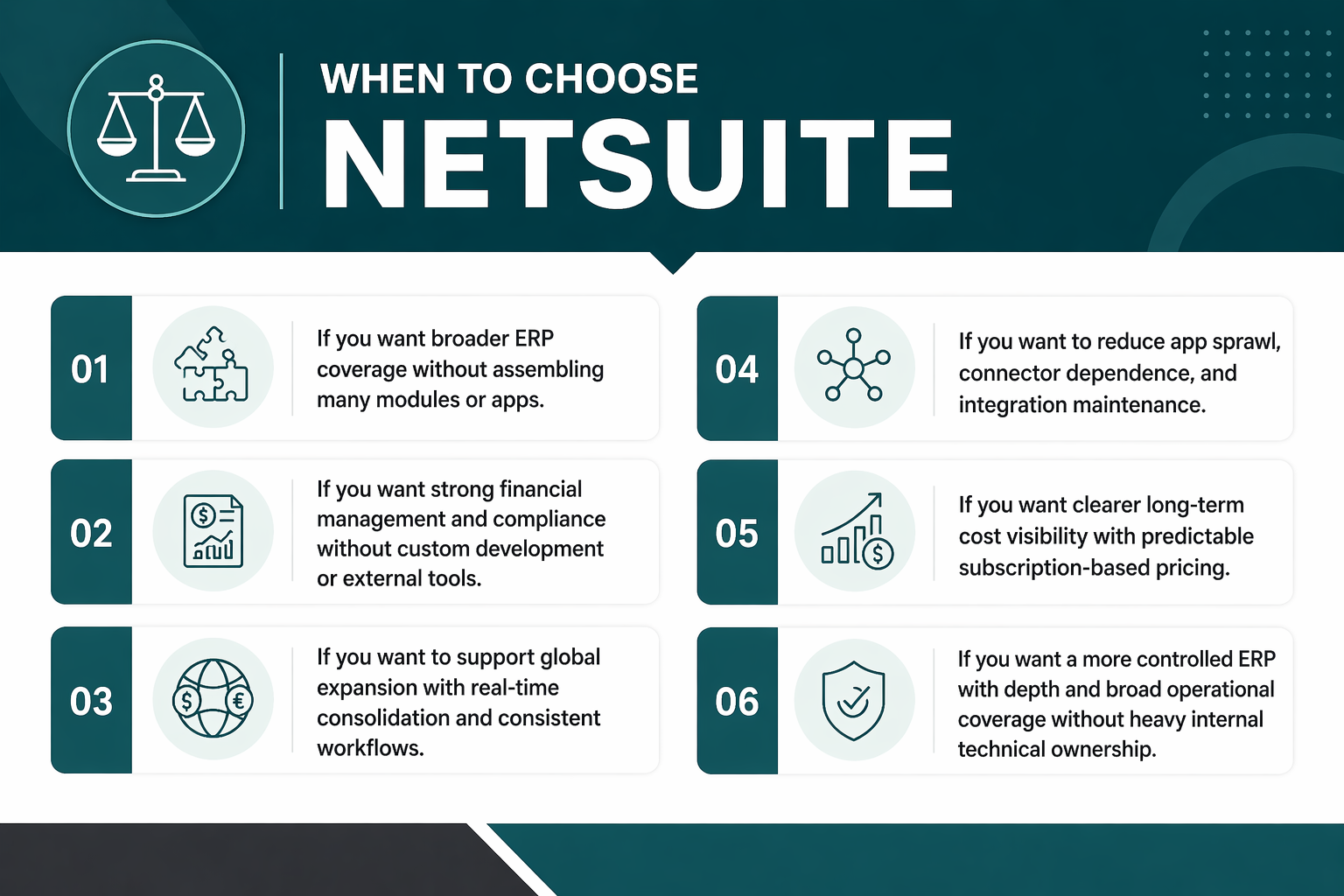
Businesses evaluating NetSuite should focus on conditions where one ERP solves more of the business problem upfront and reduces the work of assembling, overseeing, and maintaining many separate tools over time.
-
You need broader ERP coverage across finance, operations, CRM, inventory, and supply chain without assembling many separate modules or apps. NetSuite provides that functionality natively, which reduces system sprawl and simplifies cross-functional workflows.
-
Your finance requirements include multi-entity consolidation, compliance reporting, global financial management, or tighter controls that justify a more structured ERP. NetSuite's financial management depth supports those needs without custom development or external tools.
-
You're expanding across subsidiaries, currencies, or regions and need real-time consolidation and consistent workflows without manual reconciliation. NetSuite's multi-entity and multi-currency capabilities handle that complexity natively.
-
You prefer reducing app sprawl, connector dependence, and oversight work over time instead of managing many external integrations. NetSuite's unified platform reduces the number of moving parts requiring maintenance and testing during upgrades.
-
You want clearer long-term cost visibility and prefer subscription-based pricing over managing custom development, module dependencies, and technical ownership internally. NetSuite's cost structure provides more predictable total cost of ownership as your business grows.
NetSuite fits businesses that need a more controlled ERP, stronger financial depth, and broader operational coverage without shifting excessive maintenance and technical ownership to internal teams.
Choose Odoo If:
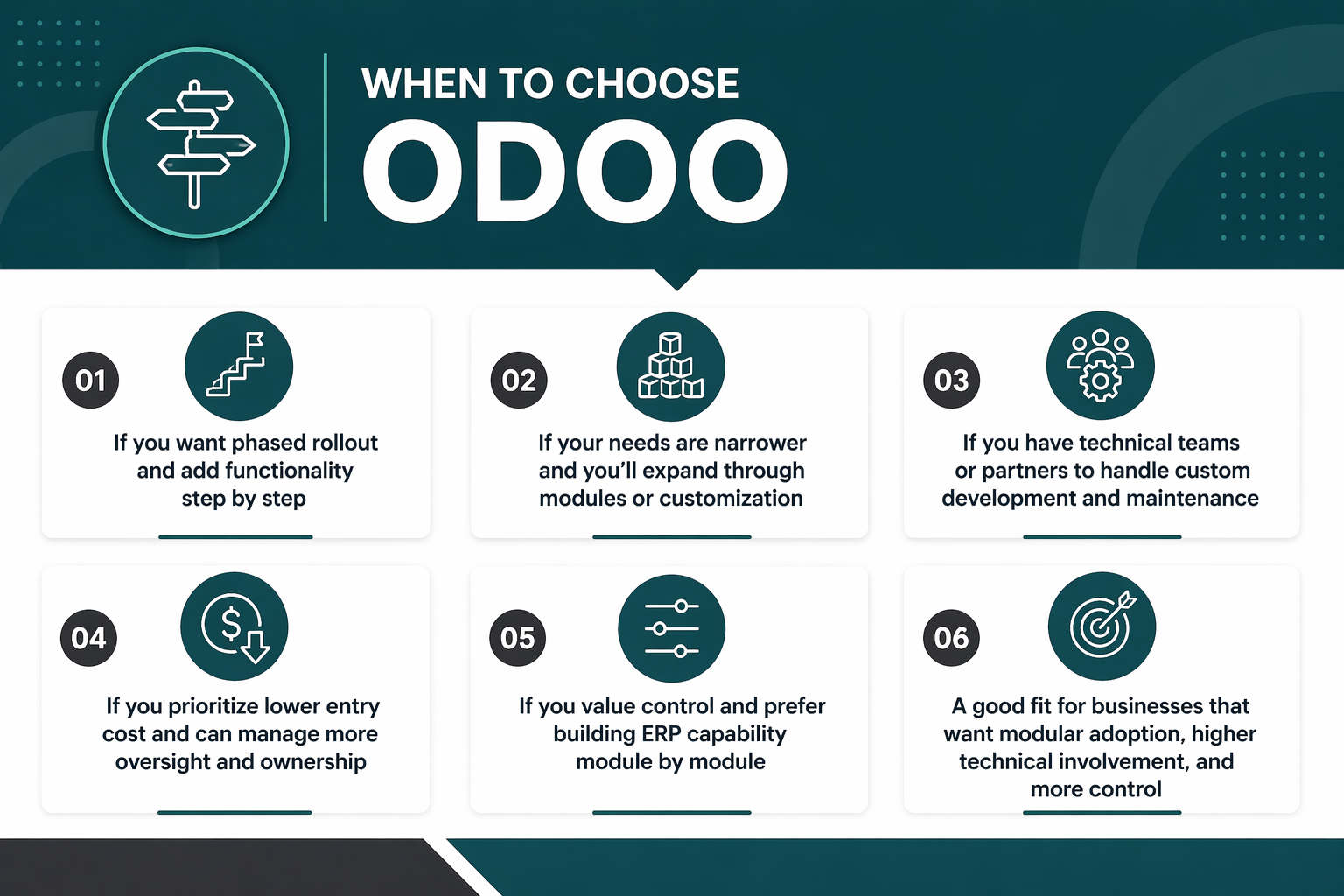
Businesses evaluating Odoo should focus on conditions where phased adoption and more system-shaping control are more important than broader built-in ERP structure and where technical teams or partners can manage more of the platform's changes over time.
-
You prefer a phased rollout with a smaller initial scope and want to add functionality step by step instead of deploying a full suite at once. Odoo's modular structure supports that approach and reduces entry complexity.
-
Your operational needs stay narrower, and you're ready to expand coverage through modules or custom development as requirements change. Odoo works well when you don't need broad ERP functionality immediately.
-
You have technical teams or partners who can manage source-code changes, custom module development, and the maintenance work that comes with deeper customization. Odoo's open-source nature provides that flexibility but requires more technical ownership.
-
You prioritize lower entry cost and are ready to manage more system assembly, oversight, and technical ownership over time. Odoo's pricing model supports budget-sensitive businesses willing to invest in internal or partner resources.
-
You value control over how the system changes and prefer building ERP capability module by module instead of adopting a more standardized platform. Odoo appeals to businesses that want more direct influence over system shape and workflow design.
Odoo might be a good fit for businesses that prefer modular adoption, higher technical involvement, and more control over how the platform grows, and that are ready to manage the additional oversight, maintenance, and upgrade responsibility that comes with that flexibility.
Final Verdict: Which Platform Is Better for Your Business?
The better platform depends on how much financial and operational complexity your business needs to manage. NetSuite is usually the better fit for companies that need stronger financial controls, multi-entity visibility, and one system that connects finance with operations, inventory, and reporting. Odoo is often the better fit for businesses that want a smaller starting scope, more customization flexibility, and are comfortable managing more technical decisions over time.
The decision becomes clearer when you look at what your business actually needs the system to handle. Companies with multi-entity structures, compliance requirements, global operations, or tightly connected workflows across departments should evaluate whether Odoo can support that without heavy customization or added apps. Companies that prefer phased adoption should weigh that flexibility against the extra work that can come with managing modules, integrations, and upgrades as the system expands.
Choosing the right ERP platform requires more than comparing feature lists. Protelo's NetSuite Implementation Services help businesses transition to NetSuite by extracting all standard and custom records, transactions, customer and vendor history, item data, saved searches, scripts, and attachments in structured, database-ready formats. Migrate to NetSuite to keep historical visibility intact and reduce transition risk.
Read Next: How to Choose the Right ERP for Your Business: A Step-by-Step-Guide
FAQs
Is Odoo Better Than NetSuite for Small Businesses?
Fit depends on scope, rollout style, and technical ownership rather than company size alone. Odoo works for businesses preferring phased module adoption, smaller initial scope, and higher technical involvement. NetSuite fits businesses needing broader ERP coverage, stronger finance depth, and multi-entity growth, regardless of current size. Small businesses should evaluate operational complexity, finance requirements, and internal technical capacity before deciding which platform matches their long-term needs.
Which Platform Handles Financial Management Better, NetSuite or Odoo?
NetSuite provides deeper financial controls, multi-entity consolidation, compliance reporting, and global financial management natively, which supports businesses with tighter finance requirements. Odoo works for simpler finance needs but may need more evaluation when control, reporting, and consolidation demands deepen. Businesses should review multi-currency support, intercompany transactions, tax automation, and close-process complexity before deciding which platform matches their finance maturity.
Is Odoo Cheaper Than NetSuite in the Long Run?
Entry cost differs from long-term ownership cost. Odoo starts with lower module-based pricing but may shift more work to internal teams or partners for custom development, app oversight, and maintenance. NetSuite uses subscription-based pricing with clearer long-term cost visibility because core business functions live in one system. Businesses should evaluate the total cost of ownership, including implementation services, custom work, connector dependence, and internal technical ownership, before comparing pricing models.
Which ERP Is Easier to Customize, NetSuite or Odoo?
Odoo's open-source nature allows source-code-level changes, which appeals to businesses with technical teams or partners who can manage deeper customization. NetSuite uses configuration and scripting tools that balance flexibility with upgrade compatibility and long-term maintenance. The tradeoff is between customization control and maintenance responsibility. Businesses should evaluate who owns custom work, who tests upgrade compatibility, and who maintains changes over time before deciding which platform's customization model fits better.
How Should Businesses Compare NetSuite and Odoo for Inventory and Operations?
Review what each platform provides natively versus through modules or integrations. NetSuite includes inventory management, order management, CRM, supply chain, and warehouse operations in one system, which reduces reliance on external apps. Odoo extends operational coverage through modules that need more assembly and oversight. Businesses should evaluate fulfillment complexity, multi-warehouse operations, supply chain coordination, and how much module dependence their operational scope will need before deciding which platform simplifies cross-functional workflows.
When Does NetSuite Make More Sense Than Odoo?
NetSuite makes more sense when you need broader ERP standardization, stronger finance depth, multi-entity consolidation, or prefer reducing app sprawl and connector dependence over time. It fits businesses expanding across subsidiaries, currencies, or regions that need real-time consolidation and consistent workflows without manual reconciliation. NetSuite also works better when you want clearer long-term cost visibility and prefer subscription-based pricing over managing custom development and technical ownership internally.