

30 min read


A Xero-to-NetSuite migration should begin with a defined checklist for the financial data, accounting structure, integrations, reporting requirements, testing, and approvals that need to be completed before go-live. Finance teams should know what will move from Xero, how that information will map into NetSuite, and which balances must reconcile before the new ERP becomes the system of record.
That preparation matters because data and system issues can quickly carry into the new environment. Cherry Bekaert’s 2025 Middle Market CFO Survey found that 55% of CFOs cited data accuracy and consistency as major hurdles, while 58% reported forecasting delays caused by fragmented systems. The survey included 200 CFOs and senior finance executives at U.S. middle-market companies with revenue between $5 million and $250 million.
For companies preparing to migrate from Xero to NetSuite, those risks make early data cleanup and validation important. The chart of accounts, Xero tracking categories, customers, suppliers, open invoices and bills, bank balances, historical transactions, integrations, and reporting requirements all need a defined migration treatment. This checklist walks through what finance and project teams should review, prepare, reconcile, test, and approve before NetSuite goes live.
Financial Data Checklist for a Xero to NetSuite Migration
Financial data preparation should begin before the final migration files are built. Finance needs to decide how the Xero accounting structure will translate into NetSuite, clean the master data that should carry forward, determine how much historical detail is needed, and establish NetSuite’s opening balances.
The goal is to give the new ERP a clean financial foundation rather than recreate every account, category, and record exactly as it exists in Xero.
Review and Map the Chart of Accounts
The chart of accounts affects financial reporting, account reconciliation, and how transactions are classified after go-live. Before mapping anything into NetSuite, review the existing Xero structure and decide which accounts should remain, change, consolidate, or be retired.
Once the future chart is approved, create a source-to-target mapping between Xero and NetSuite. Each migrated account should have a defined destination before the final data load.
Review Xero Tracking Categories
Tracking categories often carry important management-reporting context that does not appear in the general ledger alone. A company may use them to report by department, location, project, business unit, or another operating dimension, so their purpose should be understood before migration.
Document what each category represents and how it is used today. Some may carry forward directly, while others may need to be consolidated, redesigned, or retired based on the future NetSuite reporting structure. Focus on preserving the reporting requirement rather than copying the Xero structure one-for-one.
Clean Customer and Supplier Records
Customer and supplier/vendor records become master data in NetSuite and can affect receivables, payables, reporting, tax treatment, and connected workflows. Moving poor-quality records into the new ERP can create duplicate activity and make later cleanup more difficult. Review the data for:
- Duplicate or inactive records
- Inconsistent names, addresses, or contacts
- Missing payment terms or tax information
- Incorrect currency settings
- Temporary records that no longer need to remain active
Cleaning these records before migration gives finance a more reliable master data set from the start.
Decide How Much Historical Transaction Data to Migrate
Historical data can support comparative reporting, audits, customer and supplier research, and management analysis, but that does not mean every closed Xero transaction needs to be recreated in NetSuite. The amount of history migrated should reflect how the business will use that information after go-live.
Finance should determine which records need to be available in NetSuite and which can remain accessible through Xero or another archive.
More historical detail means more records to extract, map, test, and reconcile, so the scope should reflect actual business use. For migrations involving extensive historical records, multiple source files, or complex mappings, Protelo's NetSuite Implementation Services can support data preparation, migration, testing, and validation before cutover.
Prepare Opening Balances
Opening balances establish the financial position NetSuite will begin from, so they need to tie back to an approved closing position in Xero. Finance should agree on the effective date, determine which balances will be loaded, and define how those amounts will be validated before cutover.
Pay particular attention to open invoices, bills, credits, or payments being migrated separately so those amounts are not duplicated in the opening-balance load. Document the reconciliation method before cutover so finance can verify the opening NetSuite position against Xero.
☐ Financial Data Checklist
☐ Approve the future chart of accounts.
☐ Complete source-to-target account mapping.
☐ Define how Xero tracking categories will be handled.
☐ Clean customer and supplier master data.
☐ Confirm tax, payment-term, and currency information where applicable.
☐ Decide how much historical transaction data needs to migrate.
☐ Define what can remain in Xero or another archive.
☐ Establish the opening-balance date and amounts.
☐ Account for open transactions being migrated separately.
☐ Document the opening-balance reconciliation method.
☐ Assign owners to unresolved data issues.
Read More: Sage 100 to NetSuite Migration Checklist for a Successful Go-Live
Reconcile Open Transactions and Bank Activity Before Migration
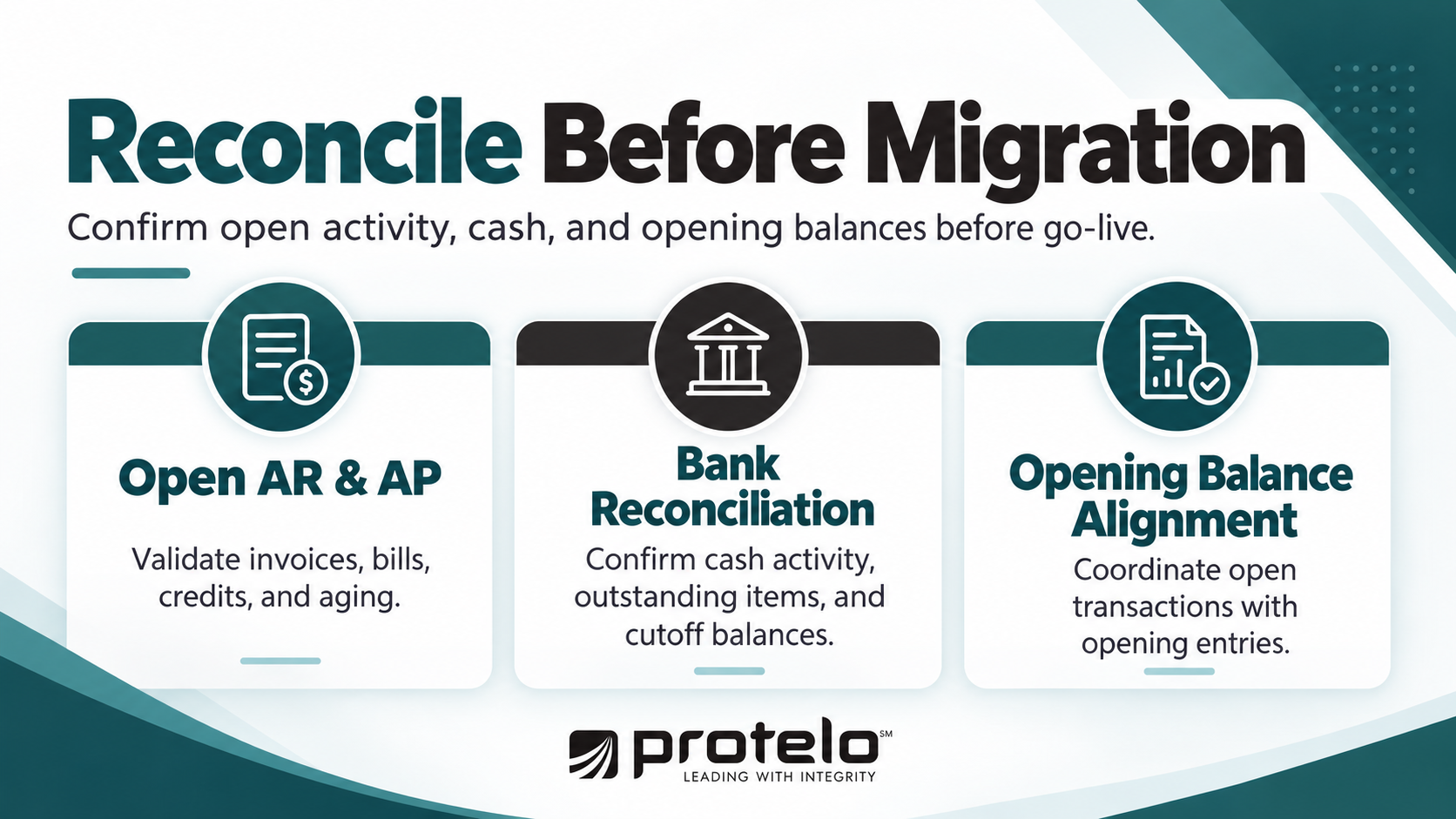
Open transactions need to be accurate before they move into NetSuite because they affect receivables, payables, cash, and the opening financial position. Finance should use the migration as a control point to resolve outstanding accounting issues rather than carry them into the new ERP.
The team should also define who owns each reconciliation area and the cutoff date each balance must tie to. Without named owners and a common cutoff, AR, AP, bank balances, and opening entries may be prepared using different dates, making reconciliation more difficult.
Review Open Accounts Receivable and Accounts Payable
Start by confirming which customer and supplier transactions are still genuinely open.
Old or disputed balances should be investigated before migration. If a transaction no longer reflects a valid receivable or payable, finance should determine the correct accounting treatment in Xero rather than transferring the issue into NetSuite.
Reconcile Bank Accounts
Bank accounts should be brought to a known, reconciled position before cutover. Confirm recorded cash activity against bank records and identify any outstanding items that will carry into NetSuite.
For each bank account, assign an owner and a specific reconciliation date. In most cases, that owner will sit within finance or treasury, with the controller approving the final position. Review:
- Unreconciled bank transactions
- Outstanding payments and deposits
- Duplicate or missing entries
- Bank accounts that are inactive or being closed
- Timing differences that need to carry into the new system
The final reconciled position should tie to the agreed cutoff date and provide a clear basis for validating cash balances after migration.
Coordinate Open Transactions With Opening Balances
Open transactions and opening balances need to be handled together. If invoices, bills, credits, or payments are migrated individually, the general ledger opening balances should be prepared so those amounts are not counted twice.
Assign one finance owner to coordinate this relationship across AR, AP, cash, and the general ledger. That owner should confirm that all supporting schedules use the same cutoff date and that the treatment of detailed transactions matches the opening-balance logic.
Finance should document which balances are represented through detailed transactions and which are represented through opening entries. This distinction becomes important during reconciliation because a correct general ledger total can still hide duplicated or missing subledger activity.
Open Transaction and Bank Checklist
☐ Assign owners for AR, AP, bank reconciliation, and final financial sign-off.
☐ Confirm one migration cutoff date for all open balances and supporting schedules.
☐ Resolve old, duplicate, disputed, or incorrectly applied transactions.
☐ Validate customer and supplier credits and unapplied payments.
☐ Reconcile AR and AP aging to the underlying balances.
☐ Complete bank reconciliations through the agreed cutoff date.
☐ Document outstanding bank items that will carry forward.
☐ Confirm how detailed open transactions will interact with opening balances.
Review Integration and Reporting Requirements When You Migrate From Xero to NetSuite
A successful migration from Xero depends on more than moving accounting data. Finance and project teams also need to understand which systems currently depend on Xero, which workflows need to continue, and which reports the business relies on after go-live.
This is especially important when the company has added CRM, ecommerce, payroll, expense, payment, tax, or reporting tools around Xero over time. Some of those systems may remain important after migrating to NetSuite. Others may be replaced, consolidated, or integrated differently as part of the ERP implementation.
Inventory Systems Connected to Xero
Document each application that currently sends data to or receives data from Xero, then decide what role it will have in the future environment.
For each system that remains, define the future system of record, what data needs to move between platforms, and who owns the integration. This helps avoid carrying forward connections that no longer serve a clear business purpose. Where retained applications require new or redesigned connections, Protelo's NetSuite Integrations & Customizations services can help define and build the data flows required for the future NetSuite environment.
Review Automation and Workflow Requirements
Some finance processes may currently depend on Xero rules, connected applications, or manual workarounds. Document the workflows that still need to exist after migration, especially those involving approvals, recurring transactions, customer or supplier updates, and movement of data between systems.
The migration is also an opportunity to identify manual data entry that can be reduced through NetSuite automation or retained integrations. The goal should be a clear future workflow, not an exact copy of how the process operates in Xero today.
Confirm Reporting and Analytics Requirements
Finance should inventory the reports used to run the business and identify which ones must be available in the new NetSuite instance. Focus on reporting such as:
- Core financial statements
- AR, AP, and cash reporting
- Department, location, or entity reporting
- Budget and forecast analysis
- Management dashboards
- Operational reporting that combines financial and nonfinancial data
The differences between Xero and NetSuite mean some reports may be structured differently after migration. What matters is that the underlying business requirement remains available and that finance can validate the results before go-live.
Integration and Reporting Checklist
☐ Decide which connected systems will remain, be replaced, or integrate with NetSuite.
☐ Define the future system of record and data flow for retained integrations.
☐ Document important automation and approval workflows.
☐ Confirm which financial, management, and operational reports are required.
☐ Assign owners for integration testing and report validation.
Read More: NetSuite Implementation Checklist: 10 Must-Haves for a Smooth Go-Live
Validate the Xero to NetSuite Migration Before Handoff
Once the migration files, mappings, integrations, and reporting requirements are defined, the project needs to prove that the data loaded into NetSuite is complete and accurate. A successful import only confirms that records were accepted by the system; it does not confirm that balances, classifications, relationships, or transaction details are correct.
Run at least one full test migration before cutover, ideally in a NetSuite sandbox or other non-production environment. This gives finance and the implementation team time to identify mapping problems, missing records, and reconciliation differences before the final migration.
Reconcile the Test Migration
Validation should compare the approved Xero source position with the corresponding results in NetSuite.
Differences should be explained and documented rather than adjusted simply to make totals agree.
Test Representative Records
Control totals can reconcile while individual records are still wrong. Sample records across different transaction types, periods, customers, suppliers, currencies, and reporting dimensions to confirm that the details migrated correctly.
Look for issues such as incorrect dates, missing classifications, duplicate records, broken customer or supplier relationships, and values mapped to the wrong accounts.
Track Migration Exceptions
Maintain a single exception log for problems found during testing. Each issue should have an owner, severity, resolution, and retest status.
Critical exceptions that affect financial accuracy, transaction processing, or required reporting should be resolved before sign-off. Lower-priority items should remain open only if the project team understands the impact and formally accepts the workaround or post-migration action.
Require Formal Migration Sign-Off
Finance should approve the migration based on evidence, not simply because the planned go-live date has arrived.
Before approval, confirm that control totals reconcile, representative records have been validated, required reports work, critical integrations have passed testing, and unresolved exceptions have an agreed disposition.
Migration Validation Checklist
☐ Complete a full test migration before cutover.
☐ Reconcile key financial control totals between Xero and NetSuite.
☐ Validate representative master records and transactions.
☐ Record, assign, and retest migration exceptions.
☐ Confirm critical integrations and reports pass validation.
☐ Obtain formal finance and project sign-off before the final migration.
Read More: NetSuite Implementation Timeline & Milestones: From Planning to Go-Live
Prepare for Cutover Before Migrating to NetSuite
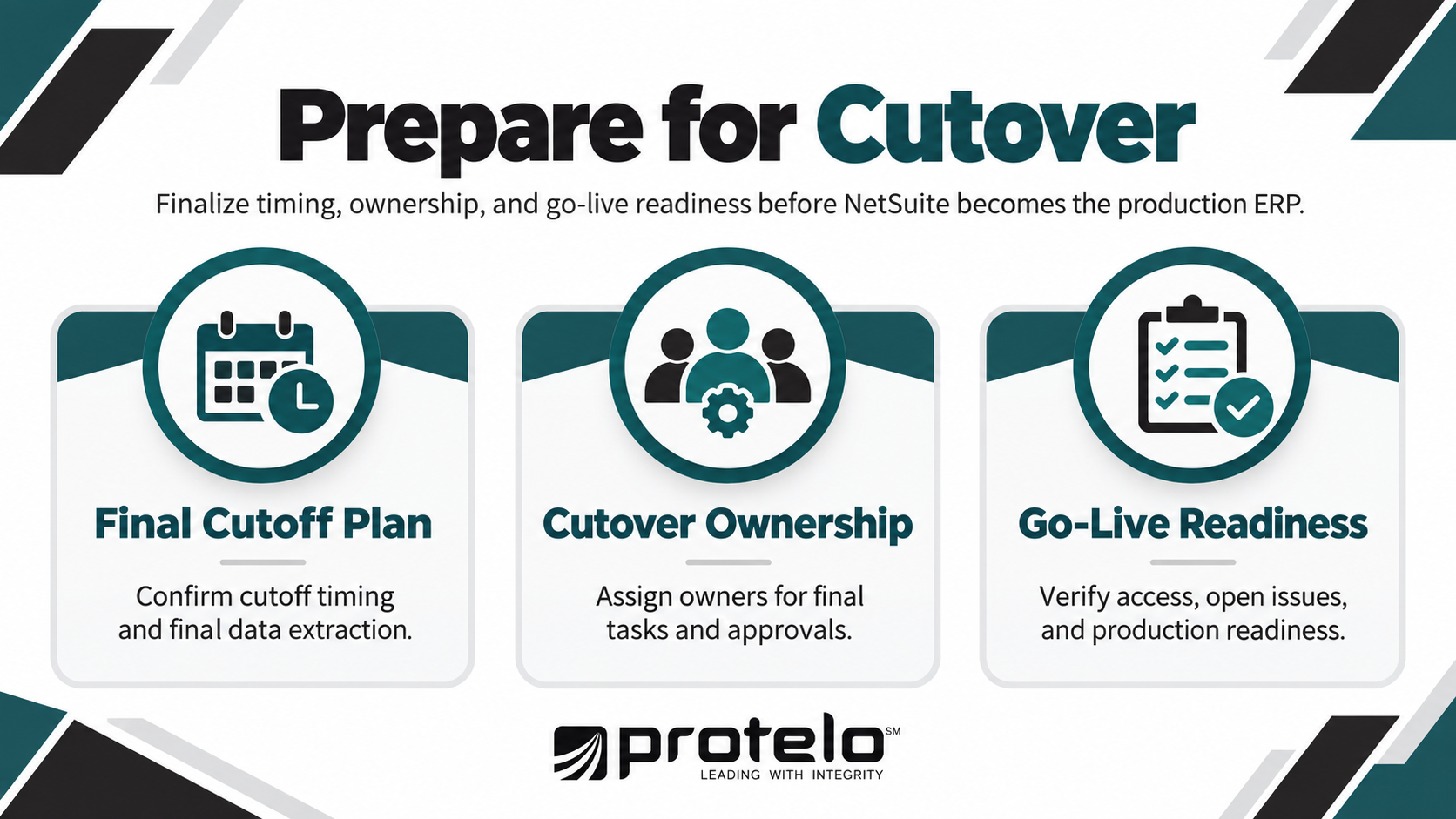
Cutover is the point where Xero stops being the active accounting system, and NetSuite becomes the production ERP. By this stage, the migration process should already be tested. The focus shifts to timing, ownership, final data extraction, access, and confirming that nothing critical is left unresolved before go-live.
A cutover plan should define what happens, who owns each task, and the criteria that must be met before production processing begins in NetSuite.
Confirm the Final Cutoff and Extraction Plan
Set a firm cutoff for entering transactions in Xero and communicate it to every team that creates or approves financial activity. The plan should identify:
- When Xero transaction entry stops
- When the final data extraction begins
- Which balances and open transactions will be refreshed
- Who validates the final files before they are loaded
- When reconciliations must be completed
Avoid introducing new mapping rules or changing the migration approach during cutover unless a critical issue requires it.
Coordinate Final Cutover Responsibilities
Each activity should have a named owner so there is no uncertainty during the final migration window.
This is also the point to confirm escalation paths. If a critical balance does not reconcile, an integration fails, or users cannot access required workflows, the team should know who decides whether go-live continues or is delayed.
Confirm Go-Live Readiness
Before NetSuite is opened for production use, verify that the final migration results still meet the standards established during testing.
At minimum, confirm that financial balances reconcile, critical reports are available, required integrations are functioning, users have the correct roles and permissions, and any remaining issues have documented owners.
User training should also be complete for the finance and operational teams that will begin working in NetSuite immediately. A successful migration depends on users being able to process real transactions correctly from the first day. If role-based preparation is still incomplete, Protelo's NetSuite Training can help finance and operational teams practice the transactions, workflows, and responsibilities they will own after go-live.
Cutover Readiness Checklist
☐ Confirm the final Xero transaction cutoff and extraction schedule.
☐ Assign owners to all cutover activities and approvals.
☐ Complete final data loads and reconciliations.
☐ Activate and validate required integrations.
☐ Confirm user roles, permissions, and production access.
☐ Verify that critical reports are available.
☐ Resolve or formally accept remaining high-priority issues.
☐ Obtain final approval before opening NetSuite for production.
Read Next: NetSuite Go-Live: 8 Factors for Successful NetSuite Implementation
Complete Post-Migration Checks After Moving From Xero to NetSuite
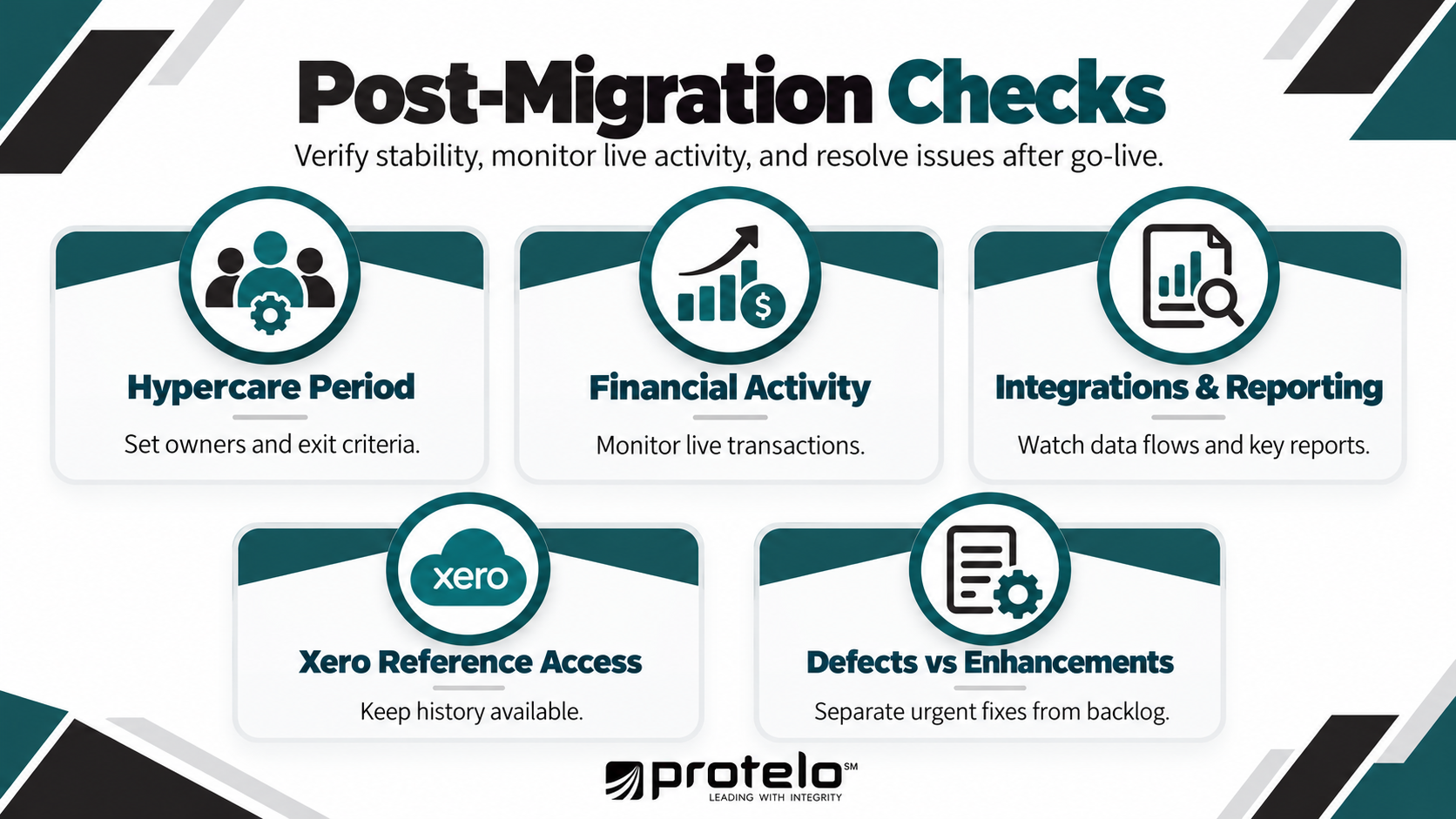
Go-live does not end the migration. The first days and weeks in NetSuite should be used to confirm that financial transactions, integrations, reporting, and user access continue to work as expected under live conditions.
The focus during this period should be on resolving migration-related issues quickly, completing any remaining reconciliation, and separating true defects from enhancement requests that can wait until the environment is stable.
Define a Hypercare Period
Set a formal hypercare period immediately after go-live, with clear ownership across finance, integrations, reporting, user access, and technical support. During hypercare, the team should review open issues frequently and prioritize anything that affects financial accuracy, transaction processing, integrations, or critical reporting. Escalation paths should also be clear so unresolved issues are not delayed by unclear ownership.
Define exit criteria before hypercare begins. Typical conditions include:
- Critical financial processes are working as expected
- Major reconciliations are complete
- Integration errors are understood and under control
- No unresolved issue is blocking core business activity
- Finance and project leadership agree the NetSuite environment is stable enough to move into normal support
This gives the post-migration period a defined purpose and clear endpoint.
Monitor Early Financial Activity
Review the first live transactions closely, especially those that depend on migrated balances or open items. Finance should confirm that:
- Customer invoices and payments post correctly
- Supplier bills and payments flow as expected
- Bank activity reconciles correctly
- AR and AP aging remains accurate
- Opening balances continue to agree with supporting schedules
- Financial reports remain consistent as new transactions are posted
When differences appear, trace them back to the source. The issue may come from migrated data, configuration, user entry, or an integration rather than the migration itself.
Monitor Integrations and Reporting
Retained integrations should be watched closely after activation. Confirm that transactions move in the expected direction, required fields are populated, and errors are visible to the people responsible for resolving them.
Finance should also validate the reports and dashboards used for close, cash management, forecasting, and day-to-day financial management under live transaction volume. Pre-go-live testing provides a baseline, but live activity confirms whether the new workflows and data flows work as intended.
Keep Xero Available for Reference
Plan how historical Xero information will remain accessible after migration for research, audit support, source-document lookup, or reconciliation. Depending on the migration scope and retention requirements, that may involve temporary Xero access, a read-only arrangement, or a separate archive. Finance should confirm the approach before Xero is retired.
Separate Defects from Enhancements
Post-migration support becomes harder to manage if every user request is treated as a migration issue. Classify items so the team can focus first on problems that affect financial accuracy or business operations.
Post-Migration Checklist
☐ Define the hypercare period, owners, escalation path, and exit criteria.
☐ Review early financial transactions and complete remaining reconciliations.
☐ Monitor retained integrations for errors or missing data.
☐ Confirm critical reports and dashboards remain accurate under live activity.
☐ Maintain appropriate Xero access for historical reference.
☐ Separate migration defects from training and enhancement requests.
☐ Resolve critical issues before transitioning into normal support.
What Should be Ready Before You Migrate From Xero to NetSuite?
Before go-live, the project team should be able to confirm that the financial data is prepared, open activity is reconciled, integrations and reporting requirements are defined, the migration has been tested, and the business is ready to move into production.
This summary brings those workstreams together into a final readiness view.
Any unresolved issue that affects financial accuracy, core transaction processing, reporting, or integration should have a named owner and a documented resolution plan before go-live.
Once these areas are under control, the organization should determine whether it has the internal capacity and NetSuite expertise to manage the remaining migration, cutover, and stabilization work or whether support from an experienced NetSuite implementation partner is needed.
Read Next: How to Choose the Best NetSuite Partner for a Successful ERP Implementation
Plan Your Xero to NetSuite Migration with the Right Support
A Xero to NetSuite migration is ready to move forward when the accounting structure is approved, open activity is reconciled, historical-data decisions are settled, integrations and reporting requirements are defined, test results are accepted, and the cutover plan has clear owners.
If those conditions are not in place, the project should not prioritize the planned go-live date over migration readiness. Remaining issues should be resolved, assigned to a clear owner, or formally accepted before NetSuite becomes the production ERP.
Protelo's NetSuite Implementation Services support organizations across data migration, integration, testing, cutover, reconciliation, and post-go-live stabilization. For companies moving from Xero, this can include validating the migration approach, preparing financial data, coordinating connected systems, and supporting the transition through hypercare.
If your organization is preparing to migrate from Xero to NetSuite, speak with a Protelo advisor to review your migration scope, identify readiness gaps, and build a practical plan for data, integrations, testing, cutover, and go-live.
Frequently Asked Questions
What does the migration process from Xero to NetSuite involve?
The migration process typically includes preparing Xero data, mapping the accounting structure, deciding how much history to move, reconciling open transactions, validating integrations and reporting, testing the migration, and completing cutover.
Finance should be able to reconcile the approved Xero position to the new NetSuite instance before production use begins. Scope will vary based on transaction history, connected systems, multiple entities, and reporting requirements.
What are the main differences between Xero and NetSuite for finance and accounting?
Xero is primarily an accounting platform used by many startups and small businesses, while NetSuite is a broader cloud ERP that can support financial management, inventory, order management, CRM, multiple entities, and more complex business operations.
Companies often outgrow Xero when consolidation, reporting, automation, integrations, or transaction complexity increases. A migration should therefore be designed around the future NetSuite structure rather than copying Xero directly.
Can Xero and NetSuite integrate during the migration?
Yes, but temporary integration should support a defined transition need, not become the default long-term setup.
If Xero and NetSuite must coexist, define the system of record, what data moves between them, sync frequency, ownership, error handling, and a retirement date for the integration. Running both platforms in parallel for too long can create duplicate data entry, conflicting records, and reconciliation issues.
When has a business outgrown Xero and become ready for an ERP?
A business may be ready for an ERP when finance and accounting become difficult to manage through Xero and connected applications alone.
Common signs include multiple entities, heavier reporting requirements, rising transaction volume, manual data entry, increasingly complex integrations, or operational processes managed outside the accounting system. The decision should be based on business requirements rather than company size alone.
Read Next: Top 14 NetSuite Competitors for ERP Buyers in 2026
Should you use a NetSuite partner when preparing for a migration?
A NetSuite partner can be useful when the migration involves complex data, multiple entities, retained integrations, limited internal ERP experience, or a demanding cutover schedule.
A partner can support data migration, NetSuite implementation, integration design, testing, reconciliation, and go-live planning. Internal finance and IT teams should still own the business decisions and approve the migration results.