

15 min read


Research shows that most ERP implementations ultimately cost three to four times more than their initial budget, often due to hidden costs that surface after the contract is signed.
NetSuite’s pricing model, while flexible, can be difficult to forecast without a clear understanding of licensing, modules, and renewal terms. CFOs and finance teams considering NetSuite need to know where costs add up and how to prevent surprises.
This guide covers:
- How NetSuite’s pricing structure and editions impact your budget
- Where hidden costs typically appear in software licensing and implementation
- Steps to validate your total cost of NetSuite ownership before signing
- How to control renewal and ongoing costs as your business grows
P.S. Protelo works with finance and operations leaders to bring clarity to NetSuite licensing, implementation, and ongoing costs. Our team helps you model the real cost of NetSuite for your business, identify hidden costs, and benchmark your contract against industry standards. Get a free cost evaluation to avoid budget strains and ensure your NetSuite investment delivers value.
TL;DR: The Real Cost Control Checklist
| Section | Takeaway |
|---|---|
| NetSuite's pricing by company size and edition | Compare your business profile to NetSuite’s edition tiers and validate all module, user, and transaction thresholds. |
| Licensing model mechanics | Understand named user licensing, edition triggers, and the lack of read-only options before committing to a contract. |
| User license types and NetSuite cost triggers | Map every user to the correct user license type and review quarterly to avoid over-licensing and surprise upgrades. |
| Add-on modules and integration costs | List all required NetSuite modules and integrations, confirm recurring fees, and budget for ongoing maintenance. |
| Implementation and ongoing costs | Require a detailed SOW, document all customizations, and clarify data migration and training costs upfront. |
| Renewal and uplift clauses | Review contract uplift terms, schedule renewal reviews 120 days in advance, and negotiate caps or price locks. |
| Support and admin costs | Compare support tiers, assign internal admin ownership, and track consulting hours for optimization. |
| How to validate the total cost of ownership | Benchmark your quote, model 12–24 months of growth, and require written confirmation of all pricing assumptions. |
What NetSuite Subscription Pricing Really Includes
NetSuite’s pricing model is built around annual subscriptions, user licenses, and a modular approach that lets businesses add functionality as needed. However, the base subscription fee rarely covers everything a growing business requires. Most organizations will need to license additional modules, pay for implementation, and budget for ongoing support and integration costs.
Understanding what you're actually licensing is an important part of evaluating your NetSuite investment. Learn more about NetSuite licensing and how users, editions, and modules affect your subscription.
The table below summarizes what’s commonly included for each company profile, the main triggers that can increase costs associated with NetSuite subscription, and practical steps to validate your requirements and control your investment:
| Company Profile | Included in Subscription | Key Triggers/Thresholds | How to Validate/Control |
|---|---|---|---|
| Small business (simple needs) | Core financials, basic CRM, and inventory | User count, basic modules, Starter Edition limits | Confirm user roles, required modules, and edition fit; avoid unnecessary add-ons |
| Mid-sized (moderate complexity) | Multi-entity, advanced modules, reporting | Growth in users, modules, and transaction volume | Model growth, review module dependencies, and check for edition upgrade triggers |
| Large / enterprise (complex) | Global features, custom integrations | Global ops, high user count, custom integrations | Document all integrations, validate global features, and benchmark against similar orgs |
NetSuite editions—Starter, Emerging, Mid-Market, and Enterprise—scale with business requirements, user count, and operational complexity. Each edition includes a core set of features, but most companies will need to add modules for advanced financials, inventory, CRM, or industry-specific needs. The number of full user licenses, self-service licenses, and the choice of modules all impact the total cost of NetSuite.
For a deeper breakdown of licensing and edition options, see the NetSuite Licensing Guide 2026: What Every Buyer Needs to Know.
How NetSuite Pricing Works and What Drives Cost
NetSuite’s pricing structure is based on a subscription model, with costs determined by the edition, number of user licenses, selected modules, and service tier.
Every NetSuite edition requires at least one full user license, and additional users are billed at a monthly cost. There is no dedicated read-only license.
Anyone who needs access to NetSuite functionality must have a paid license, which can drive up costs as your business grows.
The pricing model also factors in transaction volume, data storage, and the need for advanced modules or global capabilities. For example, exceeding transaction or user thresholds can trigger an automatic upgrade to a higher edition, increasing both the base subscription and module costs.
NetSuite subscriptions are typically billed annually, and implementation costs vary widely based on business requirements, customizations, and integration needs.
To better understand how these pricing factors apply to your business, use Protelo's NetSuite pricing calculator to build a preliminary profile based on your company's needs, user count, and required capabilities.
Key Factors That Affect NetSuite Pricing
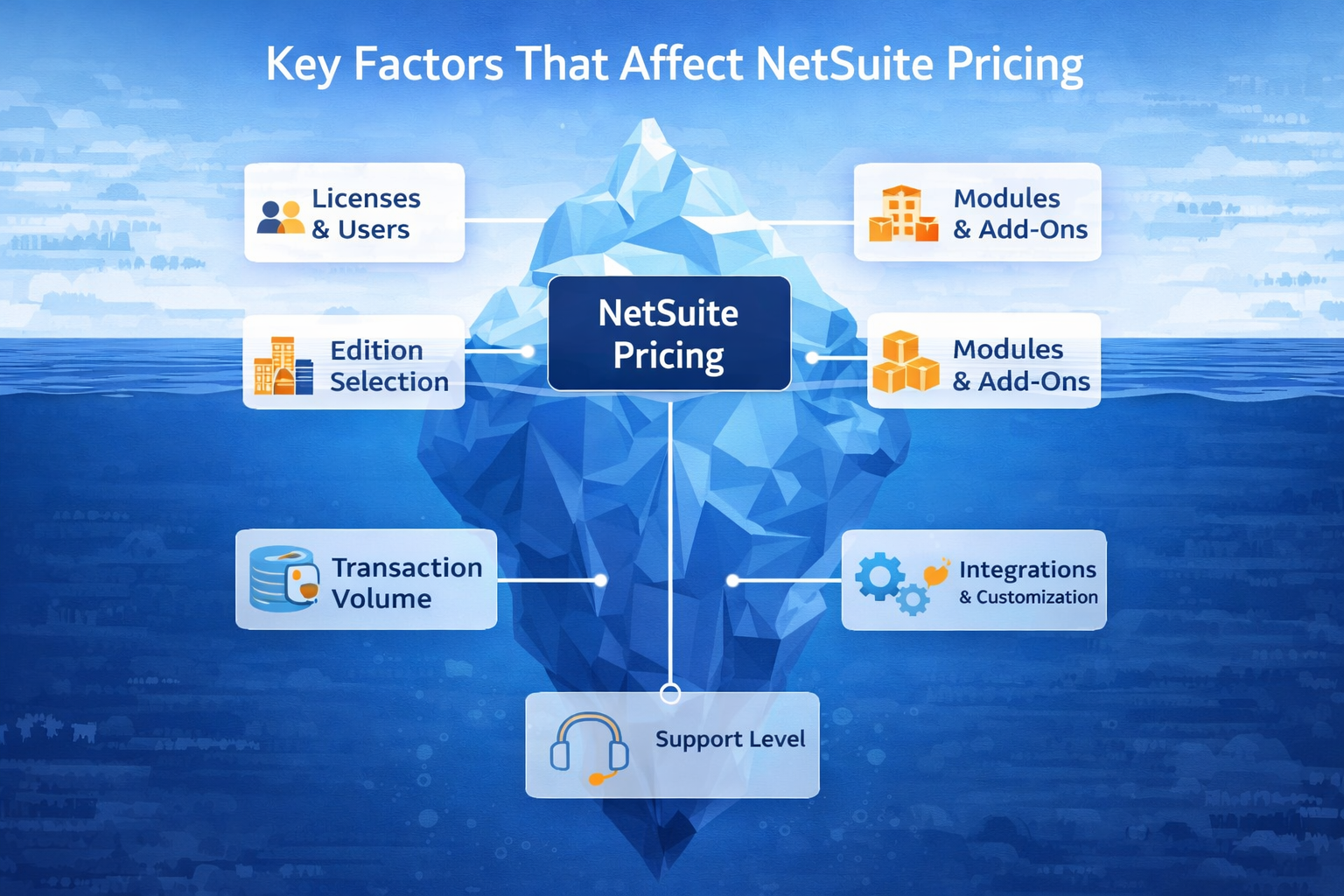
NetSuite pricing is shaped by a combination of licensing choices, operational complexity, and business requirements. Each of these factors can trigger cost changes, so it’s important to review them in detail before committing. Understanding these drivers is essential for accurate budgeting and for controlling the total cost as your business grows.
#1) User Licenses and Access Needs
The number and type of user licenses required are the primary drivers of NetSuite subscription fees, and every user must be licensed. Adding users or increasing transaction volume can trigger an edition upgrade, raising base costs and requiring additional modules. Regularly reviewing roles and license assignments helps prevent an unnecessary increase in NetSuite licensing costs.
#2) Edition Selection and Business Complexity
NetSuite offers Starter, Emerging, Mid-Market, and Enterprise editions, each aligned to different business sizes and operational needs. Growth in users, transaction volume, or complexity often requires upgrading to a higher edition with higher subscription fees. Modeling future growth helps you choose the right edition and avoid unnecessary upgrades.
#3) Modules, Add-Ons, and Industry Packs
NetSuite allows you to add functionality as needed, but each module increases subscription fees. Common add-ons include Advanced Financials, Inventory, SuiteCommerce, and industry-specific bundles. Since modules can only be removed at renewal, review their long-term value before enabling them.
#4) Transaction Volume and Data Storage
Transaction volume and data storage limits can affect both your edition and service tier. Exceeding thresholds may trigger automatic upgrades, increasing subscription costs. Monitoring usage regularly allows you to anticipate changes and budget proactively.
#5) Integration and Customization Requirements
Integrations, third-party connectors, and custom workflows can add high recurring and upfront costs. Custom scripts and SuiteApps require ongoing maintenance and may increase consulting expenses. Assigning ownership and budgeting for updates helps control long-term integration costs.
#6) Support Tier and Ongoing Optimization
Higher NetSuite support tiers provide faster response times and dedicated resources, but increase annual fees. Advanced Customer Support (ACS) adds proactive optimization with a recurring cost. Scheduling regular health checks and tracking consulting hours helps manage ongoing expenses.
Where NetSuite's Hidden Fees Appear
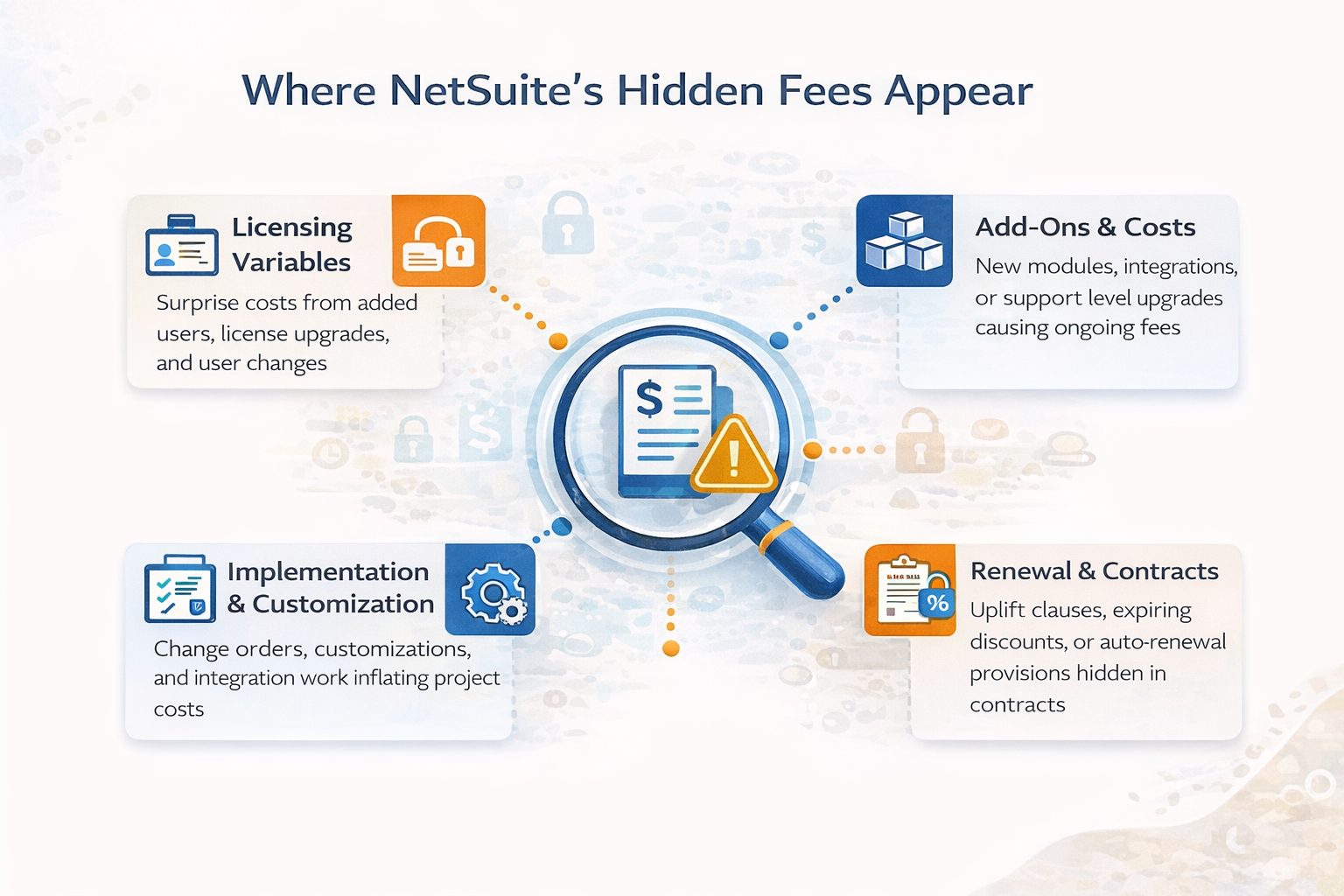
Hidden fees in NetSuite licensing and implementation often surface when business requirements change, new modules are added, or contract terms are misunderstood. These indirect costs can be difficult to spot in the initial quote, but have a major impact on the total ownership cost over time. By understanding where hidden NetSuite fees typically appear, finance teams can take proactive steps to control costs and avoid budget surprises.
#1) Licensing Variables and User Traps
NetSuite’s licensing model uses named user licenses, which means every individual who needs access to the system must have their own license. The most common user license types are full user licenses, which provide access to all features, and self-service licenses, which are limited to basic tasks like time entry or expense submission.
As your business grows, adding users or increasing transaction volume can trigger an edition upgrade, which raises the base subscription cost and may require additional modules. Users added mid-year are billed immediately, but you can only remove licenses at renewal. This structure can lead to over-licensing and surprise costs if not managed proactively.
It’s important to map every user to the correct user license type, review usage quarterly, and document all edition thresholds in your contract.
For more on pricing triggers and user management, see NetSuite Price in 2026: Oracle NetSuite Pricing Guide, Implementation Cost & Cost Breakdown.
#2) Add-On Modules, Integrations, and Ongoing Costs
NetSuite delivers a wide range of add-on modules, from advanced financials and inventory to SuiteCommerce and industry-specific bundles. Each module adds to the annual subscription fee, and costs can increase as new needs arise. Modules have a varied monthly pricing structure, and once enabled, they can only be removed at contract renewal.
Integrations with third-party systems such as CRM, eCommerce, or logistics platforms typically require additional connectors or custom development. These integrations come with their own subscription fees and maintenance costs, which can equal or exceed the base NetSuite subscription over time. Custom scripts, SuiteApps, and integrations require ongoing upkeep, and updates to NetSuite can break existing customizations, leading to unplanned consulting expenses.
Support tier upgrades, sandbox environments, and advanced customer support (ACS) are additional sources of ongoing cost. It’s essential to inventory all modules and integrations, confirm recurring fees, and budget for maintenance and optimization.
For more on ongoing costs and system health, visit Is your NetSuite ERP instance healthy?.
#3) Implementation, Customization, and Change Orders
Implementation costs vary widely and are often underestimated. The scope of work (SOW), data migration, customizations, and integrations all drive the final bill. To avoid hidden costs:
- Implementation scope definition: Document all business requirements in detail, require a written SOW, and avoid approving scope changes without a formal review. Unmanaged scope creep is a leading cause of ERP cost overruns.
- Customization governance: Limit custom development to essential needs, require a business case for each customization, and review the impact on future upgrades and support. Excessive custom work increases both upfront and ongoing costs.
- Data migration clarity: Inventory all data sources, define the migration scope, and require a test migration before go-live. Data issues can lead to unexpected consulting fees and project delays.
- Integration responsibility: Document every integration, assign clear ownership for maintenance, and confirm all connector subscription costs in writing. Integration complexity is a major driver of recurring expense.
For a step-by-step approach to implementing NetSuite, read our guide NetSuite Implementation Process: Your 8-Step Path to ERP Success.
#4) Renewal, Uplift Clauses, and Contract Pitfalls
NetSuite contracts often include automatic renewal clauses, annual price uplifts, and expiring first-year discounts. These terms can significantly increase your total cost if not managed carefully. The table below highlights common hidden fee triggers and how to control them:
| Fee Trigger | When It Applies | Impact | How to Prevent/Control |
|---|---|---|---|
| Renewal uplift | At contract renewal | 5–10%+ annual increase | Negotiate cap, schedule review 120 days before renewal, benchmark alternatives |
| Expiring discount | After the first contract term | Reversion to list price, steep increase | Document renewal pricing requires written confirmation of ongoing discounts |
| Edition upgrade | User/transaction growth | Higher base subscription, module costs | Model growth, document thresholds, set approval gates |
| Module lock-in | Adding modules mid-term | Can only be removed at renewal | Add modules cautiously, review annually, and document the removal process |
| Auto-renewal | Missed notice window | Locked into another term | Track renewal dates, provide notice early, and review the contract calendar |
| Multi-year lock-in | Discounted pricing agreements | Reduced flexibility, exit friction | Balance discount vs. flexibility, document exit terms |
| Support tier changes | Upgrading support or ACS | Higher recurring fees | Compare support options, document escalation process, and benchmark third-party |
For more on contract review and NetSuite consulting partner selection, read How to Choose an Experienced NetSuite Partner for a Successful ERP Implementation.
How to Validate NetSuite’s Total Cost of Ownership
Validating the total cost of NetSuite requires more than just reviewing the initial quote. CFOs should benchmark their pricing against similar organizations, model user and module growth over 12–24 months, and require written confirmation of all pricing assumptions.
- Contract review checklist: List every cost driver—user licenses, modules, integrations, support, and renewal terms. Require written confirmation of all pricing, discounts, and contract triggers. Benchmark your quote against industry standards and similar organizations.
- Usage modeling: Project user and module growth for the next two years, model the impact of edition upgrades, and review with finance and IT stakeholders. This helps prevent surprise costs as your business evolves.
- Renewal planning: Schedule a contract review at least 120 days before renewal, benchmark actual usage against contracted assumptions, and renegotiate based on adoption and business needs.
For a competitive perspective, see NetSuite vs Competitors: A Comparison Guide to Top Alternatives.
How to Negotiate NetSuite Pricing and Contracts
Negotiating NetSuite pricing and contract terms is one of the most effective ways to control both upfront and ongoing costs. Many hidden charges and cost escalations can be avoided or capped with the right negotiation strategy. CFOs should approach NetSuite contracts with the same rigor as any major technology investment, focusing on transparency, flexibility, and long-term value.
Bundling and Discount Strategies
Bundling multiple modules or user licenses together can unlock discounts and simplify contract management. NetSuite customers who commit to a broader set of features or a larger user base are offered better pricing. However, it’s important to ensure that bundled modules align with your actual business needs to avoid paying for unnecessary functionality.
Renewal Uplifts and Price Protection
Annual price increases, or uplifts, are common in NetSuite contracts. Negotiating a maximum annual uplift and securing multi-year pricing protections can help prevent sudden cost jumps at renewal. It’s essential to require written confirmation of these terms in your contract and to schedule renewal reviews well in advance to maintain leverage.
Flexibility and Exit Terms
Preserving flexibility in your NetSuite contract allows you to adjust user counts, remove modules, or downgrade editions as your business needs change. Clear documentation of cancellation and downgrade terms ensures you understand the process and any penalties for reducing scope or exiting the contract. This flexibility can be critical for controlling long-term costs and adapting to business changes.
Benchmarking and Competitive Leverage
Benchmarking your NetSuite quote against competitive alternatives provides valuable context for negotiations. Gathering quotes from other ERP vendors or NetSuite solution providers can strengthen your position and validate pricing. This process helps ensure you receive fair terms and avoid overpaying for your NetSuite investment.
Run the Numbers Before They Run You
NetSuite’s flexible pricing model can deliver value, but only if you control the variables that drive hidden costs. Small changes, like adding users, enabling new modules, or missing a renewal deadline, can quickly escalate your total investment. Proactive contract management, regular usage reviews, and clear documentation are essential for keeping costs predictable.
- Stakeholder alignment: Involve finance, IT, and operations in all cost reviews to ensure every business requirement is captured and budgeted.
- Governance checkpoints: Set approval gates for licensing changes, module additions, and contract renewals to prevent incremental cost creep.
- Documentation discipline: Maintain a living cost model, update it with every change, and review quarterly to keep your NetSuite investment aligned with business needs.
Protelo helps organizations run the numbers before they run you. Our team benchmarks your NetSuite environment, reviews your licensing and implementation costs, and provides actionable recommendations to control your total cost of NetSuite operations. Get a personalized NetSuite pricing estimate if you want clarity and confidence in your NetSuite investment.
FAQs
How much does a NetSuite subscription cost for different business sizes?
NetSuite subscription costs depend on your business size, operational complexity, and the modules or features you require. Smaller businesses typically start with core financials, CRM, and inventory, while mid-sized and enterprise organizations may need multi-entity support, advanced modules, and global features. The total cost is influenced by user count, edition selection, required modules, integrations, and support tier.
What are the most common hidden fees in NetSuite licensing?
Common hidden fees include renewal uplifts, expiring first-year discounts, edition upgrades triggered by user or transaction growth, module lock-ins, integration maintenance, and support tier changes. These costs often surface at renewal or when business requirements change.
How do NetSuite add-on modules affect total cost?
Add-on modules are priced separately and can significantly increase the annual subscription fee. Modules for advanced financials, inventory, SuiteCommerce, and industry-specific needs are common. Once enabled, modules can only be removed at contract renewal, so it’s important to add them cautiously.
What triggers NetSuite renewal cost increases?
Renewal cost increases are typically triggered by automatic uplift clauses (5–10%+ per year), expiring discounts, edition upgrades, and changes in user or module count. Reviewing your contract 120 days before renewal and negotiating caps or price locks can help control these costs.
How can I avoid unexpected NetSuite implementation costs?
To avoid unexpected implementation costs, document all business requirements in a detailed SOW, limit customizations, clarify data migration scope, and assign ownership for integrations. Require written estimates for every phase and review all change orders before approval.
What should I ask when evaluating NetSuite pricing?
Ask about the pricing structure for each edition, NetSuite user license types, module costs, integration fees, support tiers, renewal terms, and contract triggers. Benchmark your quote, model future growth, and require written confirmation of all pricing assumptions.
If you have further questions, our NetSuite experts are here for you! Contact Protelo today.