

26 min read

Go-live marks the point where NetSuite is deployed and ready for day-to-day use, but it does not guarantee that the system will remain aligned as real transaction volume, approval workflows, reporting demands, and integration exceptions begin to increase. Research from McKinsey & Company shows that many large-scale digital and ERP transformations fall short of expected outcomes, often due to challenges that emerge during adoption and ongoing use rather than during initial implementation.
Over time, small configuration decisions can lead to slower close cycles, manual reconciliation work, unreliable reporting, and growing script complexity that impacts performance.
A NetSuite health check after go-live helps uncover these issues early. It provides a clear view of the current state, highlights optimization opportunities, and creates a practical roadmap to improve system performance before operational inefficiencies become costly.
This guide covers:
- Warning signs that indicate your NetSuite system needs a post-go-live health check.
- What a strong health check includes across workflows, reporting, integrations, and controls.
- How to prioritize findings based on operational risk, finance impact, and effort.
- Which metrics confirm improvement, reduced manual work, and stronger post-go-live stability
P.S. Existing NetSuite deployments usually need more than reactive fixes once processing time, dashboard reliability, approval workflow behavior, or integration mapping start drifting after implementation. Protelo supports NetSuite Health Check reviews and post-go-live optimization work that evaluate configuration, reporting, scripts, and user adoption in the full NetSuite environment. Schedule a system audit to identify where manual work, customization clutter, and control gaps are limiting operational reliability before those patterns spread into close, reporting, and daily transaction processing.
TL;DR
| Area | What to evaluate and why it matters |
|---|---|
| Timing | Run a health check 30 to 90 days after go-live, before year-end close, after recurring integration failures, or before adding a new module. These timing points expose whether the current state can support more volume, more users, or more automation without creating manual work. |
| Highest-risk symptoms | Prioritize warning signs such as longer close cycles, dashboard mismatch, revenue recognition cleanup, approval bypass behavior, recurring sync errors, and slow transaction save times. These are not cosmetic issues. They disrupt finance, reduce productivity, and weaken trust in NetSuite ERP. |
| Core scope | A useful NetSuite health check includes configuration, workflows, scripts, saved searches, dashboards, integrations, roles, permissions, and user adoption. Looking at only one layer usually misses the root cause because operational problems often span multiple objects. |
| Common root causes | Frequent findings include poor mapping between systems, duplicate customization, over-permissioned roles, manual reconciliation processes, outdated searches, script inefficiency, and form clutter. These conditions usually accumulate after go-live as users start adapting the system informally. |
| Prioritization method | Rank findings by control risk, transaction volume impact, finance exposure, user disruption, and effort to fix. A low-effort cleanup that removes manual work from high-volume invoice processing can deliver faster ROI than a broad enhancement project with limited day-to-day impact. |
| Deliverables | A strong audit should produce a current-state summary, risk-ranked findings, root-cause notes, recommended fixes, owners, and a timeline. Without that structure, teams receive observations but still lack a roadmap to implement improvement in the NetSuite environment. |
| Success metrics | Measure improvement through reduced manual reconciliation, faster processing time, fewer script errors, cleaner dashboard outputs, lower ticket volume, and stronger user adoption. These indicators show whether the health check is delivering results across finance and operations. |
What a NetSuite Health Check After Go-Live Actually Evaluates
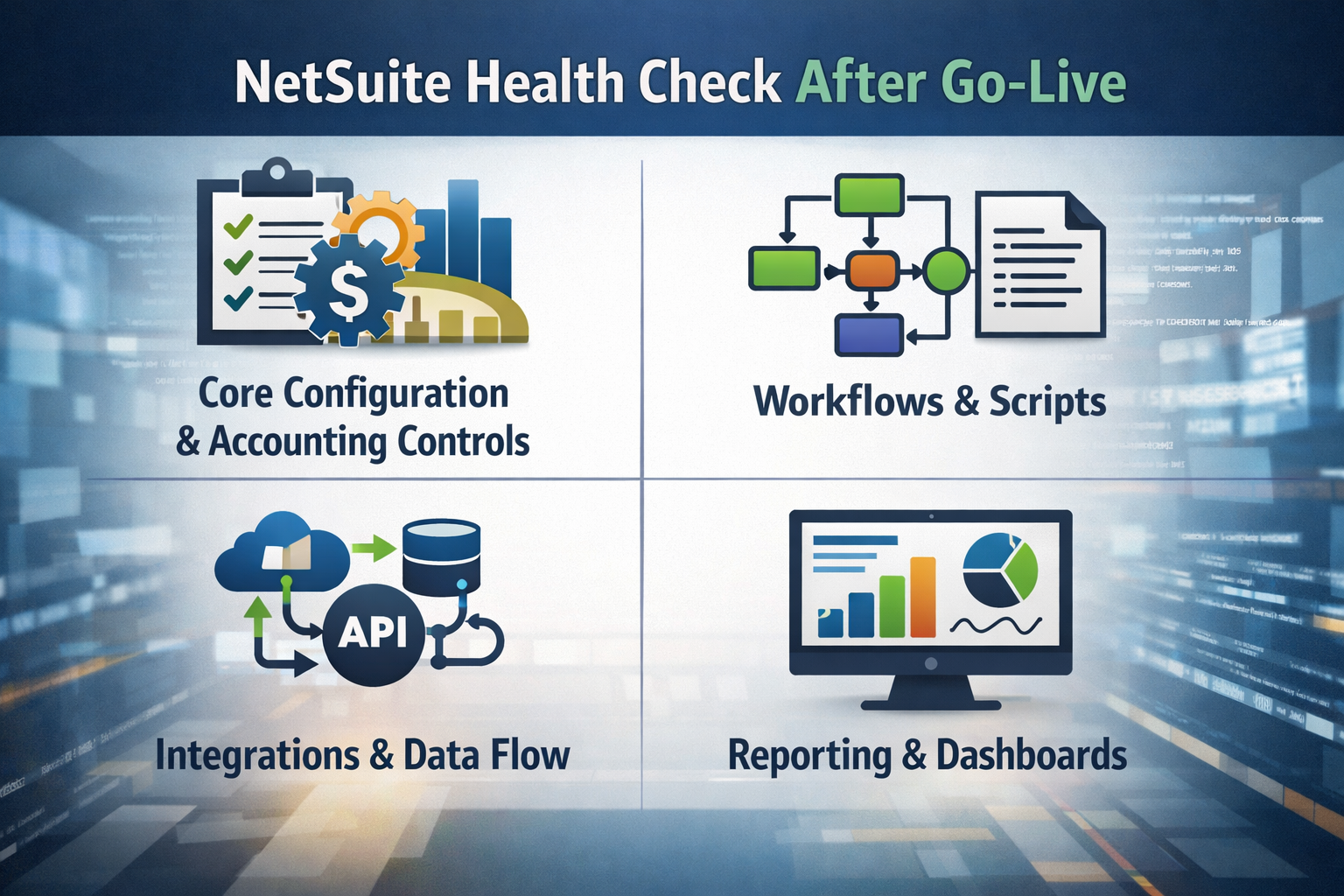
A NetSuite health check after go-live needs to evaluate the system as it is being used now, not as it was designed during the original implementation timeline. Daily transaction volume, revised approval behavior, added custom fields, changing reporting expectations, and integrating NetSuite with CRM, ecommerce, banking, or warehouse tools usually alter the environment within the first few months. That drift affects accounting, operational reliability, and user adoption long before the system fully breaks.
Within a post-go-live review, the health check should inspect how configuration choices, workflow logic, script behavior, dashboard structure, and permission design are interacting within the current NetSuite environment.
Core Configuration, Accounting Controls, and Module Setup
Core configuration is usually where post-go-live drift starts becoming visible. The original setup may have been enough to implement the system and get users through launch, but live processing exposes where accounting controls, module settings, and transaction logic no longer match the way the business actually operates. Finance feels it first through longer close cycles, more manual journal work, and reporting cleanup that should not be necessary in a stable NetSuite ERP environment.
A proper review starts with the setup that drives posting, approvals, reporting structure, and module behavior. That is the layer that shapes how transactions move, how data lands, and whether the current state can support change without creating more clutter.
-
Accounting periods and close controls: Period settings tend to reveal whether the business is managing close through discipline or through exceptions. Frequent reopen activity, late backdated transactions, and broad access to accounting periods usually indicate that upstream workflow or mapping problems are being corrected in finance instead of being fixed at the source.
-
Chart of accounts, segments, and mapping: Reporting structure has to reflect how the business slices financial and operational data now, not how it was first designed. When account sprawl, inconsistent segment usage, or poor mapping starts showing up, teams usually compensate with manual reclassification, extra reporting logic, or duplicate dashboards.
-
Revenue recognition and billing setup: Revenue recognition problems often surface after go-live when billing patterns become more varied and transaction volume increases. Item setup, billing schedules, deferred revenue handling, and overrides deserve close review because even a small mismatch here can create recurring accounting cleanup.
-
Module-level configuration drift: Inventory, procurement, CRM, project accounting, and order management settings often change informally once users start trying to make the system fit local needs. Those small changes can stack up quickly, especially when no one stops to compare the current setup against the intended workflow.
-
Form and field clutter: Extra fields, duplicate forms, and outdated customization make the system harder to use and harder to maintain. They also increase the chance of inconsistent transaction entry, especially when users are not sure which field actually drives reporting or automation.
Workflows, Scripts, and Customization Debt
Post-go-live systems rarely stay close to their original workflow design. Approvals get adjusted, custom fields are added to support exceptions, and scripts are introduced to solve immediate pain points. Some of that work is useful. Some of it creates overlap, performance drag, or logic that nobody fully owns. Over time, the NetSuite system starts carrying more automation than it can manage cleanly.
That is why a health check needs to evaluate what each workflow or script is doing in production, how often it is firing, and whether it is still helping the business.
| Area reviewed | What to inspect | Why it matters | Typical remediation |
|---|---|---|---|
| Approval workflows | Routing logic, condition logic, role dependencies, and edit access after submission | Approval flow drift can delay transactions, weaken controls, or create different outcomes for the same process | Simplify routing, remove duplicate branches, and align role behavior to the actual approval hierarchy |
| User event scripts | Record save logic, field updates, validation behavior, and execution overlap | Heavy or conflicting scripts often create slow save times and harder troubleshooting on high-volume records | Refactor script logic, remove redundancy, and test execution against the most-used transaction types |
| Scheduled scripts and batch jobs | Runtime failures, queue overlap, frequency, and rerun dependency | Batch instability affects integrations, reconciliations, and downstream reporting more than users often realize | Adjust schedule design, separate high-impact jobs, and strengthen monitoring for failed runs |
| Client scripts and form behavior | Browser-side validation, field defaults, and custom interactions on forms | Broken form logic frustrates users quickly and often leads to workaround entry methods | Retire obsolete logic, standardize form behavior, and retest by role and transaction type |
| Custom records, fields, and forms | Usage, dependencies, duplicates, and alignment to current business processes | Unmanaged customization creates clutter and makes later enhancement work harder to implement | Remove low-value objects in phases after confirming they are not supporting reports, integrations, or automation |
| Overlapping automation | Workflows, scripts, and native automation acting on the same process | Overlap creates unpredictable outcomes and makes the source of failure harder to pinpoint | Consolidate logic into the most reliable layer and document the retained design clearly |
Integrations, Data Flow Reliability, and Source-of-Truth Checks
Integration problems after go-live are often described as sync issues, but the real problem usually sits in the design around the sync. A transaction fails because required values do not map cleanly. An invoice lands in the wrong state because timing is off. Customer data becomes unreliable because CRM and NetSuite both allow edits to fields that should have one owner.
A post-go-live health check should inspect the flow of data between NetSuite and the surrounding systems that support the business. That includes CRM, ecommerce, tax, shipping, banking, payroll, WMS, and any custom integration layer. The review should focus on what happens when data does not arrive cleanly, when users step in manually, and when no one is clearly responsible for fixing the exception.
-
Integration mapping: Mapping should be checked at the field level where mismatch creates downstream disruption, especially for customers, items, pricing, subsidiaries, tax logic, and transaction statuses. Poor mapping tends to show up later as duplicate records, reconciliation work, and reports that no longer match operational reality.
-
Retry logic and exception handling: Failed records should be visible, traceable, and assigned to an owner. When users have to discover sync failures manually, the business starts absorbing avoidable delay in fulfillment, billing, or reporting.
-
Transaction timing: Integration schedules need to match the workflows they support. If data arrives too late or too inconsistently, inventory availability, approvals, and financial reporting start drifting from the actual transaction state.
-
Source of truth by data domain: Customer data, item data, pricing, CRM fields, and GL-impacting values should each have a clear system owner. If that ownership is unclear, duplicate edits and conflicting records are almost guaranteed.
-
Audit trail for corrections: Manual fixes after failed syncs need to be visible in a way that preserves transaction history. Otherwise, the business ends up reducing reliability every time someone tries to patch an exception quickly.
Saved Searches, Dashboards, and Reporting Trust
Reporting trust tends to erode gradually after go-live. A dashboard stops matching the number the finance expects. A saved search gets cloned three times because nobody wants to break the original version. Teams export data to Excel because the system output feels close, but not reliable enough to use without cleanup. These warning signs show that the NetSuite environment is still producing data that needs manual verification.
Saved Search Logic and Performance
Saved searches tend to accumulate faster than most teams realize. A few reporting requests during implementation turn into dozens of searches after go-live, then into duplicate versions with slightly different filters, formulas, or joins. That growth creates confusion quickly. Users stop knowing which result to trust, and performance usually gets worse as the search logic becomes heavier.
A good review should identify which saved searches are truly supporting the business, which ones overlap, and where search design is creating unnecessary load or inconsistent output.
Dashboard Design and Permissions
Dashboard problems come from weak KPI definitions, role visibility gaps, or outdated components that no longer reflect how users work. If one manager sees backlog one way and another sees it differently because their dashboards are pulling from inconsistent logic, the system is creating confusion instead of visibility.
Role-based review matters here. A dashboard can be technically correct and still fail users if filters, access, or search dependencies make the information unreliable for that role.
Financial and Operational Reporting Alignment
Financial and operational reports need to line up with the same transaction logic. When management reports, dashboard views, saved searches, and GL outputs start diverging, teams usually respond with manual exports and side calculations. That is often where reliability starts to break down most visibly.
Reviewing alignment across these reporting layers helps uncover whether the mismatch is coming from segment usage, search criteria, permission design, source data problems, or configuration drift in the underlying transactions.
Warning Signs Your NetSuite System Needs a Post-Go-Live Health Check
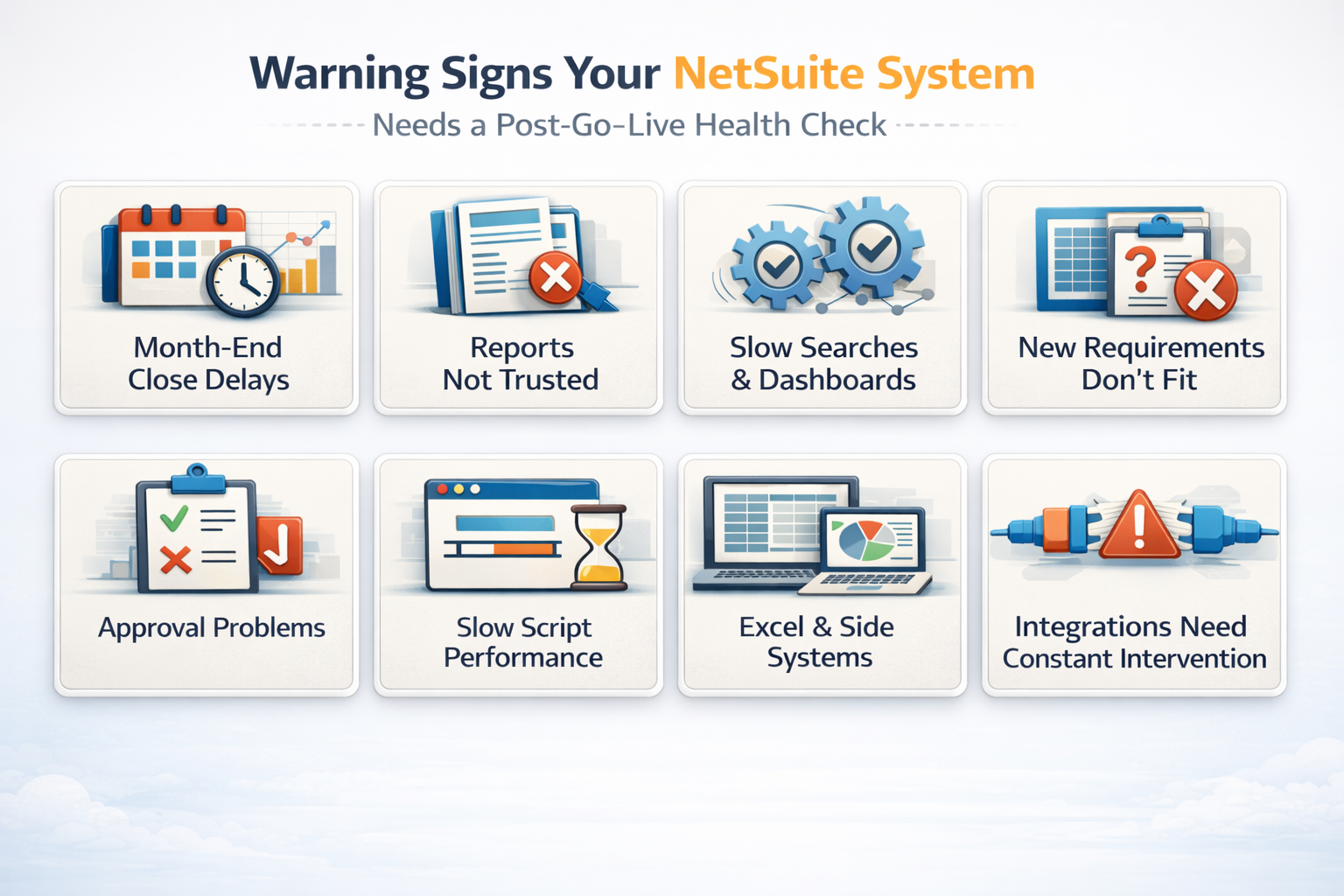
The value of warning signs is that they can be checked. They show up in specific workflows, specific reports, and specific transaction behavior. Once those symptoms are visible across more than one area, the system usually needs more than isolated fixes.
| Warning Sign | Where it Appears | What it Disrupts | How to Verify |
|---|---|---|---|
| Month-end close keeps expanding | Accounting, close checklist, finance review | Reporting timelines, manual cleanup, and close discipline | Compare the close duration by period, reopened periods, and late adjusting entries |
| Finance does not trust reports without manual cleanup | Dashboards, reconciliations, and management reporting | Business decisions, labor time, and reporting reliability | Track report exports, variance explanations, and recurring reconciliation adjustments |
| Saved searches and dashboards are slow or inconsistent | Role centers, KPI dashboards, reporting workflows | Productivity and dashboard trust | Review duplicate searches, formula-heavy logic, search load times, and role-based output differences |
| Integrations need constant intervention | CRM sync, ecommerce orders, tax, banking, shipping | Order processing, finance accuracy, and exception volume | Analyze failed sync counts, reprocessing effort, and unresolved exception age |
| Approval workflow behavior is inconsistent | Purchasing, billing, credit, and custom transaction routing | Compliance and transaction timing | Test workflow routes by role and review edit access after submission |
| Script-driven save times are increasing | Sales orders, invoices, item records, custom records | User productivity and transaction throughput | Measure the save lag on high-volume records and compare the active script activity |
| Users rely on spreadsheets or side systems | Reporting, inventory tracking, CRM notes, fulfillment coordination | User adoption, consistency, and reliability | Ask process owners where manual work happens outside NetSuite and why |
| New business requirements do not fit the setup | New entities, approvals, products, workflows | Scalability and change readiness | Compare the current configuration to the process changes the business now needs to support |
Read Next: Is your NetSuite ERP instance healthy?
When to Run a NetSuite Health Check After Go-live
The best time for a health check is usually tied to pressure on the system. Some teams need one soon after go-live because users start relying on manual workarounds almost immediately. Others do not feel the strain until close gets longer, a new module is planned, or integration failures start affecting customer-facing workflows. Timing should reflect where the system is showing stress and how much risk the business is willing to carry.
A health check is easier to justify when the business can point to specific symptoms, specific upcoming changes, or specific reporting and operational pressure that the current NetSuite setup may not handle well.
-
30 to 90 days after go-live: This is often when the first meaningful gaps surface because real users are now processing live volume, testing approvals under pressure, and leaning on dashboards for routine decisions. It is one of the best windows to identify areas for improvement before workarounds become normal.
-
Before year-end close or audit preparation: Close pressure tends to expose weak controls, posting mismatches, revenue recognition problems, and reporting logic that looked acceptable earlier. A review at this point helps finance avoid carrying manual cleanup into a more sensitive reporting period.
-
Before adding a module, major customization, or new automation: A new enhancement project should not be layered onto a cluttered environment without first checking the current state. Otherwise, the business ends up implementing more change on top of an unstable workflow and reporting design.
-
After major turnover or role changes: Staff changes often uncover how much undocumented process knowledge is sitting with one admin, one finance lead, or one operations user. A health check can reveal where permissions, training, and process ownership need to be reset.
-
After recurring integration failures or release changes: Sync instability and release-related issues deserve review quickly, especially where integrating NetSuite affects customer, order, tax, or finance data. Problems in this category tend to compound across systems.
-
When processing time starts climbing: Slower saves, slower dashboards, and slower transaction throughput usually mean the environment is carrying more script load, more search overhead, or more form clutter than it can handle cleanly.
Read Next: NetSuite Tips: How to prepare for the next Release.
How to Prioritize Health Check Findings Without Stalling the Business
A post-go-live audit only becomes useful once the findings are sequenced properly. Most NetSuite environments have more than one area to fix, but not every finding deserves the same urgency. Revenue recognition setup, permission conflicts, and broken integrations usually need faster action than cosmetic dashboard cleanup. At the same time, one small workflow fix in a high-volume process can remove enough manual work to improve productivity immediately.
| Finding Type | Business Impact | Priority Level | First Action | Owner |
|---|---|---|---|---|
| Revenue recognition, posting, or GL mapping errors | Finance accuracy, close reliability, compliance exposure | Critical | Validate item setup, billing schedules, posting logic, and affected transactions | Finance lead + NetSuite admin |
| Approval and permission conflicts | Control risk and inconsistent transaction authority | Critical | Review roles, workflow routes, and post-submission edit rights | Admin + finance/process owner |
| Integration failures affecting orders or invoices | Order-to-cash disruption, manual correction, and reporting mismatch | High | Analyze sync failures, mapping ownership, and exception handling | Integration owner + admin |
| Script-driven save delays on high-volume records | Lower productivity and weaker user adoption | High | Measure save-time impact and isolate the scripts creating lag | Technical owner + admin |
| Reporting mismatch and dashboard distrust | Manual work, slower decisions, unreliable visibility | High | Reconcile saved search logic and dashboard filters to the source transactions | Reporting owner + finance |
| Duplicate customization and form clutter | User confusion and a higher maintenance burden | Medium | Map dependencies and retire low-value objects in controlled phases | Admin + process owner |
| Training and process adherence gaps | Repeated errors and workaround behavior after fixes | Medium | Review repeated user mistakes and retrain by role and workflow | Process owner + training lead |
Fix Control Failures Before Convenience Problems
Control problems deserve attention first because they affect how transactions are approved, posted, edited, and reported. Weak permissions, approval bypass paths, or unstable revenue recognition setup create a different level of risk than a dashboard issue, even if the dashboard is more visible day to day.
That sequence also makes later optimization work safer. There is little value in improving user experience while core accounting and approval behavior remain unstable underneath it.
Remove Manual Work Where Volume Is Highest
Once control risk is contained, the next priority usually sits in the workflows that consume the most time. Repetitive manual correction in invoice handling, approvals, reconciliations, or order entry tends to produce the fastest measurable improvement because the volume is high and the labor cost is visible.
This is often where the health check starts showing clear ROI. Reducing manual work in one heavily used process can do more for productivity than a larger project that affects only a small group of users.
Clean up Customization Only After Dependency Mapping
Customization cleanup is valuable, but it needs to be handled carefully. Custom fields, forms, searches, scripts, and workflows often support reporting logic, integrations, or transaction validation in ways that are not obvious at first glance. Removing clutter without mapping dependencies can create fresh operational problems.
The better approach is to identify which objects are active, which are redundant, and which still support something important. Once those dependencies are understood, cleanup becomes safer and more effective.
What a Useful NetSuite Health Check Deliverable Should Include
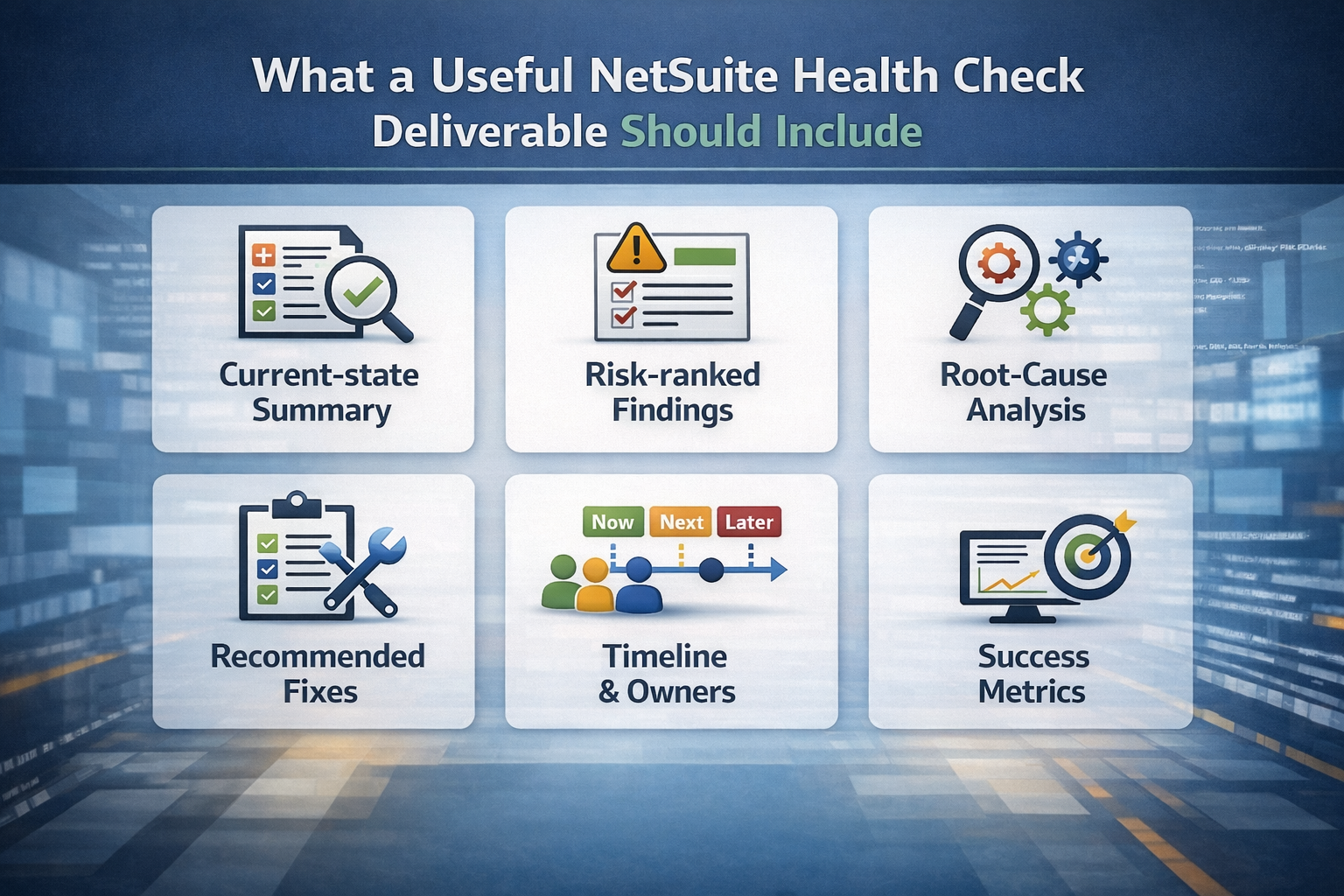
A health check is only as useful as the output it leaves behind. Teams do not need a vague summary that confirms the system has room for improvement. They need a document that explains where the environment is drifting, what is causing it, and how the fixes should be sequenced. Without that, the review creates awareness but not much momentum.
-
Current-state summary: The report should document what was reviewed across configuration, reporting, integrations, scripts, permissions, and workflow behavior so everyone is working from the same baseline.
-
Risk-ranked findings: Findings should be grouped by business impact and urgency, not listed as a flat inventory of issues. Teams need to see quickly which items affect finance controls, which ones drive manual work, and which are better handled later.
-
Root-cause analysis: A useful report should trace each problem back to the source, whether that is configuration drift, duplicate customization, weak mapping, role design, or outdated process behavior. That is what prevents repeated cleanup without real improvement.
-
Recommended fixes: Each finding should connect to a practical next step, whether that means configuration cleanup, script optimization, reporting redesign, integration enhancement, or targeted NetSuite training.
-
Timeline and owners: Post-go-live health checks tend to uncover more than one stream of work. Breaking remediation into immediate fixes, near-term optimization, and longer enhancement work keeps the project manageable and keeps ownership clear.
-
Success metrics: The deliverable should define how improvement will be measured, including reduced manual work, faster processing time, cleaner reporting, stronger compliance, and better reliability in the NetSuite system.
Read Next:
- The Ultimate Guide for NetSuite Administrators
- Off-track ERP project? Steps to rescue a NetSuite implementation.
How to Measure Improvement After the Health Check
The easiest way to lose value after a health check is to stop at the findings. Improvement has to be measured in the same workflows where the original warning signs appeared. If the business had reporting mismatches, close delays, integration errors, or a time lag before the audit, those same areas should be checked again after remediation. That is what confirms whether the work delivered operational improvement or only temporary relief.
Finance and Accounting Indicators
Finance indicators tend to show whether the system is getting cleaner at the source. Close duration, reconciliation effort, revenue recognition behavior, and manual journal activity all reveal whether accounting is still compensating for process or configuration gaps elsewhere in NetSuite.
These metrics should be reviewed over several cycles. One cleaner close is useful, but consistent improvement across periods is what shows the system is becoming more reliable.
-
Close timeline: Shorter close duration, fewer reopened periods, and fewer late adjustments usually indicate that posting logic, approvals, and reporting alignment are more stable.
-
Reconciliation cleanup hours: When finance spends less time tying out balances, fixing mapping mismatches, or rebuilding numbers externally, the reporting layer is usually becomes more trustworthy.
-
Manual journals tied to workaround processes: A decline in workaround journals suggests that upstream transaction handling and configuration are improving, especially in areas like billing, revenue recognition, and integration correction.
-
Variance frequency between reports and source transactions: Fewer unexplained mismatches across dashboard views, saved searches, and financial outputs is one of the clearest signs that reporting logic is stabilizing.
-
Audit and compliance exceptions: A drop in permission-related findings, posting irregularities, or close-control exceptions shows that the environment is better aligned for compliance and finance oversight.
Operational and Workflow Indicators
Operational indicators show whether the system is easier to use under normal business load. These are often the clearest signs that workflow and automation cleanup have started to pay off. The focus here should stay on high-volume processes. That is where even a small improvement can deliver measurable gains in productivity and reduced manual work.
-
Transaction processing time: Faster record entry and save performance on invoices, sales orders, purchase orders, and similar transactions usually points to cleaner scripts, simpler forms, and more stable workflow behavior.
-
Approval turnaround: Shorter approval cycles and fewer stalled transactions suggest that the workflow is aligned to the real approval hierarchy and no longer creating unnecessary delay.
-
Rework volume: When fewer records need correction, resubmission, or manual cleanup, the underlying process is usually becoming more reliable.
-
Automation rate: A healthier environment should reduce the number of repeat tasks that still depend on manual intervention, especially where the business expected automation from the original NetSuite implementation.
Adoption and System Reliability Indicators
User adoption and reliability are often the best proof that improvement is holding. If users return to native dashboards, rely less on off-system tracking, and stop escalating routine tasks to admins, the system is becoming easier to trust. If the same sync errors, script failures, or dashboard complaints continue, the environment still has unresolved structural problems.
-
Recurring support ticket categories: Repeated tickets for the same workflows, dashboards, or permissions often show that the same underlying problem is still active. Fewer repeat tickets usually mean the fixes are sticking.
-
Failed sync counts and exception backlog: Lower integration error volume and faster exception resolution suggest that mapping, monitoring, and ownership have improved.
-
Script error recurrence: Fewer repeat timeouts, failed events, or governance-related problems usually indicate that technical optimization is improving reliability where it matters most.
-
Dashboard and search usage behavior: When users return to role-based dashboards and native searches instead of building shadow reports outside NetSuite, reporting trust is usually recovers.
-
Manual export behavior: Reduced export and spreadsheet dependency is one of the strongest signs that the NetSuite system is producing cleaner, more usable visibility.
Getting More From Your NetSuite Environment After Go-live
Once the system is live, new reporting needs, process changes, user habits, integrations, and customization requests start pushing the NetSuite setup in different directions. A NetSuite health check helps bring that drift into view. It gives the business a cleaner understanding of the current state, shows where operational problems are starting to concentrate, and helps prioritize the fixes that will improve reliability, user adoption, and return on investment.
-
Review high-risk controls first: Start with approvals, permissions, period management, revenue recognition, and other areas that affect finance accuracy or compliance. Those are the issues that can do the most damage if they remain open.
-
Rank manual work by volume and cost: Focus on the workflows where users spend the most time correcting, exporting, reconciling, or re-entering data. High-volume cleanup is usually where the biggest productivity gains are hiding.
-
Document ownership for scripts, dashboards, and integrations: Clear ownership is one of the best ways to keep the environment from drifting again. If nobody owns release readiness, reporting logic, or sync monitoring, the same pain points usually return.
Protelo works with NetSuite users on system health checks, configuration reviews, workflow and reporting optimization, scripting support, and post-go-live cleanup. Schedule a system audit to review your current NetSuite system, identify the highest-value fixes, and build a cleaner path toward stronger reliability and ongoing success.
FAQs
Post-go-live health check questions usually come down to scope, timing, ownership, and expected outcomes. These answers focus on what existing NetSuite users need to know when the system is live but no longer running as cleanly as it should.
What is included in a NetSuite health check after go-live?
A post-go-live NetSuite health check usually covers configuration, accounting controls, workflows, scripts, integrations, saved searches, dashboards, permissions, and user adoption patterns. The point is to evaluate how the live NetSuite environment is behaving now and identify where drift, mismatch, or manual work has started to build up.
How soon after go-live should a NetSuite health check happen?
A common window is 30 to 90 days after go-live, once users are working in the system at normal volume and real workflow pressure starts exposing gaps. Other strong timing points include before year-end close, after major turnover, after repeated integration failures, or before adding a new module or major customization.
Can a health check uncover problems from the original NetSuite implementation?
Yes. Many post-go-live reviews uncover earlier setup choices that looked acceptable during implementation but create operational problems later. Common examples include weak role design, poor mapping, revenue recognition setup gaps, overlapping automation, and reporting logic that does not scale well in production.
What are the clearest warning signs your NetSuite environment needs a health check?
Longer close cycles, manual reconciliation, unreliable dashboards, slow searches, recurring sync failures, save-time lag, spreadsheet dependence, and declining user adoption are all strong warning signs. The pattern matters most when several of these symptoms start showing up together.
Who should be involved in a post-go-live NetSuite health check?
The right group usually includes the NetSuite admin, finance owner, key process owners, the person responsible for integrations, and anyone who owns major dashboards or reporting logic. If the warning signs are showing up in operations, fulfillment, procurement, or CRM workflows, those owners should be involved as well.
How do you measure ROI from a NetSuite health check?
ROI usually shows up through reduced manual work, faster processing time, cleaner reporting, fewer recurring errors, better user adoption, and stronger control over close and transaction handling. The clearer those gains are in daily workflows, the easier it is to see the long-term value of the health check.