

15 min read


Most NetSuite environments that felt fast and clean at go-live start showing cracks within 18 months. Performance lags. Dashboards don't match reality. Workflows that once automated order processing now require manual workarounds. Like any cloud-based ERP, NetSuite requires active health management to stay aligned with business needs.
AI features, tighter compliance requirements, and more integrations mean your NetSuite ERP system must handle more complexity without slowing down. A successful implementation two years ago doesn't guarantee a healthy system today.
This guide covers:
-
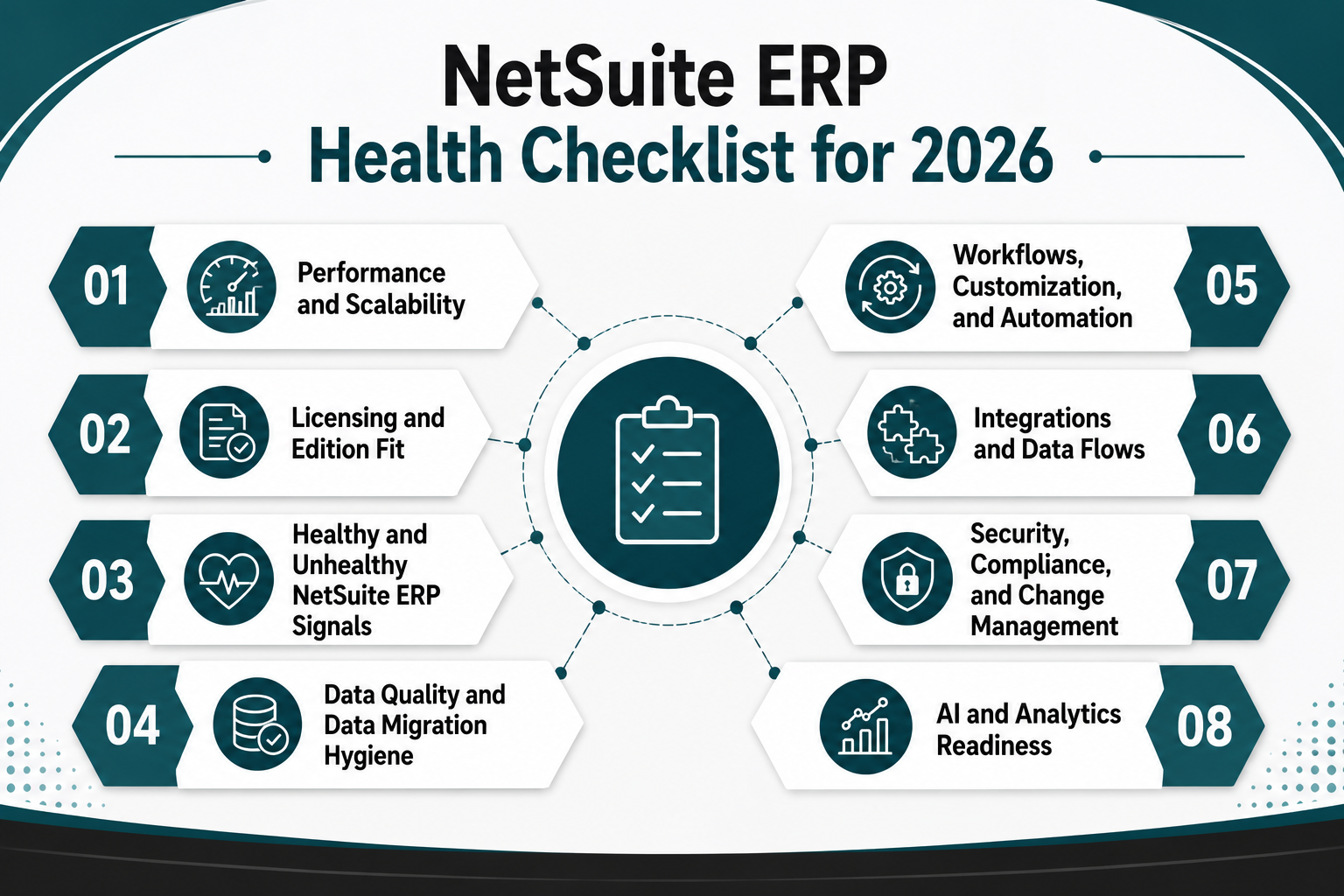
A structured 2026 health checklist covering performance, licensing, data, workflows, integrations, compliance, and AI
-
Clear "healthy vs unhealthy" signals to prioritize fixes before they escalate
-
When to handle optimization in-house versus engaging a NetSuite implementation partner
-
How Protelo's NetSuite Health Check uncovers bottlenecks and simplifies tangled configurations
TL;DR: 2026 NetSuite ERP Health Checklist at a Glance
-
Run performance diagnostics monthly: slow saved searches and dashboard load times signal infrastructure drift.
-
Audit licensing annually: unused modules and wrong edition fit waste budget and limit scalability.
-
Validate data migration hygiene: duplicate records and orphaned transactions erode trust in KPIs and reporting.
-
Review workflows and customization quarterly: outdated SuiteScripts and manual workarounds block automation and user adoption.
-
Test integrations end-to-end: broken data flows between NetSuite and CRM, ecommerce, or warehouse systems create order processing delays.
-
Confirm compliance and security posture: missing role restrictions and audit trail gaps expose the business to risk.
-
Assess AI and analytics readiness: clean data and native NetSuite analytics unlock artificial intelligence capabilities in 2026.
Why NetSuite ERP Health Checks Matter More in 2026
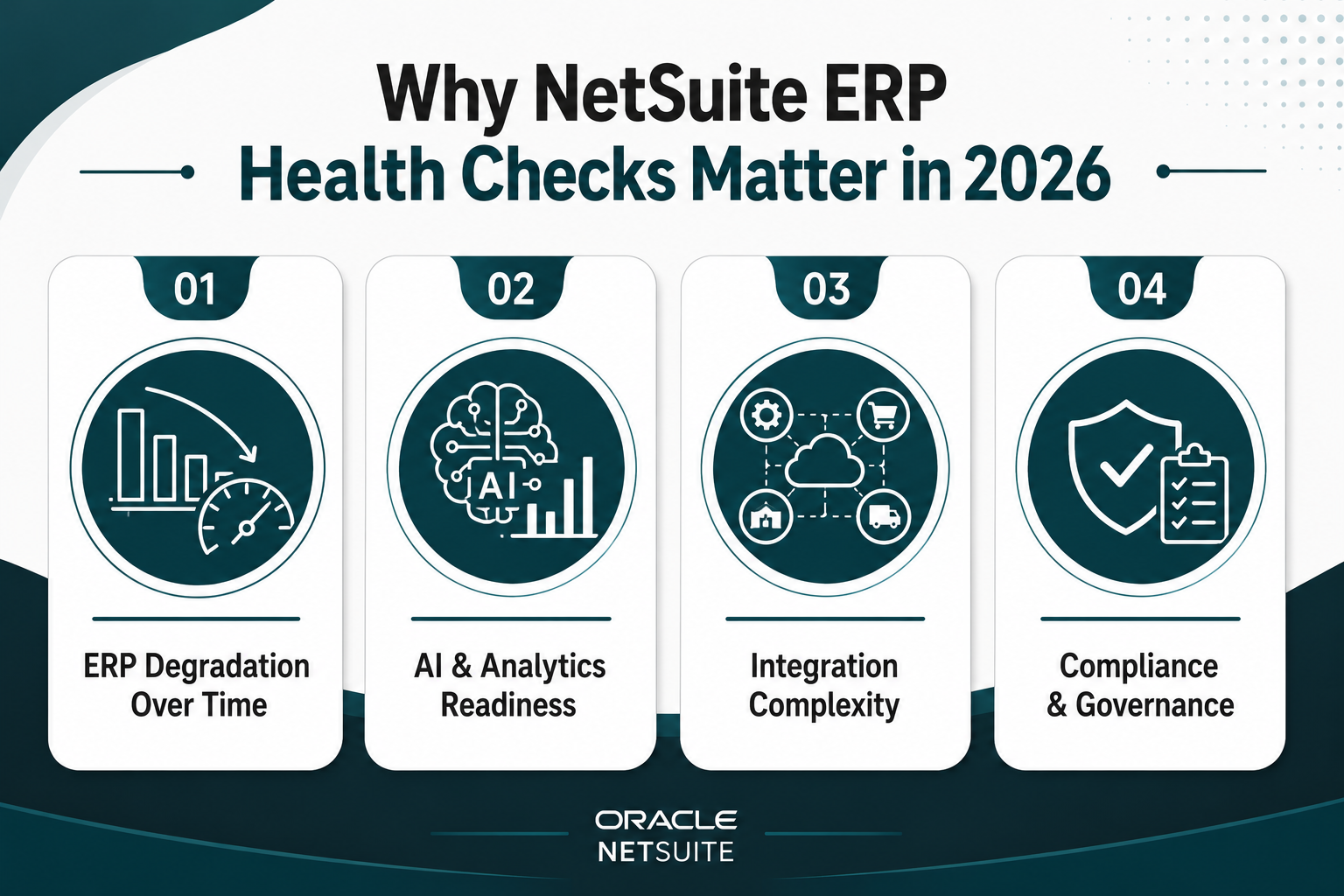
A successful go-live date is no longer enough. The NetSuite environment that supported your business a couple of years ago now faces pressure from AI-driven automation, stricter compliance requirements, and a growing web of integrations. Without regular health checks, even a well-executed NetSuite implementation can degrade into a slow, messy ERP system that blocks growth instead of enabling it.
From "Successful Implementation" to Slow, Messy ERP System
Most NetSuite degradation happens gradually. A few custom fields get added without documentation. A SuiteScript written during implementation no longer matches the current business process. Data migration from the old system left duplicate customer records that no one cleaned up. Each issue seems minor, but together they create drag by slowing down dashboards and providing unreliable reporting and workflows that require constant manual intervention.
The result is a NetSuite ERP system that technically works but no longer delivers business value. Finance teams stop trusting the numbers. Operations leaders build shadow spreadsheets. IT spends more time firefighting than optimizing. What started as a streamlined cloud-based ERP solution becomes a source of frustration and hidden implementation costs.
2026 Pressures: AI, Integrations, and Compliance on a Cloud-Based ERP
Several forces make 2026 a critical year for NetSuite health management:
-
AI and analytics expansion: Oracle NetSuite continues rolling out AI-powered features for demand planning, anomaly detection, and predictive analytics. These tools only work if your data is clean and your workflows are standardized. Poor data quality blocks AI adoption before it starts.
-
Integration complexity: Most companies now connect NetSuite to CRM platforms, ecommerce systems, warehouse management tools, and third-party logistics providers. Each integration introduces new data flows and potential failure points. A healthy NetSuite environment requires end-to-end testing and monitoring.
-
Compliance requirements: Regulations around data privacy, financial reporting, and audit trails continue tightening. A NetSuite project that met compliance standards in 2023 may no longer satisfy 2026 requirements without role restrictions, change management controls, and audit-ready reporting.
-
User adoption and business needs: As teams grow and business processes evolve, the workflows and customization built during the original implementation may no longer fit. Without regular reviews, user adoption drops and teams revert to manual workarounds.
NetSuite ERP Health Checklist for 2026
Skipping regular health checks defers problems until they become urgent. A slow NetSuite ERP system that takes 30 seconds to load a dashboard costs hours of productivity each week. Duplicate customer records lead to billing errors and lost revenue. Broken integrations delay order processing and frustrate customers. Unmanaged customization makes every new module deployment slower and more expensive.
The longer these issues persist, the harder they are to fix. What could have been a quick tune-up becomes a multi-month ERP project. In extreme cases, companies face a full re-implementation because the original NetSuite environment has become too tangled to optimize.
A structured NetSuite ERP health checklist prevents that outcome by catching issues early, when they're still manageable.
Performance and Scalability: Is Your NetSuite ERP Slowing You Down?
Performance issues rarely announce themselves. Instead, dashboards take a few extra seconds to load. Saved searches time out. Reports that used to run in minutes now take an hour. These symptoms indicate that your NetSuite ERP system is struggling under the weight of accumulated data, unoptimized scripts, or infrastructure drift.
Start by auditing saved searches and custom reports. Identify which ones take longer than 10 seconds to execute and review their filters, formulas, and joins. Overly complex searches that pull from multiple record types without proper indexing create unnecessary load.
Next, check SuiteScript performance. Scripts written during the original implementation may no longer be optimized for current data volumes. Review execution logs for scripts that exceed timeout thresholds or trigger excessive governance usage.
Scalability issues often surface when transaction volumes grow. If your NetSuite environment handled 1,000 orders per month at go-live but now processes 5,000, the original configuration may no longer fit. Review your edition and infrastructure tier to confirm they match current business needs.
Licensing and Edition Fit: Are You Paying for the Right NetSuite ERP System?
Licensing misalignment is one of the most common and most expensive health issues. Many companies purchase modules during implementation that they never fully deploy. Others outgrow their edition but delay upgrading, creating artificial constraints that slow growth. An annual licensing audit ensures you're paying for what you use and have the capacity you need.
Start by reviewing active modules and user licenses. Identify modules that were enabled during the NetSuite implementation but never adopted. Unused modules still carry licensing costs and add complexity to the environment.
Next, evaluate edition fit. If your business has grown to support multiple subsidiaries or international operations, confirm that your edition supports multi-entity consolidation and multi-currency requirements without workarounds.
User license allocation also matters. Review which users have full access versus employee center or vendor portal access. Over-provisioning full licenses wastes budget. Under-provisioning creates bottlenecks when users share credentials or wait for access.
Read Next: Oracle NetSuite Pricing In 2026: A Clear Pricing Guide For Licensing, Implementation, And Budgeting
Healthy vs Unhealthy NetSuite ERP Signals by Checklist Area
Quick pattern recognition matters when diagnosing NetSuite health. Some symptoms appear across multiple areas, as slow performance might stem from poor data quality, unoptimized workflows, or infrastructure constraints. Others are isolated but urgent, like missing audit trails that create compliance risk. The indicators below help you quickly identify where your NetSuite environment needs attention and which issues to prioritize first.
Data Quality and Data Migration Hygiene: Can You Trust Your Dashboards and KPIs?
Poor data quality is the silent killer of NetSuite value. When finance leaders don't trust the numbers on a dashboard, they revert to spreadsheets. When sales teams find duplicate customer records, they stop updating CRM data. When operations discover orphaned transactions from the original data migration, they lose confidence in inventory accuracy. A healthy NetSuite ERP system requires clean, trustworthy data.
Start by auditing for duplicates. Run saved searches to identify duplicate customer, vendor, and item records. Duplicates often originate from incomplete data migration or a lack of validation rules during record creation.
Next, review data migration completeness. Confirm that historical transactions, balances, and relationships were fully migrated and reconciled. Transactions that reference deleted or inactive records create reporting errors and block automation.
Data validation rules also matter. Review custom fields and forms to ensure required fields are enforced, and dropdown values are standardized. Inconsistent data entry (e.g., "CA" vs "California" vs "calif") breaks reporting and analytics.
Finally, test dashboard accuracy. Compare key KPIs in NetSuite against source-of-truth reports from finance or operations. If discrepancies exist, trace them back to data quality issues, incorrect saved search logic, or incomplete workflows. Clean data is the foundation for AI readiness, compliance, and user adoption.
Workflows, Customization, and Automation: Are Business Processes Streamlined or Stuck?
Workflows and customization should accelerate and streamline processes. Yet many NetSuite environments accumulate outdated SuiteScripts, undocumented customization, and manual workarounds that slow operations and frustrate users.
-
Audit active workflows and SuiteScripts: Review all custom workflows, SuiteFlows, and SuiteScripts deployed in your NetSuite environment. Identify which ones are still actively used and which were built for business processes that have since changed. Outdated scripts that no longer match current workflows create errors and slow the deployment of new features.
-
Document customization: Many NetSuite implementations include custom fields, forms, and scripts that were never fully documented. Without documentation, future changes become risky and time-consuming. Create a customization inventory that lists each custom element, its purpose, and its dependencies.
-
Identify manual workarounds: Talk to end users to uncover manual steps that have crept back into automated processes. Common examples include manually updating order status, copying data between records, or exporting and re-importing data to trigger workflows. Each workaround signals a gap in automation that should be addressed.
-
Review user adoption: Low user adoption often indicates that workflows don't match how teams actually work. If users bypass NetSuite to complete tasks in spreadsheets or external tools, the workflows need adjustment. A healthy NetSuite ERP system in 2026 should support business processes end-to-end without requiring manual intervention.
For companies facing complex workflow challenges or extensive customization debt, Protelo's NetSuite Customization services help rebuild workflows, optimize SuiteScripts, and automate business processes that currently require manual steps, ensuring your NetSuite environment scales with your business rather than holding it back.
Integrations and Data Flows: Is Your ERP Platform Talking to the Rest of the Business?
NetSuite often sits at the center of a larger tech stack, connecting CRM, ecommerce, warehouse management, payment, and logistics systems. When those data flows break, the business feels it quickly through delayed orders, inventory discrepancies, billing errors, and poor reporting.
Start by mapping every active integration. Document which systems connect to NetSuite, what data moves in each direction, and how often syncs occur. Then test each key flow end to end: create a transaction in the source system, confirm it appears correctly in NetSuite, and repeat the process for outbound data.
Integration health should be monitored continuously. Set alerts for sync failures, API errors, and data mismatches so issues are caught before they affect customers. Also, review integrations after each NetSuite release, using sandbox testing and rollback plans for critical connectors.
Finally, check whether your integration setup is built to scale. Point-to-point custom scripts can become brittle and expensive to maintain. If your tech stack is growing, middleware or an integration platform may provide more stability and easier change management.
Security, Compliance, and Change Management: Is Your NetSuite Environment Audit-Ready?
Security and compliance are often rushed during go-live and ignored until an audit, incident, or access issue exposes gaps. A health check should confirm that your ERP environment follows current requirements for access control, audit trails, and change management.
Review user roles for access to sensitive data, financial records, and administrative functions. Permissions should follow least privilege, and inactive users should be removed to reduce security and compliance risk.
Audit logs should also be complete for critical records and transactions. NetSuite system notes should show who changed what, when, and where, so teams can investigate issues and support audit requirements.
Change management is the final control layer. Customizations, workflows, and integration updates should be reviewed, tested in a sandbox, approved, and documented before reaching production. This keeps the ERP environment stable, traceable, and audit-ready.
AI and Analytics Readiness: Can You Analyze Data Faster in 2026?
Artificial intelligence and advanced analytics represent the next frontier for NetSuite value, but only if your data and workflows are ready. Many companies enable AI features only to discover that poor data quality, inconsistent business processes, or a lack of native NetSuite analytics adoption block meaningful results.
-
Clean data is the prerequisite: AI tools can't fix bad data, but rather amplify it. Before enabling AI features, run the data quality checks outlined earlier in this checklist. Deduplicate records, standardize field values, and confirm that historical data is complete and accurate.
-
Adopt native NetSuite analytics: Many companies bypass SuiteAnalytics in favor of external BI tools, then struggle to integrate AI features that rely on native analytics. Review whether your team is using SuiteAnalytics workbooks, datasets, and dashboards. If not, identify barriers to adoption like training, dashboard design, or lack of trust in the underlying data.
-
Assess AI feature fit: Oracle NetSuite offers AI-powered capabilities for demand planning, anomaly detection, and predictive analytics. Evaluate which features align with your business needs and whether your data supports them. For example, demand planning AI requires clean historical sales data and consistent item records.
-
Test and validate AI outputs: AI features should augment human decision-making, not replace it. When you enable a new AI capability, validate its recommendations against known outcomes. If the AI suggests inventory levels that don't match your business reality, investigate whether data quality, configuration, or business process issues are causing the disconnect.
Read Next: How to get the most out of SuiteAnalytics Workbooks & Next-Gen Dashboards
When a Checklist Isn't Enough: Tune-Up, Health Check, or Re-Implementation?

Running through this checklist will surface issues, but not all issues require the same response. Some can be fixed in-house with a few hours of admin work. Others need a structured health audit from certified NetSuite experts. A few signals that the original implementation has degraded so far that a full re-implementation is the only practical path forward.
This table helps you classify findings from the checklist and decide if bringing on a NetSuite implementation partner is the right response.
Read Next: NetSuite Implementation Timeline & Milestones: From Planning to Go-Live
Make Your NetSuite ERP Future Ready Without Starting Over
A proactive NetSuite ERP health checklist, used annually, prevents the need for emergency ERP projects and protects business value. Most issues that feel urgent today started as small problems months or years ago. Catching these issues early, when they're still manageable, keeps your NetSuite environment healthy and your business moving forward.
-
A structured NetSuite ERP health checklist prevents slow systems, poor data quality, and hidden risks.
-
Reviewing performance, licensing, workflows, integrations, and AI readiness annually protects long-term business value.
-
Partnering with certified NetSuite experts turns findings into practical fixes rather than another stalled ERP project.
Protelo's NetSuite Health Check audits your account to uncover risks, bottlenecks, and inefficiencies, runs a health and performance check so your NetSuite ERP system runs at peak speed, and de-customizes and simplifies tangled configurations so complexity no longer drags down growth. This directly supports scaling NetSuite for growth and achieving better business operations in 2026.
Request a health audit to identify bottlenecks, simplify your NetSuite environment, and unlock smoother growth.
FAQs
What is a NetSuite ERP health check, and why does it matter in 2026?
A NetSuite ERP health check is a comprehensive audit of your post-go-live environment covering performance, licensing, data quality, workflows, integrations, security, and AI readiness. In 2026, it matters because AI features, compliance requirements, and integration complexity demand a clean, optimized system—issues that were minor at go-live now block automation and growth.
How often should I run a NetSuite health checklist?
Run a full health checklist annually, with quarterly reviews of high-risk areas like performance, integrations, and data quality. After each Oracle NetSuite release (twice per year), test integrations and workflows to catch issues before they affect production.
What are the most common signs my NetSuite ERP system needs a health audit?
Slow dashboards and saved searches, duplicate customer or vendor records, workflows requiring manual workarounds, integration sync failures, and teams bypassing NetSuite for spreadsheets all signal that a health audit is overdue.
Can I fix NetSuite health issues in-house, or do I need a partner?
Minor issues like optimizing a few saved searches or disabling unused modules can be handled in-house. Multiple performance problems, unclear customization, data quality concerns, or integration failures typically require a certified NetSuite implementation partner to audit root causes and prioritize fixes.
How does poor data quality affect NetSuite AI and analytics in 2026?
AI and analytics tools amplify data quality issues rather than fixing them. Duplicate records, inconsistent field values, and incomplete data migration create inaccurate predictions and unreliable dashboards, blocking AI adoption and eroding trust in reporting.
What's the difference between a NetSuite health check and a full re-implementation?
A health check audits your existing environment, identifies issues, and provides a prioritized roadmap for fixes—most problems can be resolved without starting over. A full re-implementation is only necessary when workflows no longer match business needs, customization is too tangled to optimize, or compliance risks are severe.