

19 min read


Choosing between NetSuite and Microsoft Dynamics 365 Finance isn't about picking the "better" ERP system. It's about understanding how each platform is built. NetSuite delivers a unified cloud-based ERP where finance, CRM, and supply chain work from the same database.
Microsoft Dynamics 365 Finance operates as a specialized finance module that connects to other Microsoft products like Office 365, Power BI, and Dynamics 365 Sales. That structural difference affects everything from how you run reports to what your licensing costs look like three years in. Most companies don't realize the gap until they're deep into implementation.
This guide covers:
- How NetSuite and Dynamics 365 differ in ERP scope, CRM, and supply chain coverage
- Where Microsoft ecosystem integration creates advantages or adds complexity
- What drives the total cost of ownership beyond the base subscription
- When to choose a unified suite versus a modular finance system
P.S. ERP selection is easier when implementation realities are part of the conversation early. Protelo’s NetSuite Implementation Services help teams plan clean data migration, secure integrations, CRM alignment, ecommerce connections, and supply chain workflows before those decisions slow down the rollout.
Migrate to NetSuite to unify finance, CRM, and operations in one cloud ERP suite without disrupting day-to-day work.
Quick Comparison: Microsoft Dynamics 365 vs NetSuite
NetSuite Vs Microsoft Dynamics 365 Finance: What Actually Changes The ERP Decision?
The ERP decision usually changes once you look past feature lists and compare how each system will run day to day. Reporting, licensing, integrations, workflows, implementation timelines, and user adoption all depend on how much of the business you want inside one platform versus how much you’re willing to connect across separate applications.
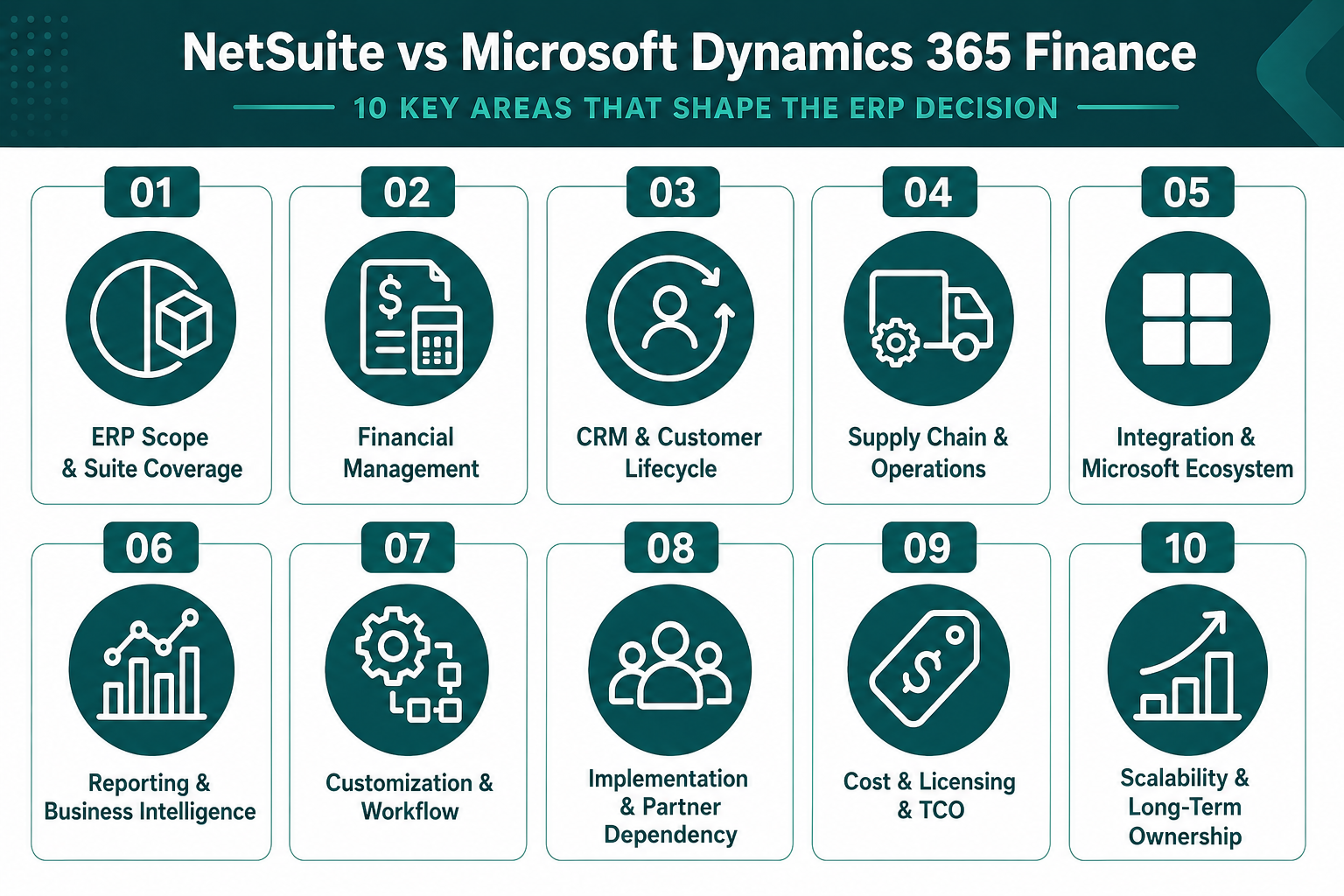
ERP Scope And Suite Coverage
The scope is where the ERP comparison starts to separate. NetSuite includes finance, CRM, inventory, order management, and e-commerce in one cloud ERP suite, so core business functions share the same data model from the start.
Dynamics 365 Finance focuses on financial management first, then extends into sales, supply chain, commerce, projects, and HR through separate Dynamics 365 applications. That difference affects what you can run in the base system, what needs separate licensing, and how much integration planning is required as the business grows.
Read Next: Top 14 NetSuite Competitors for ERP Buyers in 2026
Financial Management And Accounting Control
Both platforms handle core accounting, but they approach financial management differently. NetSuite embeds finance inside a broader ERP and CRM system, so revenue recognition ties directly to sales orders, customer records, and fulfillment status without middleware.
Dynamics 365 Finance delivers strong financial planning tools and regulatory compliance features designed for enterprises managing complex consolidations, inter-company transactions, and multi-entity reporting across global subsidiaries.
Dynamics 365 Finance Premium ($300/user/month) adds predictive analytics, sophisticated forecasting, and enhanced compliance features that appeal to CFOs managing publicly traded companies or organizations with heavy audit requirements. On the other hand, NetSuite's Advanced Financials module supports similar use cases but positions financial management as one part of a unified operational system rather than a standalone finance application.
The practical difference shows up during the month-end close. NetSuite users can drill from a financial report into the underlying sales order, inventory transaction, or customer case without leaving the platform. Dynamics 365 Finance users often toggle between Finance, Sales, and Supply Chain Management modules, relying on Power BI dashboards to unify the view. Both approaches work, but they require different workflows and user training.
CRM And Customer Lifecycle Management
CRM integration is where NetSuite and Dynamics 365 Finance diverge most clearly. NetSuite includes CRM as part of the base ERP system. Dynamics 365 Finance requires a separate Dynamics 365 Sales license to access CRM functionality. That architectural difference affects how customer data flows through your business processes.
NetSuite:
-
Native CRM Integration: Sales automation, opportunity tracking, marketing campaigns, and case management operate inside the same system as order management and billing.
-
Unified Customer Record: Customer data, transaction history, support cases, and financial records live in one database, eliminating sync delays.
-
Quote-to-Cash Workflow: Sales quotes convert directly to sales orders, trigger fulfillment, and update revenue recognition without third-party connectors.
-
SuiteCommerce Integration: E-commerce transactions flow into CRM and ERP in real time, supporting omnichannel retail and B2B commerce.
Microsoft Dynamics 365 Finance:
-
Separate CRM License Required: Dynamics 365 Sales ($65/user/month for Professional, $135/user/month for Enterprise) must be licensed separately.
-
Dataverse Integration: CRM and Finance data sync through Microsoft Dataverse, which adds integration complexity and potential latency.
-
Microsoft Ecosystem Advantage: Deep integration with Outlook, Teams, and Office 365 supports collaboration workflows familiar to Microsoft-centric organizations.
-
Power Platform Customization: Power Apps and Power Automate enable custom workflows across Dynamics 365 modules, but require development expertise.
Companies that prioritize unified customer visibility and streamlined quote-to-cash processes often favor NetSuite's native CRM. Organizations already standardized on Microsoft 365 and comfortable managing multi-app integrations may prefer Dynamics 365's modular approach. The choice depends on whether you value tighter ERP and CRM integration or a deeper Microsoft ecosystem fit.
Read Next: Simplifying the Suite: NetSuite Integrations
Supply Chain And Operational Breadth
Supply chain coverage is another major difference between NetSuite and Dynamics 365 Finance. NetSuite supports inventory management, order management, fulfillment, and warehouse operations within its broader ERP suite, giving distribution and inventory-focused teams a connected operational system.
Dynamics 365 Finance, by contrast, focuses on financial management and typically requires Dynamics 365 Supply Chain Management for deeper inventory, warehouse, manufacturing, planning, and production capabilities. That difference affects licensing, implementation scope, and how much operational functionality is available without adding another major application.
Read Next: NetSuite WMS: Smarter Inventory & Fulfillment
Integration And Microsoft Ecosystem Fit
Integration architecture is where Microsoft Dynamics 365 Finance shows its strongest advantage. Dynamics 365 Finance integrates natively with Office 365, Teams, SharePoint, Power BI, and Azure. NetSuite operates independently, which reduces vendor lock-in but requires more deliberate integration planning when connecting to Microsoft tools.
NetSuite:
-
SuiteTalk API: REST and SOAP APIs support integrations with third-party applications, e-commerce platforms, and legacy systems.
-
SuiteApp Marketplace: Pre-built connectors for Salesforce, Shopify, Amazon, and hundreds of other applications.
-
Platform-Agnostic: Works independently of Microsoft, Google, or other ecosystem dependencies.
-
Custom Integration Development: SuiteScript enables custom integrations, but requires JavaScript expertise.
Microsoft Dynamics 365 Finance:
-
Native Microsoft Integration: Seamless connectivity with Office 365, Teams, SharePoint, Power BI, and Azure.
-
Power Platform: Power Automate, Power Apps, and Power BI extend functionality without traditional coding.
-
Dataverse: Unified data layer connects Dynamics 365 modules, but adds architectural complexity.
-
Azure Integration: Native support for Azure services, including AI, machine learning, and data lakes.
Organizations already invested in Microsoft 365, Azure, and Power Platform gain significant integration advantages with Dynamics 365 Finance. Teams can build workflows in Power Automate, create custom apps in Power Apps, and visualize data in Power BI without leaving the broader Microsoft ecosystem.
Read Next: Big News for NetSuite Users: New Connectors, Major Upgrades & What's Coming Next
Reporting, Power BI, And Business Intelligence
Reporting is another area where NetSuite and Microsoft Dynamics 365 Finance take different approaches. NetSuite includes SuiteAnalytics as an embedded reporting and dashboard solution within the ERP platform. Dynamics 365 Finance includes financial reporting capabilities, while many organizations use Power BI for broader executive dashboards, operational analytics, and business intelligence across Microsoft and non-Microsoft data sources.
Dynamics 365 Finance supports financial reporting for statements, budgets, dimensions, and performance review, but richer BI use cases often move into Power BI. Power BI adds advanced visualization, data modeling, AI-driven insights, and external data source connectivity. It can be a major advantage for companies already using Microsoft’s analytics ecosystem, but it may also add licensing, report development, and user training requirements. Microsoft currently lists Power BI Pro at $14/user/month and Power BI Premium Per User at $24/user/month, paid yearly.
NetSuite includes SuiteAnalytics with the NetSuite platform. Users can build saved searches, reports, workbooks, KPIs, and role-based dashboards using real-time ERP data. NetSuite also supports drill-down from summary-level reporting into transaction-level detail, which helps finance and operations teams investigate results without leaving the system
Read Next: Generate Multi-Level NetSuite Reports Instantly with RightInsight AI
Customization, Workflow, And Process Flexibility
Both NetSuite and Dynamics 365 Finance support customization, but they use different tools and require different skill sets. NetSuite uses SuiteScript (JavaScript-based) and SuiteFlow (visual workflow builder). Dynamics 365 Finance uses Power Platform (low-code) and X++ (object-oriented programming language). The choice affects how quickly you can customize business processes and what kind of development expertise you need.
NetSuite:
-
SuiteScript: JavaScript-based scripting language enables custom business logic, automated workflows, and integrations.
-
SuiteFlow: Visual workflow builder supports approval routing, notifications, and process automation without coding.
-
Custom Fields and Records: Extend the data model to capture industry-specific information.
-
SuiteCloud Platform: Full development environment for building custom applications on top of NetSuite.
Microsoft Dynamics 365 Finance:
-
Power Automate: Low-code workflow automation connects Dynamics 365 modules, Office 365, and third-party apps.
-
Power Apps: Build custom applications that extend Dynamics 365 functionality without traditional development.
-
X++ Programming Language: Object-oriented language for deep customizations, but requires specialized developer expertise.
-
Extensions and Overlayering: Customize Dynamics 365 Finance without modifying core code, reducing upgrade risk.
NetSuite's customization model appeals to organizations with in-house development teams comfortable with JavaScript. Dynamics 365 Finance's Power Platform approach lowers the barrier for business users to build workflows and apps, but complex customizations still require X++ developers who are harder to find and more expensive than JavaScript developers. Both platforms support the customization most mid-market and enterprise companies need, but the development approach differs.
Read Next: Creating Custom Fields in NetSuite
Implementation Complexity And Partner Dependency
NetSuite implementations often run faster for mid-market companies because the platform combines finance, CRM, inventory, order management, and reporting in one suite. SuiteSuccess can also shorten deployment by using predefined roles, dashboards, workflows, and industry-leading practices. For many companies, a NetSuite implementation may fall in the 3–6 month range, while simpler SuiteSuccess projects may move faster depending on scope and customization needs.
Dynamics 365 Finance implementations often require more planning when the project includes multiple Microsoft applications. A finance-only deployment may be more contained, but projects that add Supply Chain Management, Dynamics 365 Sales, Power BI, Dataverse, integrations, custom workflows, or legacy data migration can extend the timeline. Many Dynamics 365 Finance and Operations projects run 6–18 months, depending on business complexity, customization, integrations, and the number of modules involved.
Both platforms usually require experienced implementation partners, but the partner model can feel different. NetSuite partners often manage the full ERP implementation scope, including financial configuration, CRM alignment, inventory setup, reporting, integrations, and post-go-live optimization. Dynamics 365 Finance partners may specialize by application area, such as Finance, Supply Chain Management, Sales, Power Platform, or analytics. That can work well for larger enterprises, but it may require stronger project governance or a partner with broad Dynamics 365 expertise.
Data migration is another major variable. NetSuite migrations from QuickBooks, Sage, or legacy ERP systems can be more straightforward when the goal is to consolidate finance, CRM, inventory, and order data into one unified ERP model. Dynamics 365 Finance migrations can become more complex when companies are moving from legacy Dynamics AX or heavily customized finance and operations environments. Those projects often involve code assessment, data cleanup, process redesign, testing, and Microsoft Lifecycle Services planning.
Post-go-live support also differs. NetSuite customers may rely on Oracle support along with a NetSuite partner for customizations, integrations, reporting, and ongoing optimization. Dynamics 365 Finance customers often work with Microsoft partners for implementation support, module changes, Power Platform work, reporting, and environment management, while Microsoft provides platform-level support. Both models can work, but they create different support relationships, ownership models, and long-term budget considerations.
Read Next: How to Choose the Best NetSuite Partner for a Successful ERP Implementation
Cost, Licensing, And Total Cost Of Ownership
Pricing structures differ significantly between NetSuite and Microsoft Dynamics 365 Finance. NetSuite uses a bundled licensing model where ERP, CRM, and basic supply chain functionality are included in a single subscription. Dynamics 365 Finance uses a modular licensing structure where each additional capability (CRM, supply chain, ecommerce, project management) requires a separate license. That difference affects the total cost of ownership more than the base subscription price.
Microsoft Dynamics 365 Finance starts at $210/user/month, paid yearly, with Finance Premium listed at $300/user/month. Costs rise when companies add Dynamics 365 Supply Chain Management, Dynamics 365 Sales, Power BI, premium planning, integrations, partner support, or additional Microsoft ecosystem tools. Because Dynamics 365 Finance is licensed modularly, the total cost depends heavily on which business functions need to run inside the Microsoft stack.
Read Next: NetSuite Price in 2026: Oracle NetSuite Pricing Guide, Implementation Cost & Cost Breakdown
Scalability And Long-Term Ownership
Both NetSuite and Dynamics 365 Finance scale to support global enterprises, but they scale differently. NetSuite's multi-tenant SaaS architecture delivers automatic bi-annual upgrades, consistent performance across all customers, and predictable scaling as transaction volume grows, whereas Dynamics 365 Finance operates on Microsoft's cloud infrastructure with similar scalability, but the modular architecture means scaling often involves adding new Dynamics 365 modules, Power Platform licenses, and Azure services.
NetSuite's OneWorld module supports multi-subsidiary consolidation, multi-currency management, and global tax compliance within the base ERP system. Dynamics 365 Finance handles similar requirements but often requires additional configuration across multiple Dynamics 365 modules and Power BI reporting layers. Both approaches support global operations, but NetSuite's unified architecture simplifies reporting and consolidation across subsidiaries.
Read Next: NetSuite: Tailored ERP Solutions for Every Business Size
The Decision Matrix: How to Choose the Right ERP System
The right ERP choice depends on how your company wants to manage finance, operations, reporting, and growth. Both platforms can support mid-market and enterprise companies, but they fit different operating models. NetSuite favors unified processes and shared ERP data. Dynamics 365 Finance favors a modular Microsoft stack that can expand through Supply Chain Management, Sales, Commerce, Project Operations, Power BI, Dataverse, and Azure.
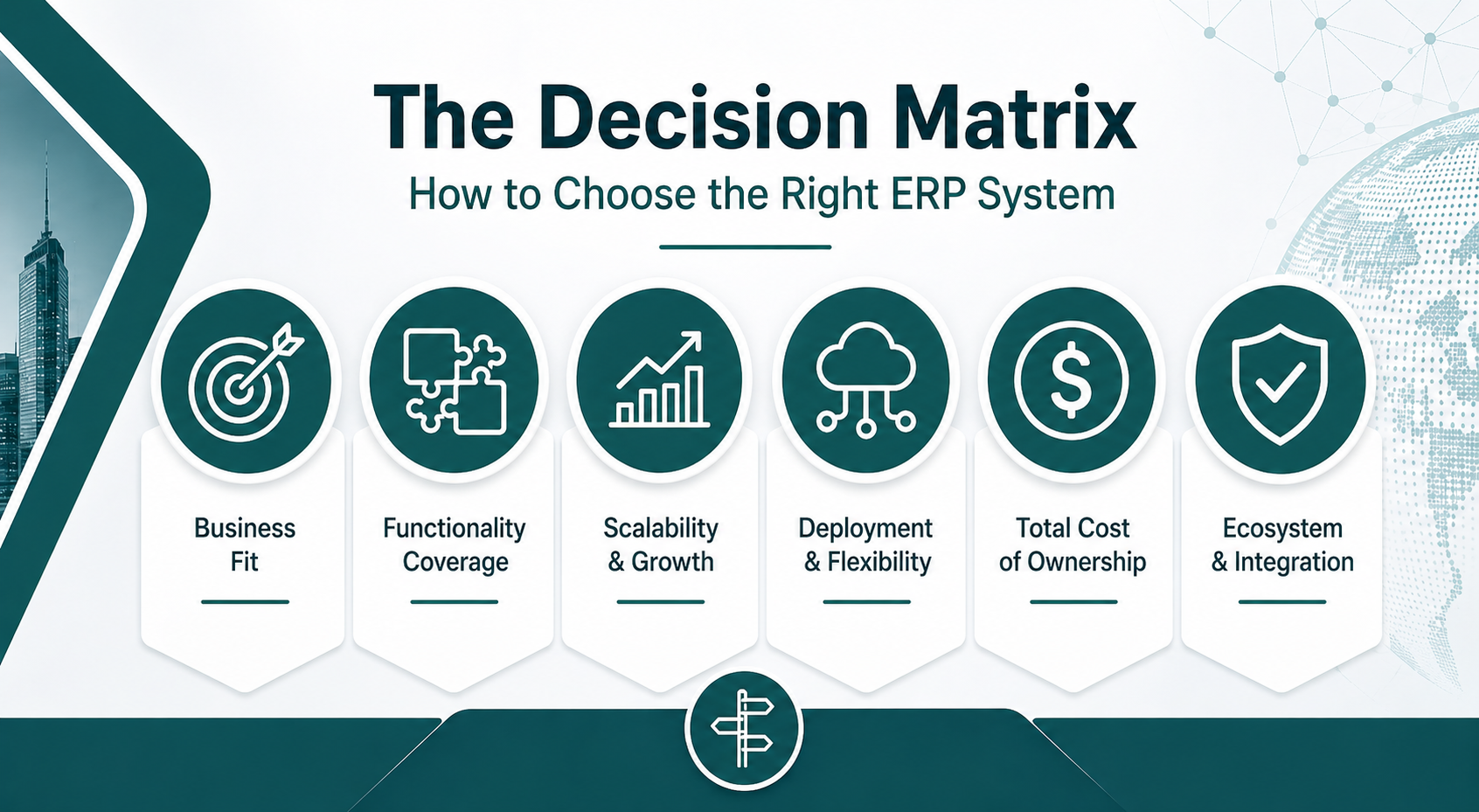
The Better ERP Choice Depends On Whether You Want A Unified Suite Or A Microsoft-Centered Stack
The NetSuite vs Microsoft Dynamics comparison comes down to whether you value unified suite architecture or modular Microsoft ecosystem integration. NetSuite delivers faster implementations, predictable licensing, and native CRM and supply chain functionality. Dynamics 365 offers deeper financial planning capabilities, tighter integration with other Microsoft products, and modular flexibility for organizations that need specialized functionality.
Three key takeaways:
-
Suite Ownership: NetSuite is usually stronger when ERP, CRM, supply chain, and reporting live closer together.
-
Microsoft Alignment: Dynamics 365 Finance is stronger when enterprise finance and Microsoft ecosystem fit are the main priorities.
-
Cost Reality: The right choice depends on the total cost of ownership, not only software subscriptions.
Most companies underestimate how much modular licensing increases Dynamics 365 Finance's total cost once CRM solutions, supply chain, and BI tools are added. NetSuite's bundled pricing makes total cost more predictable, but Dynamics 365 Finance can be more cost-effective for organizations that only need financial management and already own Microsoft 365 and Power BI licenses.
Protelo provides NetSuite Implementation Services for companies that need clean data migration, secure ERP integrations, CRM alignment, ecommerce connections, supply chain tool integration, and implementation support that keeps business operations moving.
Migrate to NetSuite to unify finance, CRM, and operations before system sprawl grows.
FAQs
What Is The Main Difference Between NetSuite And Microsoft Dynamics 365 Finance?
NetSuite is a unified cloud ERP suite that includes financial management, CRM, inventory, and e-commerce in one system. Microsoft Dynamics 365 Finance is a specialized financial management module that integrates with other Dynamics 365 applications and Microsoft products like Power BI, Teams, and Office 365. The main difference is that NetSuite offers a complete business suite, while Dynamics 365 Finance requires additional modules for CRM and supply chain functionality.
Does Microsoft Dynamics 365 Finance Include CRM?
No. Dynamics 365 Finance requires a separate Dynamics 365 Sales license ($65–$135/user/month) for CRM functionality. NetSuite includes native CRM as part of the base ERP system, which eliminates the need for separate CRM licensing and simplifies integration between sales, finance, and operations.
Can Dynamics 365 Finance Work Without Power BI?
Dynamics 365 Finance includes basic financial reporting, but most organizations require Power BI Pro ($10/user/month) or Premium ($20/user/month) for executive dashboards, operational reporting, and business intelligence. NetSuite includes SuiteAnalytics as a native reporting engine without additional BI licensing, which simplifies reporting and reduces total cost.
Microsoft Dynamics 365 Finance vs NetSuite: Which ERP Is Better for E-commerce and Order Management?
NetSuite is usually the stronger fit when e-commerce, order management, inventory, fulfillment, and finance need to work together in one ERP system. SuiteCommerce and NetSuite’s native order-to-cash workflows help connect online sales, customer records, inventory, billing, and reporting. Dynamics 365 can support commerce and order management too, but it usually requires additional Dynamics 365 applications, integrations, or Microsoft ecosystem configuration.