

26 min read


Oracle NetSuite is a mature SaaS cloud-based ERP suite that combines financial management, CRM, inventory, order management, automation, workflow, analytics, and global ERP capabilities in one system. Acumatica is a flexible cloud ERP system known for resource-based pricing, unlimited-user positioning, deployment options, industry editions, and strong ease of use.
Choosing between NetSuite and Acumatica depends heavily on pricing model, user adoption plans, deployment preferences, customization needs, industry fit, implementation partner quality, and total cost of ownership. Neither ERP system is universally better—each fits different business priorities.
This guide covers:
-
How NetSuite and Acumatica differ across pricing, users, deployment, and ERP scope
-
Where each ERP system fits better by business needs, industry, and workflow complexity
-
What buyers should compare around customization, integration, implementation, and long-term support
P.S. Protelo is a top-rated, award-winning ERP consultancy specializing in NetSuite and Acumatica. We provide end-to-end services across both platforms, including licensing, customization, integrations, data migration, training, and ongoing support.
Book a consultation to clarify which platform fits your business needs.
TL;DR: NetSuite And Acumatica Take Different Paths To Cloud ERP
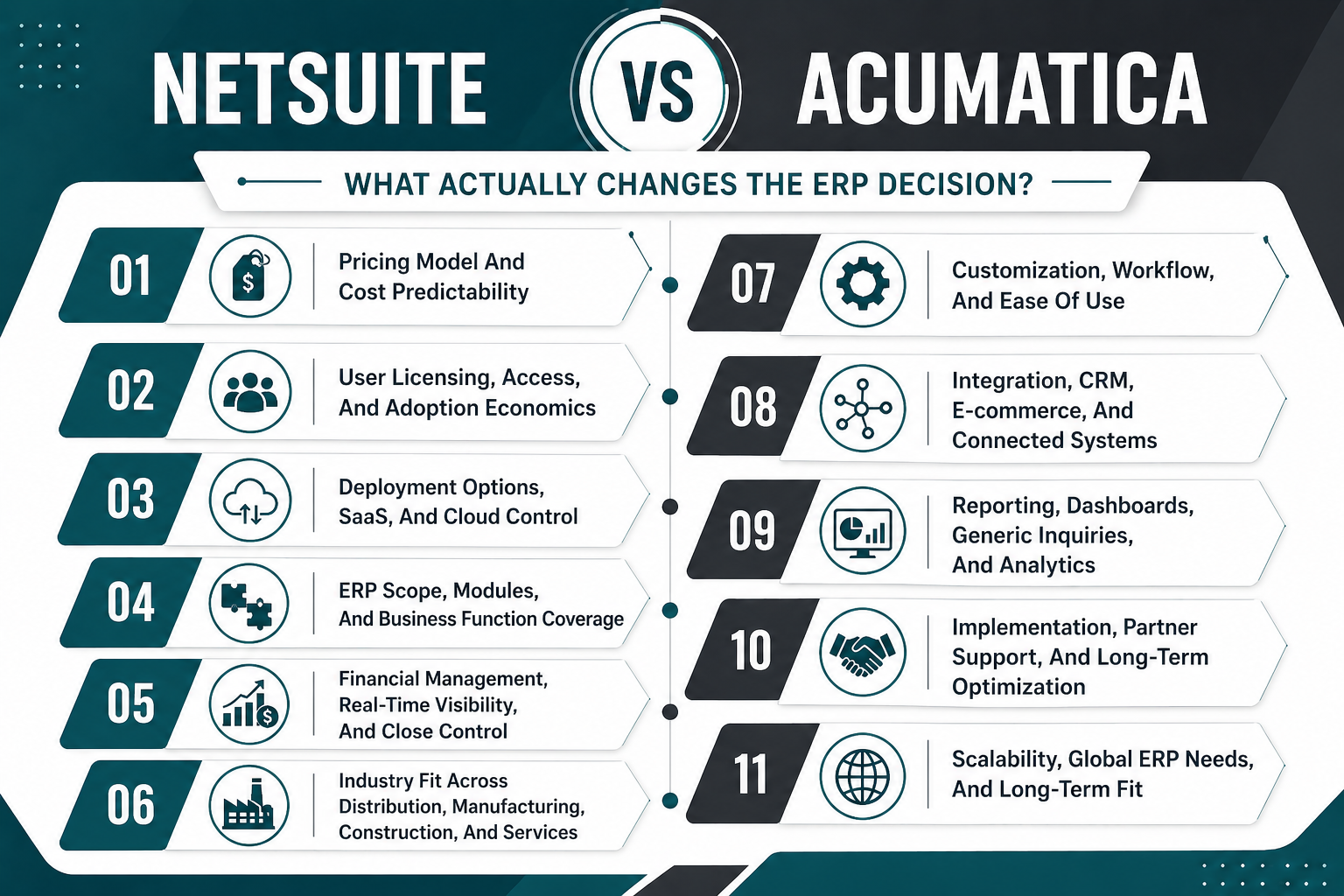
NetSuite Vs Acumatica: What Actually Changes The ERP Decision?
The difference between NetSuite and Acumatica isn't just about features. It's about how each ERP solution structures pricing, handles user access, supports deployment preferences, and scales with business complexity.
Pricing Model And Cost Predictability
Pricing separates these platforms more than any other factor. NetSuite's pricing structure is based on users, modules, and scope. Acumatica's pricing is based on resources rather than the number of users, which fundamentally changes how businesses budget for ERP adoption and expansion.
Note: All pricing figures are directional estimates, not fixed rates. Total cost depends on factors such as modules, number of users or employees, integrations, and implementation complexity. Both NetSuite and Acumatica typically require custom pricing based on business requirements.
The right pricing model depends on how many users need access, how complex the business process is, and whether the business wants transparent pricing tied to users or resources. NetSuite fits when the user count is predictable and controlled. Acumatica fits when the business wants broad user access without per-user fees driving up annual cost.
Read Next: NetSuite Price in 2026: Oracle NetSuite Pricing Guide, Implementation Cost & Cost Breakdown
User Licensing, Access, And Adoption Economics
User licensing drives long-term ERP costs more than most buyers expect. NetSuite typically prices around named users and modules. Acumatica is widely known for unlimited-user positioning, which changes adoption economics entirely.
NetSuite:
-
Named User Licensing: Each user requires a license. User count directly impacts annual cost. NetSuite offers different user types—General Access users get full system access, while Employee Center users get limited access for time tracking, expense entry, and case review. Each user type carries a different cost.
-
Role-Based Access: User permissions are managed within NetSuite through role-based access controls. Different roles (A/P Clerk, Sales Rep, Warehouse Manager, etc.) determine what users can see and do within the system. Role configuration doesn't change cost, but user count does.
-
Adoption Economics: User growth increases annual investment proportionally. Businesses with predictable, controlled user counts find NetSuite's pricing structure straightforward. Businesses planning rapid user growth or wanting broad access across departments may find per-user pricing restrictive.
-
User Expansion: Adding users later requires purchasing additional licenses, which increases the annual cost. This can create friction when operations teams, field teams, or customer service teams need access but weren't included in the original user count.
Acumatica:
-
Unlimited Users: Most Acumatica editions allow unlimited users without per-user fees. Pricing is based on resources consumed rather than the number of users accessing the system. This removes the cost barrier to broad user adoption.
-
Role-Based Access: User permissions are managed within Acumatica through role-based access controls. Access control doesn't increase costs, so businesses can grant access to finance, operations, sales, field, and customer service teams without worrying about per-user fees.
-
Adoption Economics: User growth doesn't directly impact annual cost in most editions. Businesses wanting broad user access without per-user fees find Acumatica's pricing structure attractive. This approach fits businesses that want to democratize ERP access across the organization.
-
User Expansion: Adding users later doesn't require purchasing additional licenses in most editions. This removes friction when operations teams, field teams, or customer service teams need access after go-live.
The right user licensing model depends on how many users need access, how fast the business is growing, and whether the business wants to control user count or expand access freely. NetSuite fits when the user count is predictable, and the business can control who gets access. Acumatica fits when the business wants broad user access without per-user fees driving up annual cost.
Read Next: NetSuite Licensing Guide 2026: What Every Buyer Needs to Know
Deployment Options, SaaS, And Cloud Control
NetSuite is built as a software-as-a-service platform. All NetSuite customers operate on the same cloud platform, which means automatic upgrades, consistent user experience, and no infrastructure management. NetSuite is designed for businesses that want a fully managed SaaS ERP with no deployment decisions.
Acumatica offers cloud and on-premise deployment options. Businesses can choose SaaS, private cloud, or on-premise deployment depending on data residency requirements, infrastructure preferences, or compliance needs. Acumatica offers cloud solutions with deployment flexibility, which fit businesses that want control over hosting, data residency, or infrastructure.
The right deployment model depends on whether the business wants a fully managed SaaS ERP or prefers deployment control. NetSuite shines when the business wants a mature SaaS ERP with automatic upgrades and no infrastructure management. Acumatica offers greater deployment flexibility when the business wants control over hosting, data residency, or infrastructure.
ERP Scope, Modules, And Business Function Coverage
Both NetSuite and Acumatica offer full ERP capabilities, but the way each ERP platform structures modules and business function coverage differs. Understanding what's included in the base system versus what requires add-on modules affects total cost and implementation scope.
Read Next: What is Cloud ERP Software?
Financial Management, Real-Time Visibility, And Close Control
Financial management is where both NetSuite and Acumatica deliver strong capabilities, but the way each ERP system handles real-time visibility, automation, and close control differs.
NetSuite delivers real-time financial management with general ledger, accounts payable, accounts receivable, budgeting, billing, revenue recognition, and global financial management. NetSuite is designed for real-time visibility, which means financial data updates automatically across the system. NetSuite allows finance teams to close faster, automate workflows, and get real-time dashboards without waiting for batch processing. NetSuite is built for automation, which reduces manual work and speeds up the financial close process.
Acumatica provides strong financial management with general ledger, accounts payable, accounts receivable, budgeting, billing, revenue recognition, and multi-currency support. Acumatica uses batch-based processing in some areas, which can affect real-time visibility compared to NetSuite. Acumatica also provides real-time dashboards, reports, and business intelligence, but the way Acumatica handles financial data processing differs from NetSuite's real-time architecture.
The right financial management fit depends on whether the business wants real-time visibility across all financial data or can work with batch-based processing in some areas. NetSuite fits when the business wants real-time financial management, automation, and fast close control. Acumatica fits when the business wants strong financial management with flexible deployment options and transparent pricing.
Industry Fit Across Distribution, Manufacturing, Construction, And Services
Industry fit is where Acumatica and NetSuite take different paths. NetSuite has broad industry coverage. Acumatica is especially visible in construction, distribution, manufacturing, and project-centric use cases.
NetSuite fits when the business wants broad industry coverage with real-time visibility and global capabilities. Acumatica fits when the business wants industry editions tailored to construction, distribution, or manufacturing, with resource-based pricing.
Read Next: Build Smarter, Scale Faster: Run Construction on Acumatica ERP
Customization, Workflow, And Ease Of Use
Customization and ease of use are where NetSuite and Acumatica take different approaches. NetSuite customization usually happens within SuiteCloud and NetSuite modules. Acumatica offers flexible customization and partner-led development with open API access.
NetSuite:
-
SuiteCloud Platform: NetSuite uses SuiteCloud, SuiteScript, SuiteFlow, SuiteTalk, and SuiteBuilder to customize workflows, automate business processes, and extend ERP capabilities. SuiteCloud provides a comprehensive development platform for building custom applications, integrations, and workflows within NetSuite.
-
Technical Expertise Required: NetSuite customization is powerful but requires technical expertise or a value-added reseller to implement custom workflows, scripts, and integrations. SuiteScript uses JavaScript for custom business logic. SuiteFlow provides visual workflow automation without coding. SuiteTalk provides web services for integrations. SuiteBuilder provides point-and-click customization for forms, fields, and records.
-
Workflow Automation: SuiteFlow allows finance teams, operations teams, and sales teams to automate business processes without coding. SuiteFlow provides visual workflow design with drag-and-drop actions, conditions, and approvals. Common workflows include purchase order approvals, expense approvals, sales order routing, and inventory replenishment.
-
User Experience: NetSuite offers a consistent user experience across all modules with role-based dashboards, saved searches, and KPIs. The learning curve can be steeper for non-technical users, especially when navigating complex workflows or building custom reports. NetSuite provides extensive training resources, documentation, and certification programs to support user adoption.
Acumatica:
-
Open API Access: Acumatica offers flexible customization through partner-led development, custom workflows, and open API access. Acumatica's open API allows developers to build custom integrations, extend functionality, and connect Acumatica with third-party systems without proprietary tools.
-
Ease of Use: Acumatica is widely recognized for ease of use, which can reduce training time and improve user adoption. Acumatica's user interface is designed for non-technical users with intuitive navigation, clear labels, and straightforward workflows. This makes it easier for finance teams, operations teams, and sales teams to learn the system and become productive quickly.
-
Workflow Automation: Acumatica provides workflow automation through visual workflow design with drag-and-drop actions, conditions, and approvals. Common workflows include purchase order approvals, expense approvals, sales order routing, and inventory replenishment. The way Acumatica handles workflow customization differs from NetSuite's SuiteFlow approach, but both platforms support workflow automation without heavy coding.
-
User Experience: Acumatica's ERP platform is designed for ease of use, which makes it easier for non-technical users to navigate the system and customize workflows without heavy technical expertise. Acumatica provides role-based dashboards, Generic Inquiries, and business intelligence tools that allow users to build custom reports and analyze data without leaving the ERP system.
The right customization fit depends on how much customization the business needs, whether the business has technical expertise in-house, and whether the business wants a mature SaaS ERP with strong workflow automation or a flexible cloud ERP with partner-led customization. NetSuite fits when the business wants comprehensive customization tools within a mature SaaS platform. Acumatica fits when the business wants flexible customization with open API access and strong ease of use.
Read Next: Creating Custom Fields in NetSuite
Integration, CRM, E-commerce, And Connected Systems
Integration is where NetSuite and Acumatica take different paths. NetSuite brings native CRM, ecommerce, and supply chain integrations. Acumatica supports connected workflows through built-in capabilities, certified connectors, marketplace apps, APIs, and partner-led integrations.
NetSuite:
-
Native CRM Integration: NetSuite provides native CRM integration, which means customer relationship management, sales automation, marketing automation, and case management are built directly into the ERP system. NetSuite allows sales teams, marketing teams, and customer support teams to work from the same system without switching between platforms. CRM data integrates directly with financial data, inventory data, and order data, which eliminates data silos and provides a single customer view.
-
SuiteCommerce: NetSuite delivers SuiteCommerce, which is a native e-commerce platform built directly into the ERP system. SuiteCommerce Standard offers fixed-fee ecommerce with mobile templates, ERP-integrated cart, and real-time inventory visibility. SuiteCommerce Advanced offers full source code access, advanced customization, B2B/B2C capabilities, and personalized shopping experiences. SuiteCommerce eliminates the need for third-party ecommerce platforms and connectors.
-
Supply Chain Integration: NetSuite uses native supply chain integrations for inventory management, order management, warehouse management, and demand planning. NetSuite integrates with shipping carriers (UPS, FedEx, USPS) for real-time rate quoting, label printing, and tracking. NetSuite integrates with payment processors for credit card processing, ACH payments, and payment reconciliation.
-
API Access: NetSuite uses SuiteTalk for API access and custom integrations. SuiteTalk provides web services (SOAP and REST) for connecting NetSuite with third-party systems, custom applications, and external databases. SuiteTalk supports real-time data synchronization, batch data imports, and custom integration workflows.
Acumatica:
-
CRM Integration: Acumatica also provides CRM integration with customer relationship management, sales automation, marketing automation, and case management included in the ERP platform. Acumatica's CRM integrates with financial data, inventory data, and order data. Some businesses prefer to integrate Acumatica with third-party CRM systems like Salesforce for more advanced CRM capabilities, marketing automation, or sales analytics.
-
E-commerce Integration: Acumatica offers cloud-based e-commerce integrations through third-party platforms like Shopify, BigCommerce, and WooCommerce. Acumatica provides connectors and APIs for e-commerce integration, which allows real-time inventory synchronization, order management, and customer data synchronization. However, Acumatica doesn't offer native e-commerce like NetSuite's SuiteCommerce, which means businesses need to manage e-commerce platforms separately.
-
Supply Chain Integration: Acumatica provides supply chain integrations through partner-led development and third-party connectors. Acumatica integrates with shipping carriers (UPS, FedEx, USPS) for real-time rate quoting, label printing, and tracking. Acumatica integrates with payment processors for credit card processing, ACH payments, and payment reconciliation.
-
API Access: Acumatica uses open API access for custom integrations. Acumatica's open API allows developers to build custom integrations, extend functionality, and connect Acumatica with third-party systems without proprietary tools. Acumatica supports REST-based web services for real-time data synchronization, batch data imports, and custom integration workflows.
The right integration fit depends on whether the business wants native CRM and ecommerce integration or prefers third-party integrations with flexible API access. NetSuite fits when the business wants a mature SaaS ERP suite with native CRM, ecommerce, and supply chain integrations. Acumatica fits when the business wants flexible integration options with partner-led development and open API access.
Read Next: Supply Chain Management: An Overview Guide
Reporting, Dashboards, Generic Inquiries, And Analytics
Reporting and analytics are where NetSuite and Acumatica take different approaches. NetSuite emphasizes real-time dashboards and analytics. Acumatica offers Generic Inquiries, dashboards, reports, and business intelligence flexibility.
NetSuite:
-
Real-Time Dashboards: NetSuite provides real-time dashboards, saved searches, KPIs, and analytics tools that update automatically across the system. NetSuite's dashboards display key metrics, charts, and reports on role-based home pages. Finance teams see financial KPIs, operations teams see inventory and order metrics, sales teams see pipeline and revenue metrics—all updating in real time as transactions occur.
-
SuiteAnalytics: NetSuite also provides SuiteAnalytics, which allows users to build custom reports, dashboards, and analytics without leaving the ERP system. SuiteAnalytics includes a data warehouse, OLAP cubes, and business intelligence tools for advanced analytics, trend analysis, and predictive reporting. SuiteAnalytics supports drill-down reporting, which means users can click into summary reports to see transaction-level details.
-
Real-Time Visibility: NetSuite is designed for real-time visibility, which means finance teams, operations teams, and sales teams can see updated data without waiting for batch processing. NetSuite's real-time architecture means reports, dashboards, and saved searches reflect the latest transactions immediately. This fits businesses that need fast decision-making, real-time visibility, and automated reporting.
-
Saved Searches: NetSuite's saved searches provide flexible reporting with custom filters, formulas, and calculations. Users can build saved searches to answer specific business questions, export data to Excel, schedule automated email delivery, or embed saved searches in dashboards. Saved searches support complex formulas, multi-level grouping, and custom calculations.
Acumatica:
-
Generic Inquiries: Acumatica provides Generic Inquiries, dashboards, reports, and business intelligence tools that allow users to build custom reports and analyze data. Acumatica's Generic Inquiries are widely recognized for flexibility, which makes it easier for non-technical users to build custom reports without heavy technical expertise. Generic Inquiries support custom filters, calculations, grouping, and drill-down reporting.
-
Ease of Use: Acumatica's Generic Inquiries are designed for non-technical users with intuitive navigation, clear labels, and straightforward workflows. Users can build Generic Inquiries to answer specific business questions, export data to Excel, schedule automated email delivery, or embed Generic Inquiries in dashboards. This reduces reliance on IT teams or consultants for custom reporting.
-
Business Intelligence: Acumatica also provides real-time dashboards and business intelligence tools for advanced analytics, trend analysis, and predictive reporting. Acumatica integrates with third-party business intelligence platforms like Power BI, Tableau, and Qlik for advanced analytics and data visualization. The way Acumatica handles reporting differs from NetSuite's real-time analytics approach, but both platforms support custom reporting and business intelligence.
-
Dashboards: Acumatica's dashboards display key metrics, charts, and reports on role-based home pages. Finance teams see financial KPIs, operations teams see inventory and order metrics, and sales teams see pipeline and revenue metrics. Acumatica's dashboards update in real time for most data, though some reports may reflect batch-based processing depending on the data source.
The right reporting fit depends on whether the business wants real-time dashboards and analytics or prefers flexible reporting tools with Generic Inquiries. NetSuite fits when the business wants real-time visibility, automation, and fast reporting with SuiteAnalytics. Acumatica fits when the business wants flexible reporting tools with strong ease of use and business intelligence flexibility.
Read Next: Generate Multi-Level NetSuite Reports Instantly with RightInsight AI
Implementation, Partner Support, And Long-Term Optimization
Implementation is where the difference between NetSuite and Acumatica becomes most visible. Both ERP systems require strong implementation partners, but the way each ERP platform handles implementation, partner support, and long-term optimization differs.
NetSuite:
-
Implementation Scope: NetSuite implementation typically includes business process discovery, configuration, data migration, CRM integration, e-commerce integration, supply chain tool integration, testing, training, go-live, optimization, and ongoing support. NetSuite implementations follow a structured methodology with defined phases, deliverables, and milestones.
-
Partner-Led Implementation: NetSuite implementation is usually led by a value-added reseller or certified NetSuite partner. NetSuite partners bring industry expertise, technical knowledge, and implementation experience to guide businesses through the ERP selection, configuration, and go-live process. Partner quality directly impacts implementation success, timeline, and cost.
-
Implementation Cost: Implementation cost ranges from $25,000 to $200,000 or more, depending on business complexity, user count, customization needs, integration scope, and data migration complexity. Small businesses with straightforward processes typically fall on the lower end. Mid-market businesses with multiple locations, complex workflows, or extensive integrations typically fall in the middle range. Enterprise businesses with global operations, multi-entity management, or extensive customization typically fall on the higher end.
-
Implementation Timeline: NetSuite implementations typically take 3 to 6 months for small businesses, 6 to 9 months for mid-market businesses, and 9 to 12 months or more for enterprise businesses. Timeline depends on business complexity, data migration scope, customization requirements, integration needs, and internal resource availability.
-
Long-Term Support: NetSuite provides ongoing support through value-added resellers, certified partners, and NetSuite support. Businesses can purchase support packages from NetSuite partners for ongoing optimization, troubleshooting, customization, training, and system administration. NetSuite also offers Advanced Customer Support (ACS) for direct support from Oracle NetSuite.
Acumatica:
-
Implementation Scope: Acumatica implementation typically includes business process discovery, configuration, data migration, CRM integration, supply chain tool integration, testing, training, go-live, optimization, and ongoing support. Acumatica implementations follow a structured methodology with defined phases, deliverables, and milestones.
-
Partner-Led Implementation: Acumatica implementation is usually led by a certified Acumatica partner. Acumatica partners bring industry expertise, technical knowledge, and implementation experience to guide businesses through the ERP selection, configuration, and go-live process. Partner quality directly impacts implementation success, timeline, and cost.
-
Implementation Cost: Implementation cost ranges from $30,000 to $100,000 or more, depending on business complexity, module requirements, customization needs, integration scope, and data migration complexity. Construction implementations often run higher due to job costing, subcontract management, and compliance requirements. Manufacturing implementations often require additional configuration for bill of materials, production scheduling, and cost tracking.
-
Implementation Timeline: Acumatica implementations typically take 3 to 6 months for small businesses, 6 to 9 months for mid-market businesses, and 9 to 12 months or more for complex businesses. Timeline depends on business complexity, data migration scope, customization requirements, integration needs, and internal resource availability.
-
Long-Term Support: Acumatica provides ongoing support through certified partners and customer support. Businesses can purchase support packages from Acumatica partners for ongoing optimization, troubleshooting, customization, training, and system administration. Acumatica also offers direct customer support for technical issues, system questions, and troubleshooting.
The quality of the implementation partner directly impacts ERP success. Choosing the right partner is as important as choosing the right ERP system. Businesses should evaluate implementation partners based on industry expertise, technical knowledge, implementation methodology, customer references, and long-term support capabilities.
Read Next: How to Choose the Best NetSuite Partner for a Successful ERP Implementation
Scalability, Global ERP Needs, And Long-Term Fit
NetSuite stands out when the business needs global ERP capabilities, multi-currency support, multi-language support, multi-entity management, and consolidated financial reporting. NetSuite was acquired by Oracle in 2016, which strengthened NetSuite's position as a mature SaaS ERP suite with strong global capabilities. NetSuite is built for scalability, which means a growing business can add users, modules, and entities without re-platforming.
Acumatica offers cloud ERP with flexible deployment options, resource-based pricing, and modular scalability. Acumatica's ERP platform is designed for businesses that want to scale without paying per-user fees. Acumatica also provides multi-currency support, multi-language support, and multi-entity management, but the way Acumatica handles global ERP needs differs from NetSuite's global ERP architecture.
The right scalability fit depends on whether the business needs global ERP capabilities, multi-entity management, and long-term scalability or prefers flexible deployment options with resource-based pricing. NetSuite fits when the business wants a mature SaaS ERP suite with strong global capabilities. Acumatica fits when the business wants flexible deployment options with transparent pricing and modular scalability.
Where NetSuite And Acumatica Usually Win
The right ERP system depends on business priorities, pricing model, deployment preferences, and long-term growth plans.
When NetSuite Makes More Sense
NetSuite fits specific business scenarios better than Acumatica.
-
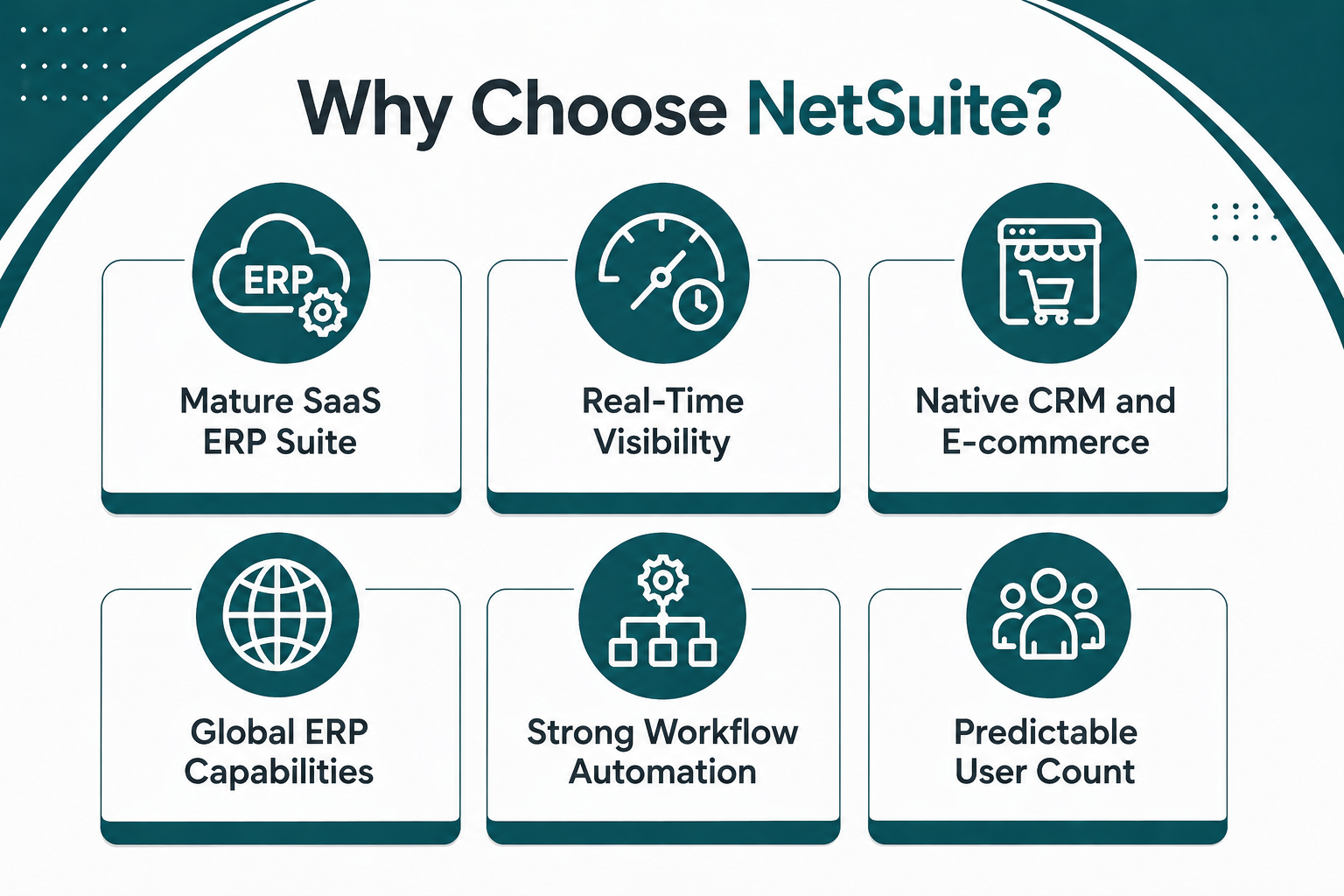
Mature SaaS ERP Suite: The business wants a mature SaaS ERP suite with financial management, CRM, inventory, order management, automation, workflow, analytics, and global ERP capabilities in one system.
-
Real-Time Visibility: The business needs real-time financial management, real-time dashboards, and real-time analytics without waiting for batch processing.
-
Native CRM and E-commerce: The business wants native CRM integration and native e-commerce integration through SuiteCommerce without relying on third-party platforms.
-
Global ERP Capabilities: The business needs global ERP capabilities, multi-entity management, multi-currency support, multi-language support, and consolidated financial reporting.
-
Strong Workflow Automation: The business wants strong workflow automation through SuiteFlow, SuiteScript, and SuiteCloud without heavy technical expertise.
-
Predictable User Count: The business knows exactly how many users need access and can control user growth without needing unlimited-user positioning.
When Acumatica Makes More Sense
Acumatica fits specific business scenarios better than NetSuite.
-
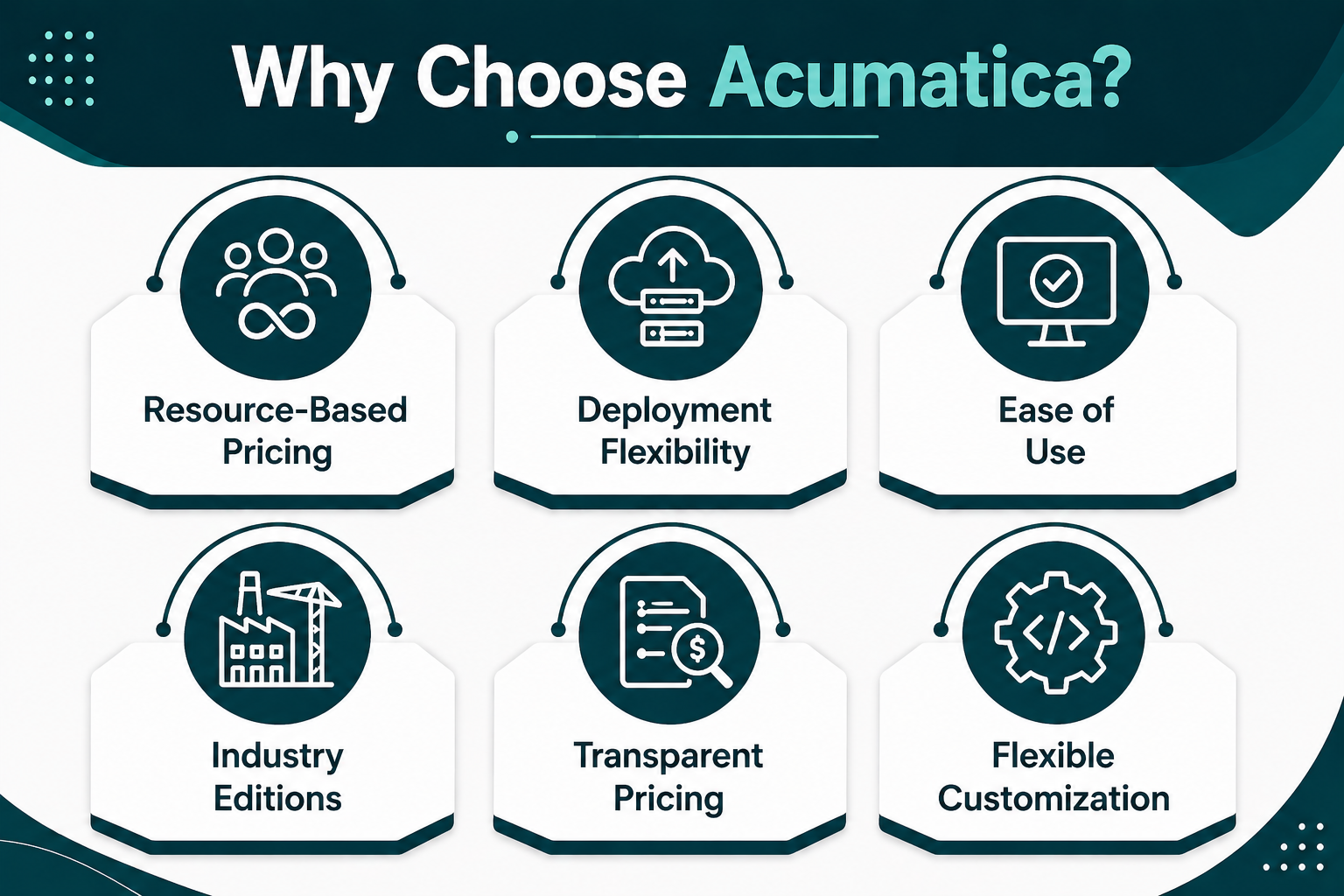
Resource-Based Pricing: The business wants resource-based pricing that allows unlimited users without charging primarily by user count.
-
Deployment Flexibility: The business wants deployment flexibility with SaaS, private cloud, or on-premise deployment options.
-
Ease of Use: The business prioritizes ease of use, which can reduce training time and improve user adoption across finance teams, operations teams, and sales teams.
-
Industry Editions: The business operates in construction, distribution, manufacturing, or project-centric industries and wants industry editions tailored to specific business processes.
-
Transparent Pricing: The business wants transparent pricing with clear cost breakdowns and no hidden fees.
-
Flexible Customization: The business wants flexible customization through partner-led development, custom workflows, and open API access.
Read Next: Thinking About Switching to Acumatica Cloud ERP in 2026?
The Better ERP Choice Depends On How Your Business Wants To Scale
Choosing between NetSuite and Acumatica comes down to pricing model, deployment preferences, user access economics, and long-term growth plans. Neither ERP system is universally better—each fits different business priorities.
Key Takeaways:
-
NetSuite Fit: NetSuite works best when the business wants a mature SaaS ERP suite with strong financial management, automation, modules, and global scalability.
-
Acumatica Fit: Acumatica works best when the business values resource-based pricing, flexible deployment options, ease of use, and broad user access.
-
Selection Reality: The right ERP depends on pricing model, implementation scope, business process fit, customization needs, and long-term support.
Protelo provides expert services for NetSuite and Acumatica ERP systems. Our Acumatica ERP Consulting Services and NetSuite Implementation Services include implementation, consulting, data migration, training, support, and more.
Book a consultation to clarify which ERP platform fits your business needs, compare NetSuite and Acumatica pricing and implementation scope, and choose the ERP system that supports growth without unnecessary complexity.
FAQs
What Is The Main Difference Between NetSuite And Acumatica?
The main difference between NetSuite and Acumatica is pricing structure and deployment options. NetSuite pricing is based on users, modules, and scope. Acumatica's pricing is based on resources rather than the number of users. NetSuite is a SaaS cloud ERP. Acumatica supports SaaS, private cloud, and on-premise deployment options.
Which ERP System Is Better For Small Businesses?
Both NetSuite and Acumatica fit small businesses, but the right choice depends on the pricing model and user access needs. Acumatica's resource-based pricing can make it attractive when the business wants broad user access without per-user fees. NetSuite fits when the business wants a mature SaaS ERP suite with real-time visibility and native CRM integration.
How Much Does NetSuite Cost Compared To Acumatica?
NetSuite pricing ranges from $30,000 to $300,000 or more annually, depending on user count, modules, and scope. Implementation cost for NetSuite ranges from $25,000 to $200,000 or more. Acumatica's annual subscription starts at a few thousand per year, but most mid-sized businesses pay more depending on the features and modules needed. Implementation cost for Acumatica ranges from $30,000 to $100,000 or more.
Does Acumatica Offer Unlimited Users?
Yes, Acumatica is widely known for unlimited-user positioning in most editions. Acumatica's pricing is based on resources rather than the number of users, which allows businesses to add users without per-user fees. NetSuite typically prices around named users, which means the user count directly impacts the annual cost.
Which ERP System Is Better For Construction Companies?
Acumatica is especially visible in construction and offers strong project accounting, job costing, subcontract management, and compliance management. NetSuite offers project accounting, time and expense, and resource planning, but Acumatica's construction edition is tailored specifically to construction business processes.
Can I Switch From NetSuite To Acumatica Or Vice Versa?
Yes, businesses can switch from NetSuite to Acumatica or vice versa, but the process requires data migration, business process mapping, customization, integration, testing, training, and go-live support. Choosing the right implementation partner is critical for a successful ERP transition.