

19 min read


Planning your Acumatica licensing upgrade before growth occurs helps prevent ERP constraints, unexpected costs, and operational disruption. As transaction volume, reporting requirements, and business complexity increase, your licensing strategy should evolve alongside them.
For growing organizations, licensing decisions affect scalability, reporting visibility, process automation, and long-term ERP performance. Waiting until limitations appear often leads to reactive decisions and avoidable disruption.
The average enterprise manages 897 applications, yet only 29% are integrated, according to MuleSoft's 2025 Connectivity Benchmark Report. As technology environments become more complex, proactive ERP planning becomes increasingly important.
This guide explains when to review your Acumatica licensing, the signs your current license may no longer fit, and how to build a licensing roadmap that supports growth.
Why Acumatica Licensing Planning Matters
Many organizations implement Acumatica based on their current requirements. That approach is usually appropriate during the initial ERP project because leaders are focused on controlling implementation scope, managing change, and getting core processes operational. The challenge appears later.
A distributor processing hundreds of orders per month may eventually process thousands. A manufacturer may add facilities, production lines, or legal entities. An e-commerce company may expand into new channels and marketplaces. What started as a straightforward ERP environment often becomes significantly more complex within a few years.
Growth Changes ERP Requirements Faster Than Many Companies Expect
Growth rarely creates a single ERP challenge. Instead, it increases demands across the business. Transaction volumes rise. Reporting requirements become more sophisticated. Additional departments rely on ERP data. Integrations multiply. Executive teams expect greater visibility into performance.
Many organizations assume ERP scalability is primarily a user-count issue. With Acumatica, that assumption can be misleading. As the business grows, licensing requirements are often influenced more by operational activity than by the number of people accessing the system.
Complexity Increases the Importance of Licensing Decisions
As organizations expand, the ERP system becomes increasingly connected to critical business processes. Financial reporting, inventory management, purchasing, customer service, production planning, and operational analytics all become more dependent on accurate and timely ERP data.
When licensing decisions are postponed, companies often discover limitations only after they begin affecting daily operations. By that point, leadership teams are addressing symptoms rather than planning strategically.
The result may be delayed initiatives, manual workarounds, reporting challenges, or unexpected ERP projects that compete with other business priorities.
Review Your Licensing Strategy Before Growth Creates Constraints
ERP licensing should be evaluated alongside growth initiatives rather than after those initiatives are already underway. When leadership teams discuss acquisitions, expansion plans, new service offerings, additional locations, or major operational changes, they are also discussing future ERP requirements.
Organizations that periodically review their licensing strategy are often better positioned to support growth without disruption. Instead of reacting to limitations, they can align ERP capabilities, operational requirements, and business objectives before complexity creates unnecessary risk.
How Acumatica's Licensing Model Supports Business Growth
Understanding how Acumatica licensing works is essential before building a licensing upgrade roadmap. Many ERP buyers are familiar with software license models that increase costs as user counts grow. Acumatica takes a different approach.
Rather than relying primarily on user-based pricing, Acumatica uses a consumption-based pricing model that aligns licensing requirements more closely with business activity. This unique approach to licensing allows organizations to expand ERP access across departments without automatically increasing costs every time another employee needs access to the system.
For growing manufacturers, distributors, ecommerce businesses, and service organizations, this creates a more scalable foundation for long-term growth.
Understanding Acumatica's Unique Approach to Licensing
One of the most important aspects of the Acumatica license model is that it was designed to scale differently from many traditional ERP license models. Instead of focusing primarily on the number of users accessing the system, Acumatica's flexible licensing model evaluates overall resource consumption within the ERP environment.
This means organizations can often expand ERP access across departments without encountering the same license restrictions commonly associated with named user or user-based licensing structures. As businesses grow, this distinction becomes increasingly important.
A company may add dozens of employees while generating only modest increases in ERP activity. Another organization may maintain relatively stable staffing levels while significantly increasing transaction volume through e-commerce expansion, acquisitions, automation initiatives, or operational growth. Although both businesses are expanding, the licensing impacts may be very different.
For organizations evaluating the right Acumatica license, the conversation is often less about headcount and more about how the business expects to operate in the future.
Read Next: Acumatica Licensing Models Compared: User-Based vs Module-Based
What Actually Drives Licensing Requirements in Acumatica
Many organizations assume licensing requirements change primarily when they add more users. While user growth can play a role, licensing in Acumatica is more heavily influenced by how the ERP system is being used.
As the business grows, four factors typically have the greatest impact on future licensing requirements:
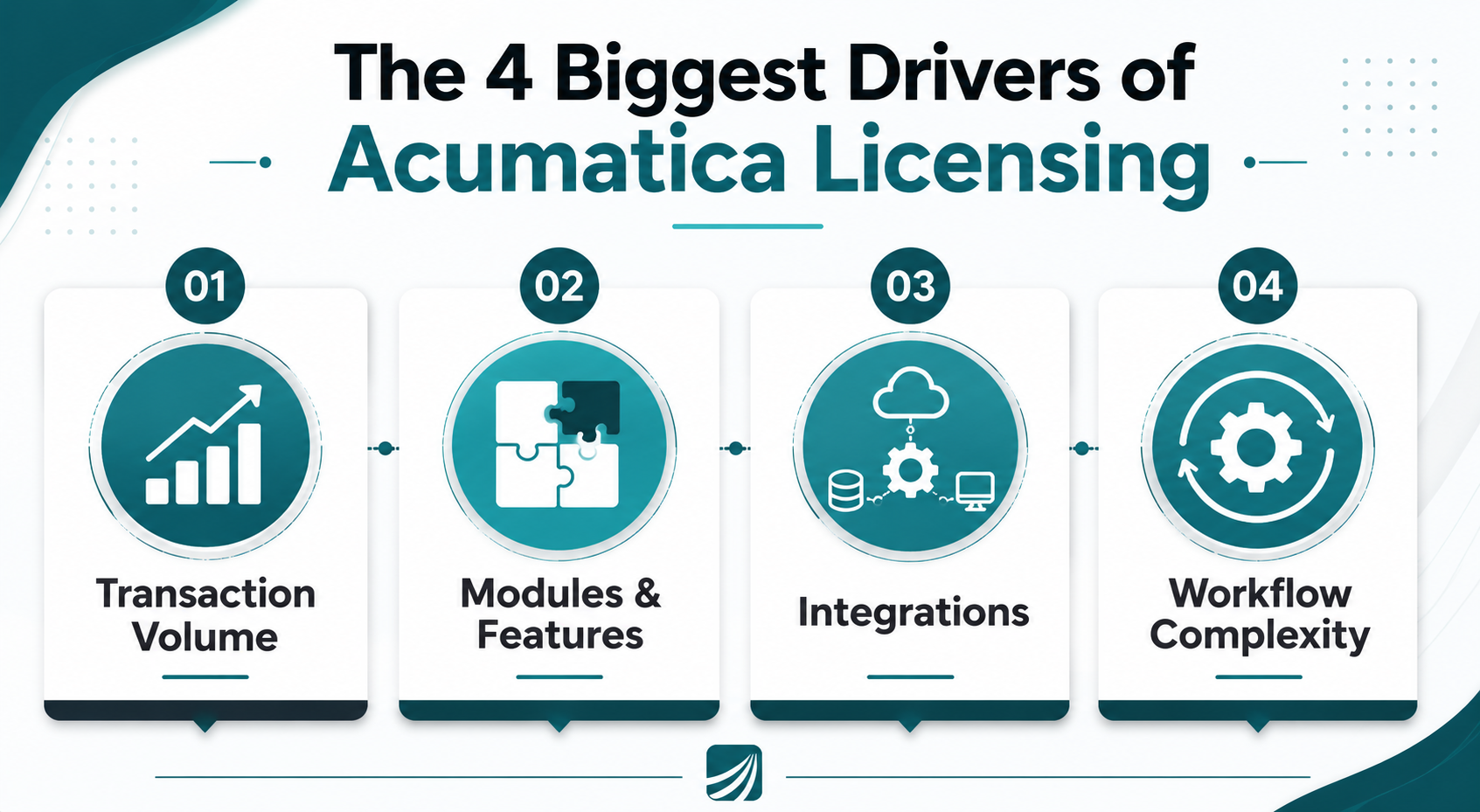
1. Transaction Volume
Transaction volume is often the most significant driver of licensing changes. As businesses process more sales orders, purchase orders, inventory transactions, financial transactions, manufacturing activities, and project accounting records, overall ERP activity increases.
A distributor may double order volume without significantly increasing headcount. An e-commerce company may expand into multiple sales channels while maintaining a relatively lean workforce. In both cases, resource consumption can grow substantially because the ERP system is supporting more business activity.
2. Additional Functionality and Modules
Growth frequently creates operational requirements that were not part of the original implementation.
A company that initially deployed core financials and inventory management may later require advanced distribution capabilities, manufacturing functionality, project accounting, CRM tools, field service management, or other Acumatica modules. As additional functionality is introduced, the ERP system supports a larger portion of the business, which can influence future licensing needs.
3. Integrations and Connected Systems
As organizations scale, Acumatica often becomes the operational hub connecting e-commerce platforms, CRM applications, shipping systems, warehouse technologies, manufacturing software, and business intelligence solutions.
The licensing impact is rarely about the number of integrations alone. More often, it is driven by the volume of data moving between systems and the business processes those integrations support. As integrations become more critical to daily operations, they can contribute to increased ERP activity and resource consumption.
4. Workflow Automation and Process Complexity
Automation is often a sign of ERP maturity. Organizations frequently automate approvals, purchasing, order management, inventory workflows, financial processes, and customer service activities as they grow.
While automation improves efficiency, consistency, and visibility, it also increases the amount of activity occurring within the ERP environment. As workflows become more sophisticated, organizations should periodically evaluate how those changes may affect future licensing requirements.
Understanding these drivers can help organizations anticipate licensing needs before growth creates operational constraints. Rather than reacting to limitations after they appear, businesses can align their licensing strategy with expected growth, process improvements, and long-term ERP objectives.
Choosing the Right Acumatica License for Future Growth
Selecting the right Acumatica license should not be based solely on current requirements.
Organizations evaluating a new license should consider where the business expects to be in the next several years. Planned acquisitions, new locations, additional product lines, ecommerce expansion, automation initiatives, and reporting requirements can all influence future licensing needs.
The most successful Acumatica implementations balance immediate requirements with long-term scalability. Purchasing too much functionality too early can increase complexity and implementation effort. Purchasing too little can create limitations that require additional projects later.
The objective is not to predict every future requirement. It is to establish a licensing strategy that can adapt as the business evolves.
Evaluating future licensing requirements can be challenging when transaction volume, reporting needs, modules, integrations, and business complexity are all expected to change over time. Use Protelo's Acumatica Pricing Calculator to explore licensing considerations based on your organization's requirements and growth objectives.
When Additional Acumatica Modules Become Necessary
Growth often creates demand for capabilities that were not required during the initial implementation.
A distributor may begin with financial management and inventory control before eventually requiring warehouse management functionality. A manufacturer may later need advanced planning capabilities as production operations become more complex. An e-commerce company may expand CRM, customer service, reporting, or automation capabilities as transaction volumes increase.
Organizations should evaluate current operational requirements alongside expected growth, implementation readiness, user adoption maturity, reporting needs, and broader process improvement objectives. Looking at these factors together helps determine whether additional functionality is needed today or whether it should be introduced as part of a future phase.
A phased approach allows businesses to expand ERP functionality as requirements evolve while maintaining control over implementation scope, operational complexity, and long-term licensing costs.
Read Next: Is Acumatica Worth it for Manufacturers? A Guide to Licensing and System Usage
Signs Your Current Acumatica License May No Longer Fit
Many organizations do not realize they have outgrown their current Acumatica license until operational friction begins affecting day-to-day activities.
The challenge is that licensing constraints rarely appear as a single obvious problem. Instead, they emerge gradually through increasing transaction volumes, operational complexity, broader ERP adoption, and growing reporting demands.
Recognizing these signals early allows organizations to evaluate future requirements before limitations begin affecting performance, visibility, or growth initiatives.
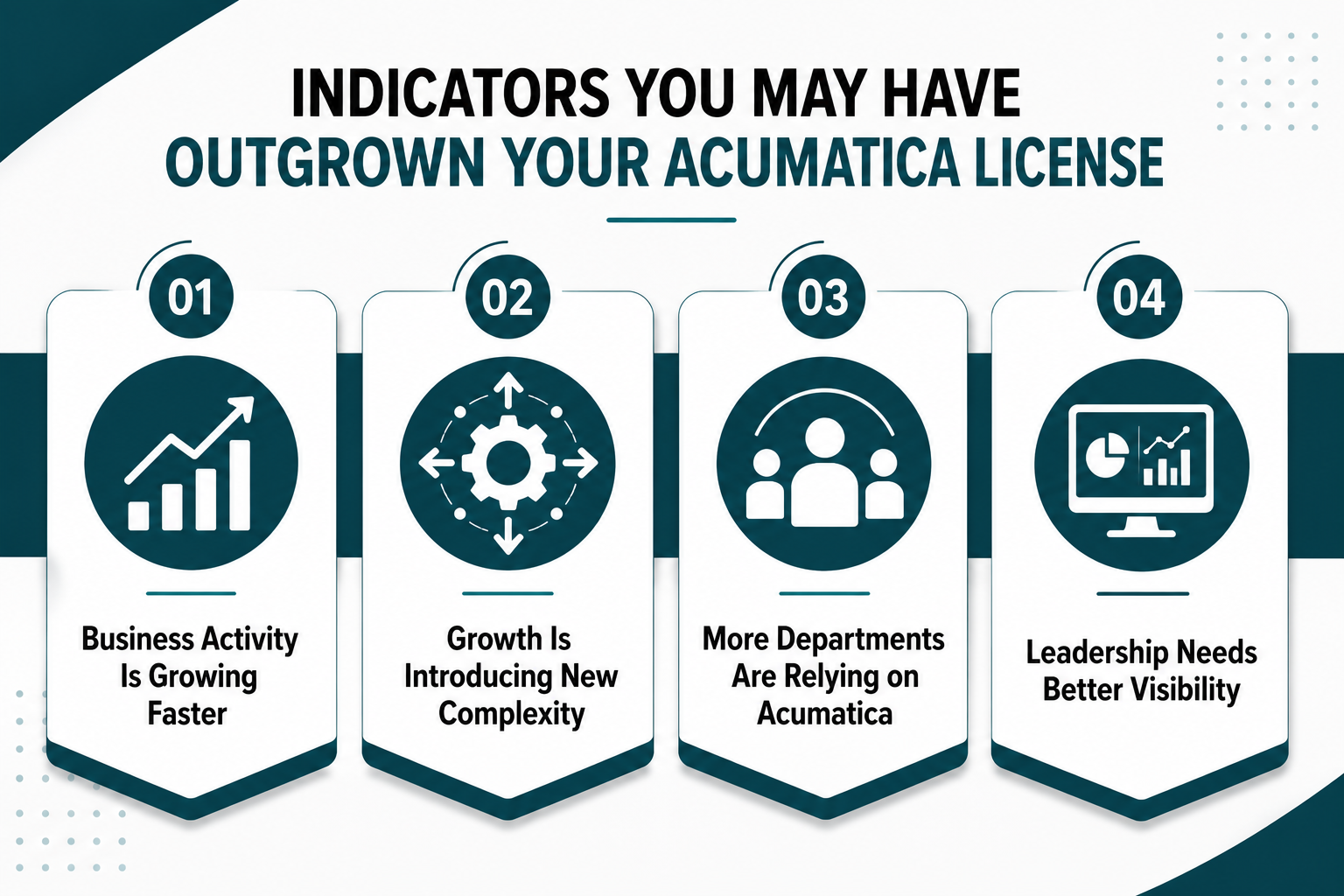
Business Activity Is Growing Faster Than Your ERP Environment
One of the earliest indicators is a significant increase in business activity.
A distributor may process substantially more sales orders and purchase orders than it did a few years ago. A manufacturer may generate higher volumes of production, inventory, and financial transactions. E-commerce companies often experience rapid growth in order volume across multiple sales channels, while professional services organizations may manage larger project portfolios and more complex billing requirements.
In many cases, staffing levels remain relatively stable while ERP activity increases dramatically. This is why organizations should evaluate more than just user counts when reviewing their licensing strategy. The more important question is whether the ERP system is supporting significantly more business activity than it was originally designed to handle.
Growth Is Introducing New Layers of Operational Complexity
Growth rarely occurs without operational change.
New warehouses, additional legal entities, acquisitions, international operations, new product lines, and expanded service offerings all increase demands on the ERP environment. What was once a straightforward implementation may need to support multiple locations, more sophisticated workflows, and increasingly complex reporting requirements.
As organizations become more complex, they often discover they need additional functionality, deeper integrations, or expanded ERP capabilities to maintain efficiency and visibility across the business.
More Departments Are Relying on Acumatica
One of Acumatica's strengths is its ability to support broader ERP adoption across the organization.
Over time, ERP usage often expands beyond finance and operations teams to include sales, customer service, purchasing, manufacturing, warehouse personnel, and executive leadership. This broader adoption typically improves collaboration and visibility, but it can also increase workflow complexity and overall system activity.
Organizations that are seeing ERP usage expand across departments should periodically review whether their current licensing strategy still aligns with how the platform is being used today.
Leadership Needs Better Visibility Than the Current System Provides
Reporting requirements often evolve faster than organizations expect.
The dashboards and reports that supported decision-making at one stage of growth may no longer provide the visibility needed as the business expands. Leadership teams may require multi-entity reporting, profitability analysis, inventory performance metrics, operational KPIs, or more sophisticated executive dashboards.
When reporting gaps begin creating delays, manual workarounds, or limited visibility into business performance, it is often a sign that the ERP environment should be evaluated more closely.
The goal is not simply to determine whether a licensing upgrade is necessary today. It is to identify emerging requirements early enough to support future growth without disruption.
Read Next: Important Signs That Your Business is Ready to Upgrade to Cloud ERP
Building an Acumatica Licensing Upgrade Roadmap
The most effective licensing strategy is not to purchase the largest possible configuration on day one. It is to build a roadmap that aligns ERP investments with business growth, operational requirements, and long-term business objectives.
Organizations that plan ahead are often better positioned to avoid both overbuying and underbuying. Instead of reacting to limitations after they appear, they can make licensing decisions that support future growth while maintaining flexibility as requirements evolve.
Start With Where the Business Is Going
Licensing decisions should be informed by business plans rather than current ERP usage alone.
When evaluating future licensing needs, leadership teams should look beyond today's requirements and consider where the organization expects to be over the next 12 to 36 months. Revenue growth, new locations, acquisitions, product diversification, ecommerce expansion, and additional service offerings can all influence future ERP requirements.
A company preparing for acquisition-driven growth will often have very different ERP needs than one pursuing organic expansion. Understanding that the future state provides the foundation for a more effective licensing strategy.
Build a Roadmap Around Future Requirements
A practical licensing roadmap should align anticipated business growth with expected ERP capabilities.
The objective is not to predict every future requirement. It is to create enough visibility to make informed licensing decisions before growth introduces unnecessary constraints.
Evaluate Future Process Requirements, Not Just Future Headcount
One of the most common licensing mistakes is assuming future requirements can be estimated solely by projecting user growth.
In reality, process complexity often has a greater impact.
Organizations should consider how workflows may evolve as the business grows. Approval processes may become more sophisticated. Additional departments may begin relying on ERP data. Reporting requirements may expand. Compliance obligations may increase. Automation initiatives may introduce new operational dependencies.
These changes frequently influence licensing requirements long before headcount becomes a concern.
Expand Functionality in Phases
Most organizations do not need every available capability on day one.
Successful Acumatica implementations often follow a phased approach. Initial deployments typically focus on core financials, inventory management, and essential operational processes. As the organization matures, additional functionality can be introduced to support evolving business requirements.
For example, a distributor may later implement warehouse management capabilities. A manufacturer may add advanced planning functionality. A growing services firm may expand project accounting and resource management capabilities.
This approach allows organizations to align module adoption with business readiness while maintaining control over implementation scope, user adoption, and licensing costs.
Align Licensing Decisions With Business Strategy
Licensing should support broader business objectives rather than operate as a standalone technology decision.
Organizations investing in ERP software are ultimately trying to improve visibility, support growth, increase automation, standardize operations, and improve decision-making. Licensing decisions should reinforce those objectives.
Companies that treat licensing as part of a broader ERP strategy often achieve stronger long-term outcomes because they evaluate technology investments in the context of business goals rather than immediate software requirements alone.
Read Next: 8 Acumatica Cloud ERP Implementation Best Practices Scaling Companies Can't Skip
A Practical Acumatica Licensing Review Checklist
Before making licensing decisions, leadership teams should evaluate both current requirements and future growth plans. A licensing review should focus on how the business is changing, not just how the ERP system is being used today.
The following checklist can help identify whether your current licensing strategy remains aligned with your operational needs.
A licensing review is not necessarily about determining whether an upgrade is required today. The goal is to identify emerging requirements early enough to support future growth without disruption.
Read Next: Is Your Acumatica ERP Implementation Really Go-Live Ready? A Complete Readiness Checklist
When to Engage an Acumatica Partner
Organizations should consider working with an experienced Acumatica partner when growth plans begin changing ERP requirements faster than internal teams can evaluate them.
This often occurs when new modules are being considered, acquisitions are planned, reporting requirements become more complex, or long-term ERP roadmaps are being developed. An experienced advisor can help assess current usage, future requirements, and licensing options while ensuring decisions align with broader business objectives.
Read Next: Acumatica Implementation Process: Your 8-Step Path to ERP Success
The Right Acumatica License Should Support Where Your Business Is Going
Planning an Acumatica licensing upgrade is about more than selecting the next license tier. It requires understanding how transaction volume, operational complexity, reporting requirements, integrations, and future growth initiatives may affect your ERP environment over time.
Key Takeaways:
-
Plan for future growth, not just current requirements. Licensing decisions should support where the business is headed over the next 12 to 36 months.
-
Evaluate the drivers of ERP consumption. Transaction volume, modules, integrations, automation, and reporting requirements often have a greater impact than user counts alone.
-
Build a licensing roadmap. A structured approach can help avoid unnecessary costs, reduce disruption, and ensure your Acumatica ERP environment scales with the business.
Protelo helps organizations evaluate Acumatica licensing strategies, implementation planning, module expansion, and long-term ERP scalability. Whether you're reviewing your current environment or planning for future growth, an objective licensing assessment can help ensure your ERP investments align with business objectives.
Use Protelo's Acumatica Price Calculator to receive a customized Acumatica ERP quote based on your business requirements, users, modules, and operational needs. It's a quick way to start evaluating licensing considerations before making long-term ERP decisions.
Frequently Asked Questions
How does Acumatica licensing work?
Acumatica's license model uses a resource-based pricing approach rather than relying exclusively on user-based licensing. Licensing in Acumatica is influenced by transaction volume, activated modules, integrations, workflows, and overall system consumption. This consumption licensing model allows businesses to expand user access without following traditional per-user ERP pricing structures.
Does Acumatica offer unlimited user licensing?
Yes. Acumatica is widely known for its unlimited user licensing approach. Unlike many ERP platforms that charge for every additional user license, Acumatica allows organizations to provide broader system access while licensing costs are primarily influenced by resource consumption, transaction volume, and application usage.
How much does Acumatica cost?
There is no standard Acumatica price because every deployment is licensed according to business requirements. Acumatica ERP pricing can vary based on license tier, modules, transaction volume, implementation scope, customizations, integrations, support requirements, and deployment options. Organizations evaluating Acumatica Cloud ERP should focus on total business requirements rather than searching for a single software license cost.
What factors have the biggest impact on Acumatica ERP pricing?
The most significant factors affecting Acumatica costs include transaction volume, selected modules, deployment architecture, integrations, customization requirements, and implementation complexity. As organizations grow, increases in transaction activity and operational complexity can affect licensing fees and influence the appropriate Acumatica license types needed to support the business.
How do businesses choose the right Acumatica license?
Selecting the right license requires evaluating current operational requirements alongside future growth plans. Organizations should assess transaction volume, business processes, reporting needs, integrations, and expected expansion when choosing a new license or reviewing an existing environment. A licensing strategy that aligns with long-term objectives can help avoid unnecessary licensing impacts and reduce the need for reactive upgrades.