

9 min read

Managing bank connections and reconciliations in NetSuite continues to evolve with new updates focused on reducing MFA disruptions, improving visibility into import issues, and enhancing transaction matching accuracy. These changes impact how finance teams handle day-to-day and month-end reconciliation processes.
Here’s a quick breakdown of what’s changed and what it means for your team.
1. Renew Bank Connections Directly from Match Bank Data
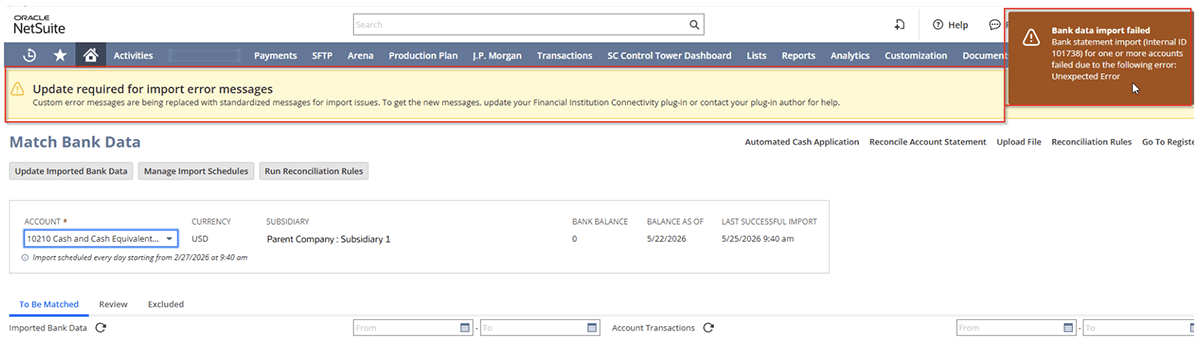
One of the most helpful updates is the ability to renew a bank connection directly from the Match Bank Data page when a multifactor authentication (MFA) error occurs.
Previously, users often had to navigate to the format profile and connectivity settings to reauthenticate a bank connection. Now, when NetSuite detects an MFA issue, a warning banner appears on the Match Bank Data page with a Renew Connection option.
Why This Matters:
• Faster recovery when bank imports fail
• Less navigation through setup screens
• Minimal disruption during reconciliations
• More convenient for finance teams handling daily bank activity
Quick Reference: See how to renew a bank connection after an MFA error
2. Banking Import History Now Provides Better MFA Guidance
The Banking Import History page has been enhanced to include MFA-related errors as a specific example of connectivity issues.
Users can now more easily identify authentication problems and understand the next steps needed to restore imports. 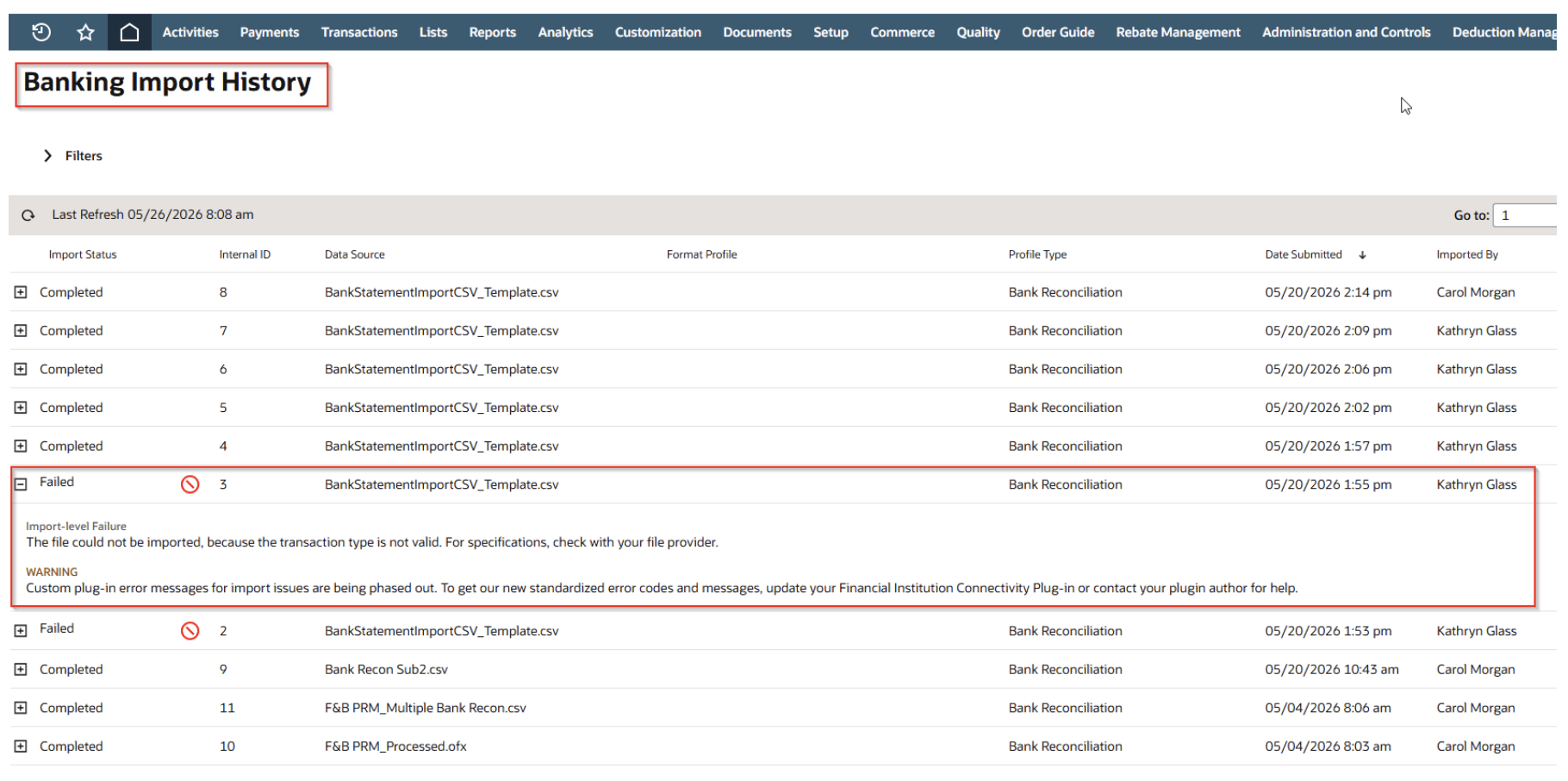
Why This Matters:
• Better visibility into import failures
• Clearer troubleshooting information
• Faster identification of authentication issues
• Improved audit trail for banking activity
Troubleshooting Resource: Learn how to review import errors and status details
3. Improved Support for Custom Bank Connections
Did you know: You can create and configure your own financial institution record and a corresponding format profile that uses custom transaction parser and connectivity plug-in implementations. When using the Custom financial institution connections, NetSuite now extends enhanced MFA recovery and reauthentication capabilities for users managing custom integrations. Allowing resolution of authentication issues directly within the Match Bank Data workflow, without needing to navigate away or rebuild connections.
Previously, custom bank integrations often required more manual intervention when authentication expired or MFA challenges occurred. With this update, those connections now benefit from the same streamlined reauthentication experience as standard Bank Feeds.
Why This Matters:
• Reduces disruption when bank authentication needs to be refreshed
• Minimizes manual support and reconfiguration for custom integrations
• Helps ensure continuous, reliable bank data imports
• Brings parity between SuiteApp-based and custom-built bank connections
Technical Documentation: Explore configuration details for bank connections
4. New Reconciliation Rule Improves Matching Accuracy
NetSuite has added a new built-in reconciliation rule that improves Intelligent Transaction Matching when multiple transactions share the same amount.
When several transactions have identical amounts, matching can become ambiguous. This enhancement helps NetSuite make smarter decisions and reduce the number of transactions requiring manual review.
NetSuite significantly expanded the built-in matching functionality:
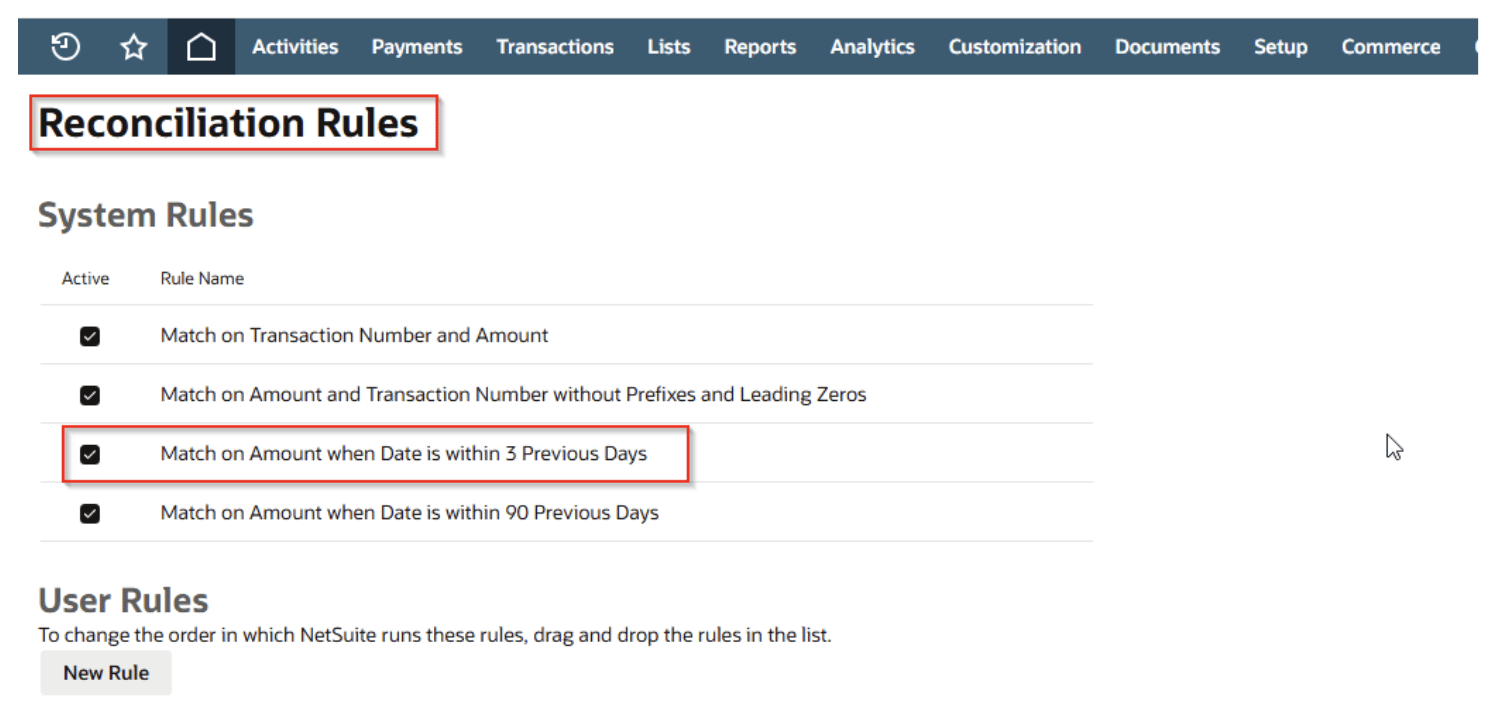
• New 3-Day Rule:
A new built-in rule was added to prioritize matches where the amount is identical, and the GL date is within the 3 previous days.
• Generative AI & Enriched Data:
An AI-powered matching assistant supplements traditional rules. It extracts contextual payment references and invoice numbers rather than relying solely on raw memo lines, increasing auto-match accuracy on high-volume or ambiguous transactions.
• Many-to-One / Many-to-Many Matching:
The matching engine now handles bulk transactions (batching) by summing the imported bank line amounts against the sum of multiple account transactions.
• Reauthentication & Summary Updates:
Users can renew Multi-Factor Authentication (MFA) bank connections directly from the Match Bank Data page, and view overall reconciliation statuses using the new Bank Matching and Reconciliation page.
Additional Details: Learn about NetSuite’s built-in matching rules
5. New Viewing Account Summary for Bank Reconciliation
NetSuite now provides a consolidated account summary within the Bank Reconciliation and Matching page, giving users a single view of all GL bank and credit card accounts along with their reconciliation status. This makes it easier to monitor account activity and identify items requiring attention without navigating between multiple pages.
For each account, users can view:
• Bank balance and GL account balance
• Last import date and time (local time zone)
• Subsidiary and currency
• Total matches requiring review
• Total unmatched transactions
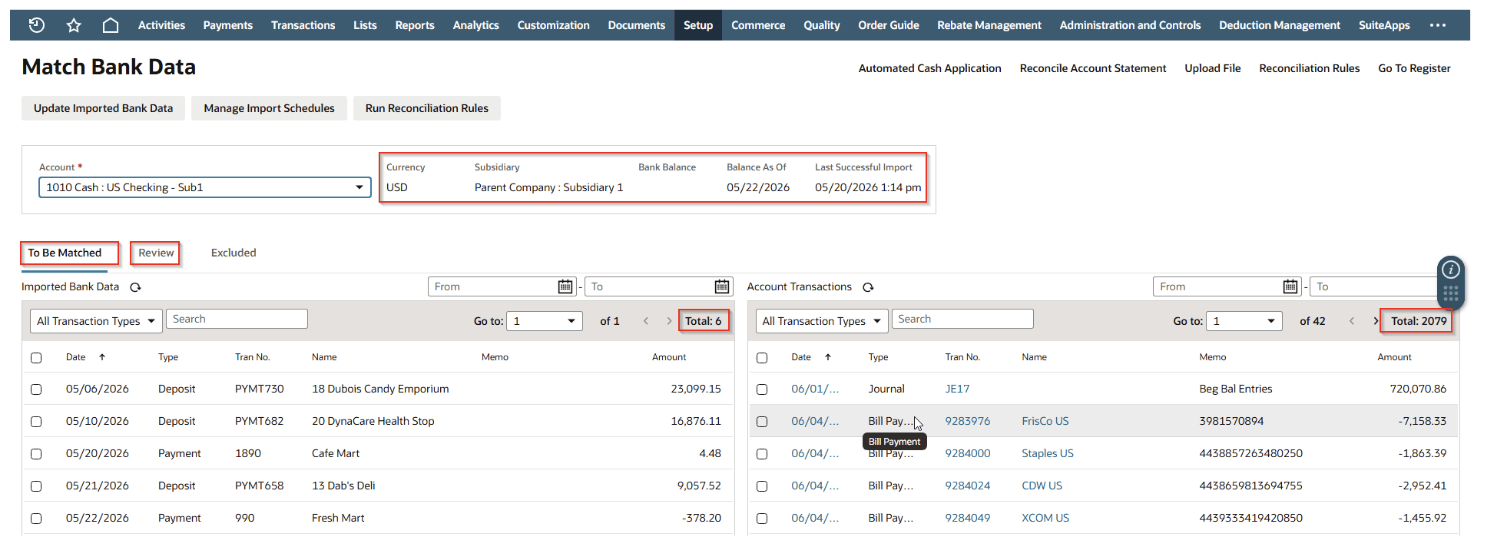
On the Bank Reconciliation and Matching page, users can also:
• Sort columns and adjust pagination for easier navigation
• Drill directly into reconciliation work by clicking counts under Unmatched Transactions or Matches to Review, which opens the related Match Bank Data page
Additional Details: Bank Matching Data
NetSuite Experts here for your business.
Need Help Optimizing NetSuite Banking? Whether you're setting up Bank Feeds, troubleshooting connection issues, improving reconciliation rules, or training your accounting team, Protelo is here to help!
Our certified NetSuite consultants provide on-demand support, system optimization, and personalized training to help your team get the most from NetSuite. From day-to-day questions to advanced banking automation, we’re just a call away.
Ready to streamline your NetSuite banking processes? Contact us to get expert NetSuite support when you need it most.

Our certified NetSuite team brings decades of hands-on experience to help you configure, customize, and support your system—without the hassle. From integrations to ongoing optimization, we make NetSuite work the way your business needs it to.
Related services and support options:
- NetSuite Customizations, Development, and Integrations
- NetSuite Reporting, Analytics and Saved Searches
- NetSuite Business Process Optimization
- NetSuite Performance Optimization
- NetSuite Training & ACS Alternatives