

27 min read


To switch from Sage 300 to NetSuite successfully, start by identifying where growth has made your current ERP environment harder to manage, then build the migration around those requirements. Companies often reach this point after adding subsidiaries, locations, acquisitions, currencies, sales channels, or integrations that increase the effort required to consolidate data, manage workflows, and maintain visibility across the business.
NetSuite gives growing organizations a way to bring more financial and operational processes onto a unified cloud ERP platform. For businesses managing greater multi-entity complexity, the potential benefits include centralized data, real-time consolidation, fewer disconnected systems, and clearer visibility across subsidiaries and operations. NetSuite OneWorld is specifically designed to manage multiple subsidiaries, legal entities, currencies, and consolidated reporting within a single environment.
This type of modernization is already a priority for finance leaders. In KPMG's 2025 survey of 157 CFOs, 62% prioritized process standardization and technology transformation, with significant investment planned in ERP upgrades and integration. For Sage 300 users experiencing similar complexity, the migration decision comes down to whether a more unified ERP environment can support the company's next stage of growth with less operational friction.
Why Companies Switch from Sage 300 to NetSuite
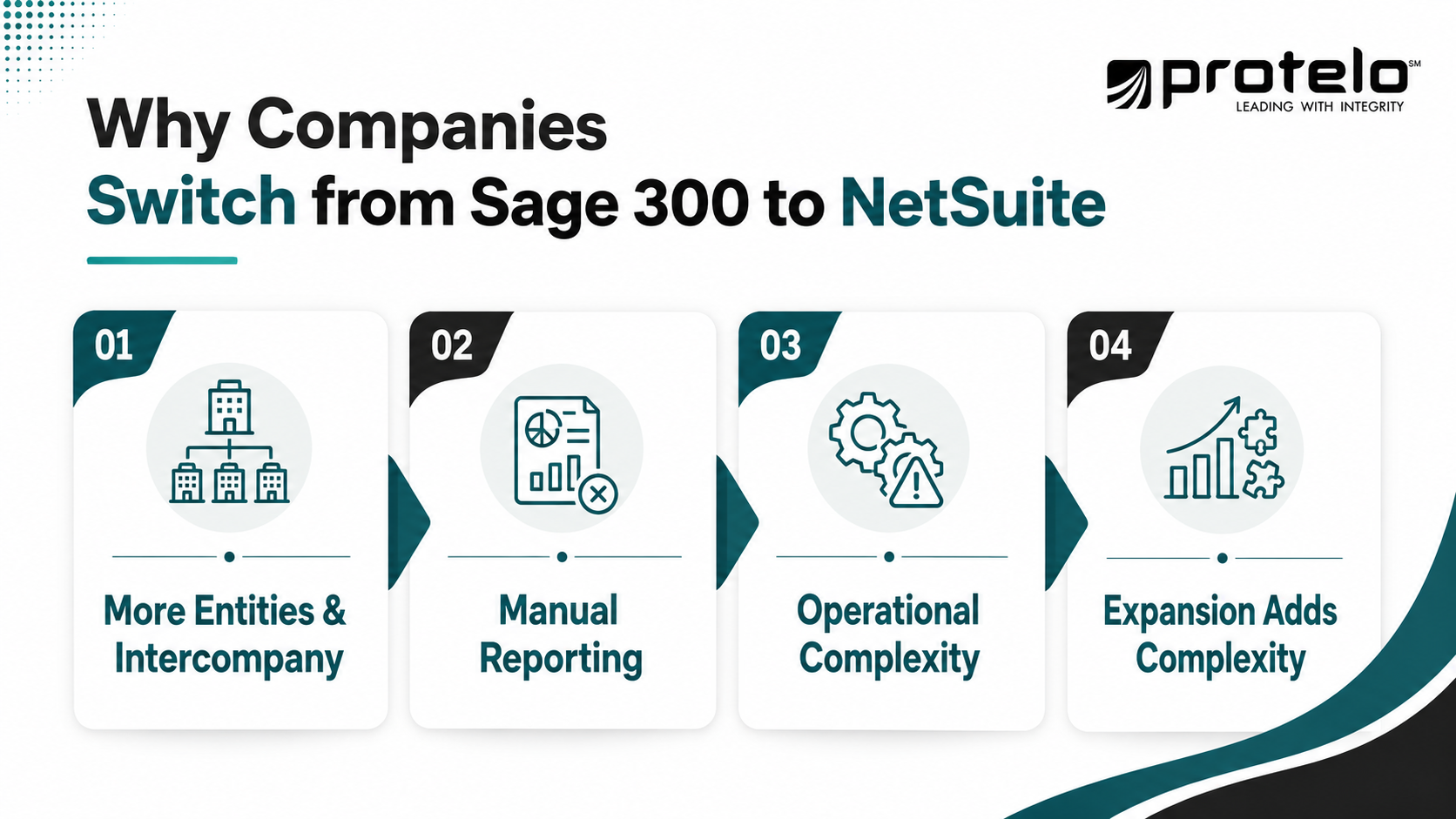
Companies usually consider switching from Sage 300 to NetSuite when growth adds complexity around an ERP that still processes transactions reliably. New subsidiaries, warehouses, acquisitions, currencies, e-commerce channels, and specialized applications can increase integration, reporting, and coordination demands over time. Common signs include:
-
More entities and intercompany activity: Consolidation, reconciliation, and financial reporting require more effort as the corporate structure expands.
-
More applications surrounding the ERP: CRM, ecommerce, reporting, warehouse, expense, and other systems create additional integrations and data dependencies.
-
More manual reporting work: Finance teams spend increasing time combining data, reconciling spreadsheets, or preparing management reports across business units.
-
Greater operational complexity: Additional warehouses, sales channels, currencies, product lines, or locations make consistent processes and visibility harder to maintain.
-
Expansion plans that will add further complexity: Acquisitions, international operations, or new legal entities may put additional demands on the current ERP environment.
These conditions warrant evaluating whether the existing ERP structure remains an efficient foundation for the business. For organizations at that point, NetSuite offers a broader cloud ERP platform to manage financial, operational, and multi-entity processes. The business case depends on whether consolidating more processes and data in NetSuite would reduce the administrative burden of the current environment.
Read Next: Is It Time to Move from Sage 100 to NetSuite? A Guide for Distributors
Sage 300 vs. NetSuite: What Changes After the Switch?
Moving from Sage 300 to NetSuite changes how financial and operational processes are structured, how entities are managed, and how much of the business can operate within one cloud ERP environment.
Sage 300 already supports multi-company accounting, multicurrency transactions, inventory, order management, and integrations. Sage also describes the product as cloud-enabled and offers flexible deployment options. NetSuite takes a cloud-native suite approach, with ERP, financial management, inventory, order management, CRM, ecommerce, and other capabilities designed to share the same platform and underlying data.
A Different Approach to Multi-Entity Management
Multi-company capability alone is not a reason to replace Sage 300. Sage supports multiple companies, multicurrency accounting, intercompany transactions, and general ledger consolidation.
The difference in approach becomes more important as the organization adds subsidiaries, jurisdictions, currencies, and intercompany activity. NetSuite OneWorld allows multiple subsidiaries to operate within a single NetSuite account and supports transactions across tax jurisdictions and currencies. Consolidated reporting can aggregate subsidiary financials while preserving reporting at the individual subsidiary level.
For a company pursuing acquisitions or international expansion, this can change how finance approaches entity setup, consolidation, currency translation, and group reporting. The migration team should map those requirements carefully rather than assuming the existing Sage 300 company structure should be reproduced exactly in NetSuite.
More Processes Can Share the Same Platform
Many Sage 300 environments combine ERP functionality with third-party applications, partner extensions, and integrations. This can work well for specialized requirements, but each additional system adds interfaces, data flows, and dependencies. Sage supports this model effectively; the practical question is how much surrounding complexity the organization wants to maintain.
NetSuite provides ERP alongside capabilities such as inventory, order management, CRM, and ecommerce within its broader cloud platform. For some companies, migration therefore creates an opportunity to bring selected processes onto a common system instead of rebuilding every existing integration.
Specialized warehouse systems, ecommerce platforms, payroll providers, and industry-specific applications may still have an important role. The migration should identify where consolidation adds value and where an external integration remains the better design.
Reporting Can Become More Direct
In reporting, the difference often comes down to the effort required to access and assemble reliable information. Sage 300 provides financial and operational reporting and supports analytics options. NetSuite OneWorld supports consolidated financial reporting across subsidiaries, including currency translation and subsidiary-specific reporting contexts.
For finance leaders, the practical measure is how quickly they can get reliable supporting data. If reporting requires exports, reconciliation, or data from several applications, moving more processes into NetSuite may reduce that preparation work.
The value of the switch therefore depends heavily on the current environment. A well-configured Sage 300 deployment with effective integrations and reporting may already serve the business well. A company whose growth has produced a larger collection of systems, entities, and reporting processes has a much stronger case for evaluating whether NetSuite's operating model can simplify how the business is managed.
Read More: Oracle NetSuite vs Sage X3: A Side-by-Side ERP Comparison You Can’t Miss
What Should You Evaluate Before Moving from Sage 300 to NetSuite?
Before configuring NetSuite, document how Sage 300 fits into the business today, including connected applications, reports produced outside the system, spreadsheets employees rely on, and processes customized over time. This assessment gives the migration team a baseline for separating current business requirements from legacy processes that persist because of how the environment evolved.
Start With Business Requirements, Not the Existing Configuration
A common Sage 300 to NetSuite migration mistake is treating the current system as the specification for the new one. Some Sage 300 processes may reflect years-old decisions or workarounds that now involve spreadsheets, duplicate entry, manual approvals, or integrations that no longer serve the same purpose. Design NetSuite around the company's current operating requirements.
For example, a finance team might export information from several entities, make spreadsheet adjustments, and assemble a consolidated management report. During discovery, define the requirement as reliable consolidated reporting across the appropriate entities, currencies, and management dimensions. That gives the implementation team room to design a better process.
The same principle applies to inventory, purchasing, order management, approvals, and other workflows.
Be Selective About What Data Moves to NetSuite
Define the data scope early based on what users need to operate, report, and meet audit or compliance requirements after go-live. Core master data, balances, open transactions, and inventory information will typically need to move, while historical transactions require more judgment. Older records that are rarely used may be better retained in an accessible archive rather than recreated in NetSuite.
Reconsider Integrations and Customizations Before Rebuilding Them
Long-standing Sage 300 environments may include integrations, custom reports, add-ons, and specialized workflows that accumulated over time. Evaluate each one against its current business purpose before carrying it into NetSuite.
A warehouse management system may still be necessary because it provides specialized operational functionality. An ecommerce integration may remain central to the sales model. A separate reporting application, however, may become less necessary if the information it produces can be handled effectively within the new environment.
This is where a migration can either simplify the technology stack or reproduce years of accumulated complexity in a different ERP. The design process should make that choice deliberately.
Understand How People Actually Work
System documentation rarely captures every requirement. A controller’s month-end spreadsheet, a warehouse workaround, or manual order reconciliation may reveal dependencies that are invisible in a module inventory. Discovery should therefore include process owners from finance, accounting, operations, IT, purchasing, sales, and other affected teams who can identify where work slows down or depends heavily on manual intervention.
By the end of this assessment, the organization should be able to answer three questions clearly:
What must NetSuite support on day one? What should be redesigned during the migration? And what can be left behind?
Those answers provide a stronger basis for configuration than reproducing Sage 300 screen for screen.
Read Next: How to Switch from Sage 100 to NetSuite: A Complete ERP Migration Guide
How to Switch from Sage 300 to NetSuite
A Sage 300 to NetSuite migration should follow a controlled sequence from discovery and design through configuration, data migration, testing, cutover, and stabilization.
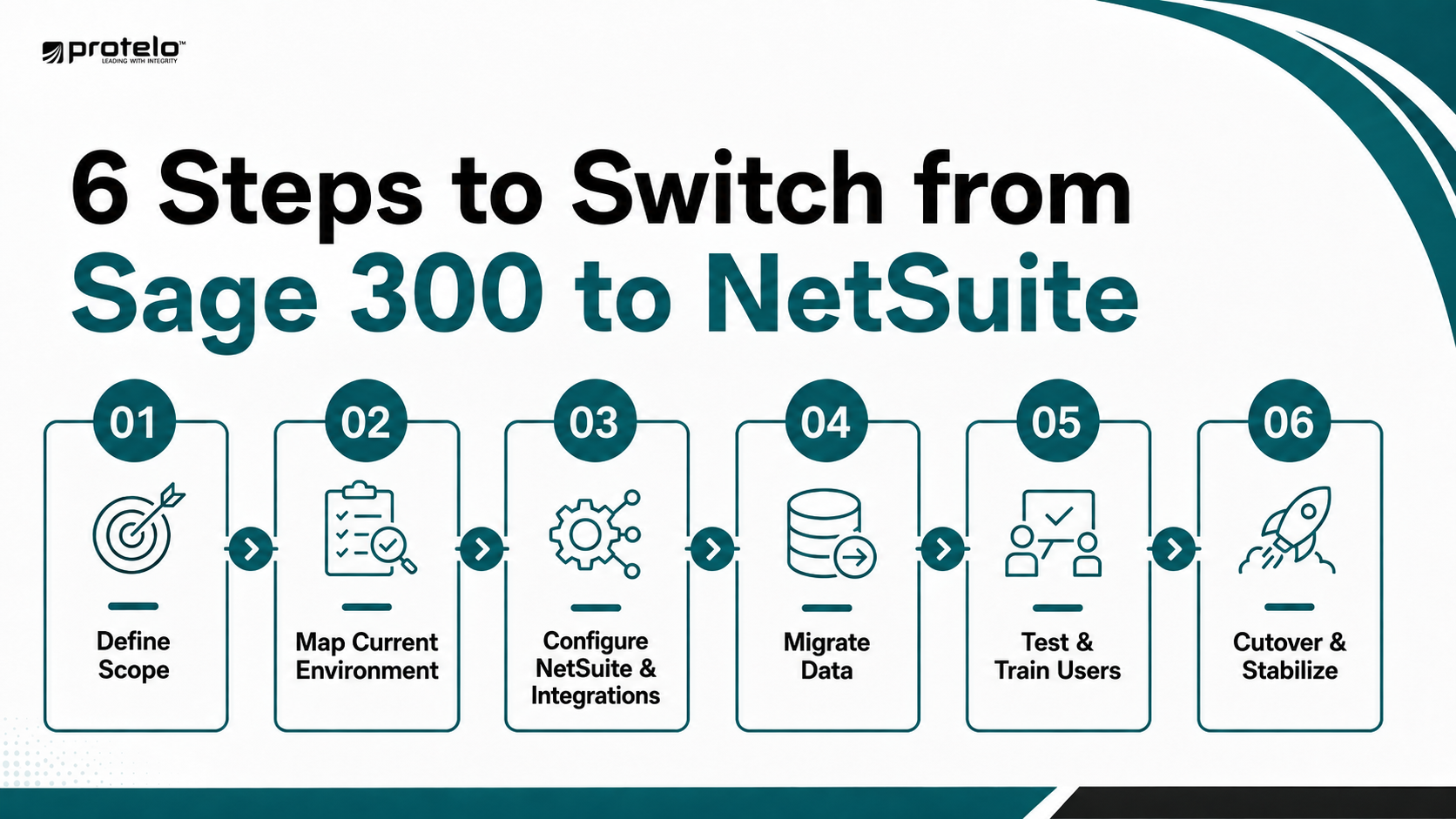
Step 1. Define the Scope and Future-State Requirements
Define what the migration needs to accomplish, including the entities, locations, processes, integrations, users, and data in scope and the business problems NetSuite is expected to address.
For example, a company may want to simplify multi-entity consolidation, standardize processes after acquisitions, improve inventory visibility, or reduce its dependence on several connected applications. Those goals should shape the NetSuite design instead of using the existing Sage 300 configuration as the default blueprint.
Step 2. Map the Current Sage 300 Environment
Document how transactions and information move through the business today. Include Sage 300 modules, customizations, third-party applications, integrations, reports, spreadsheets, approval processes, and recurring imports or exports.
Use that map to identify which processes will carry forward and which need to be redesigned or retired before configuration begins.
Step 3. Configure NetSuite and Plan the Integrations
Configure NetSuite around the approved future-state design, including the accounting structure, subsidiaries, currencies, locations, roles, workflows, reporting, and operational requirements within scope.
Confirm which external applications will remain connected to NetSuite and build only the integrations required by the approved future-state design. Apply the same discipline to customization: add it when a defined business requirement cannot be addressed effectively through standard configuration.
Step 4. Clean, Map, and Migrate the Data
Once the migration scope is approved, extract, clean, and map Sage 300 data to the NetSuite structure. Master data, financial balances, inventory records, and open transactions should be validated against agreed conversion rules.
Run multiple test conversions before cutover so finance and process owners can reconcile balances, correct mapping issues, and validate migrated records.
Step 5. Test the Business and Prepare Users
Testing should follow complete business processes rather than isolated system functions. A distributor might test an order from entry through fulfillment, invoicing, payment, inventory impact, and financial reporting. A multi-entity company should test intercompany transactions, currency treatment, consolidation, approvals, and subsidiary reporting.
Users should train in the configured NetSuite environment before launch, practicing the workflows they will perform in production rather than relying on a general product walkthrough.
Step 6. Execute the Cutover and Stabilize NetSuite
The cutover plan should define when transactions stop in Sage 300, when final data is migrated, how balances and open transactions are reconciled, when integrations become active, and who has authority to approve go-live.
After launch, shift the focus to stabilization. Monitor critical integrations, resolve data and transaction issues, support users, and verify that core financial and operational processes are working correctly. Defer nonessential enhancements until the system is stable, then prioritize improvements based on what users and process owners observe in production.
Read Next: Sage 100 to NetSuite Migration Checklist for a Successful Go-Live
What Data Should You Migrate from Sage 300 to NetSuite?
The data moved from Sage 300 should support day-one operations, financial reporting, customer and vendor activity, and any defined audit or compliance requirements. The migration scope should also reflect the future NetSuite design, since account structures, classifications, entity relationships, and other records may not map directly from the existing environment.
A practical approach is to decide what must move, what may move, and what can remain accessible outside NetSuite.
How Much Sage 300 History Should You Bring Into NetSuite?
Historical transactions require more judgment than active operational data. Finance may need prior periods for comparative reporting, customer service may need order history, and some records may need to remain available for audit, tax, or regulatory purposes.
Decide how much history must exist inside NetSuite based on how often it is used, who needs access, and whether its value justifies the conversion and validation effort. Older records can remain in a secure, accessible archive when detailed migration is unnecessary.
Whatever data is selected for migration should reconcile to the agreed Sage 300 position at cutover. Finance and process owners should be able to confirm that balances, open transactions, inventory positions, and other critical records transferred accurately before NetSuite becomes the system of record.
How to Handle Sage 300 Customizations and Integrations
Customizations and integrations should be reviewed individually before they are carried into NetSuite. Long-running Sage 300 environments can accumulate add-ons, custom reports, specialized workflows, and external applications built through Sage’s SDK or API ecosystem. The migration is a natural point to determine which of those components still support a current business requirement.
Decide What Should Carry Forward
Start with the business purpose behind each customization rather than its technical design. A custom workflow created years ago may still support an important control, but the same requirement may be handled differently in NetSuite. Other customizations may support processes the company has since changed or no longer needs.
For each significant customization, make one of four decisions:
-
Retain the Requirement: The business need remains valid and should be supported in NetSuite.
-
Redesign the Process: The requirement still exists, but the workflow should operate differently in the new ERP.
-
Replace the Customization: Standard NetSuite configuration or another approved capability can address the need.
-
Retire It: The customization no longer provides enough operational value to carry forward.
NetSuite's SuiteCloud platform supports configuration, customization, automation, and integration, so moving away from Sage 300 does not eliminate the ability to extend the ERP when the business genuinely requires it. The objective is to be selective about where customization adds value.
Rebuild Integrations Around the Future-State Process
Integrations require a similar review, but with additional attention to how data moves between systems.
Document what each integration sends or receives, how frequently it runs, which process depends on it, who owns it, and what happens if it fails. This is particularly important for connections to ecommerce platforms, warehouse systems, CRM, payroll, banking, expense management, or industry-specific applications.
An integration that remains necessary should be designed around the future NetSuite process rather than copied from the Sage 300 interface. Changing the ERP may alter record structures, identifiers, approval points, timing, and which system owns specific data.
If customer information currently passes through several applications before reaching Sage 300, decide which system will own the record after go-live and which applications still need it. Then test complete scenarios, including failures and exceptions, to confirm correct routing, prevent duplicates, validate financial impacts, and define exception handling.
The strongest migration design usually keeps the extensions that support real business requirements while removing those that exist mainly because of the old system architecture. That reduces the amount of custom technology the company has to maintain after NetSuite goes live.
For requirements that still depend on specialized workflows or connected applications, Protelo’s NetSuite Integrations and Customizations Services can support the future-state design without automatically recreating every legacy extension.
How to Plan a Phased Sage 300-to-NetSuite Cutover
Not every Sage 300 to NetSuite migration needs to move the entire organization at once. Companies with multiple subsidiaries, locations, business units, or operational models may reduce risk by moving to NetSuite in phases while keeping the remaining parts of the business on Sage 300 temporarily.
The right approach depends on how tightly the organization’s processes and data are connected.
When a Phased Migration Makes Sense
A phased rollout can reduce operational risk when subsidiaries, locations, or business units differ in readiness or complexity. For example, an acquisitive company might move its most prepared entities first, while an international subsidiary requiring additional localization, tax, currency, or integration work follows later.
Phasing can also make training and post-launch support more manageable by limiting the number of users supported at each stage.
Account for the Period When Both ERPs Are Active
A phased migration creates a temporary period in which Sage 300 and NetSuite both support the business. Define which system owns shared records, how finance will handle consolidated reporting and intercompany activity across the two ERPs, and when each phase ends. The longer the parallel period lasts, the more important these controls become.
For companies with relatively standardized operations and strong organizational readiness, a single cutover may ultimately be simpler. For businesses with substantial entity, geographic, or operational complexity, a phased deployment can make the transition easier to control, provided the dependencies between each phase are understood before the first go-live.
Read More: NetSuite Implementation Timeline & Milestones: From Planning to Go-Live
How Long Does a Sage 300-to-NetSuite Migration Take?
There is no reliable standard timeline for a Sage 300 to NetSuite migration. The schedule depends on the scope of the implementation, the complexity of the existing environment, and how much change the organization is introducing alongside the ERP move.
A migration with few entities and integrations will require a different plan from a multi-company project that also replaces custom workflows or restructures financial reporting. The factors that typically have the greatest impact on the timeline include:
-
Entity and Organizational Complexity: More subsidiaries, locations, currencies, and intercompany processes increase design and validation requirements.
-
Data Scope and Quality: Large historical datasets, inconsistent master records, or significant cleanup needs can extend conversion and reconciliation work.
-
Integrations and Customizations: Each retained external system introduces design, development, testing, and exception-handling requirements.
-
Process Redesign: Standardizing workflows across acquired companies or business units usually requires more discovery and decision-making than reproducing an established process.
-
Testing Requirements: Complex order-to-cash, procure-to-pay, inventory, multi-entity, and financial close processes need sufficient time for end-to-end validation.
-
Internal Availability: ERP projects slow down when Controllers, finance leaders, operations managers, and other process owners cannot review designs or make decisions when needed.
The implementation schedule should also include time for multiple data conversions, user acceptance testing, training, cutover preparation, and post-go-live stabilization. Compressing these activities to meet an arbitrary launch date can create problems that surface after the business is already operating in NetSuite.
For project sponsors, a more useful planning question is:
What must be true before the organization is ready to go live?
Establishing measurable readiness criteria for data, integrations, critical workflows, users, and financial reconciliation gives the project a stronger basis for setting a realistic migration date.
Common Sage 300-to-NetSuite Migration Challenges
Most migration problems are not caused by one dramatic failure. They usually come from decisions that were postponed, assumptions that were never tested, or dependencies that were discovered too late. For Sage 300 users, the highest-risk areas tend to involve data, legacy customizations, integrations, process ownership, and readiness for cutover.
These risks become more pronounced across subsidiaries or acquired businesses that use Sage 300 differently. Surface those differences during discovery, assign owners to unresolved mapping and process decisions, and set decision deadlines alongside technical milestones so issues do not drift into testing or cutover.
How to Prepare Your Organization for the Migration
A Sage 300 to NetSuite migration depends on people outside the implementation team. Finance, operations, IT, and other process owners need time to make design decisions, validate data, test workflows, and prepare users before go-live.
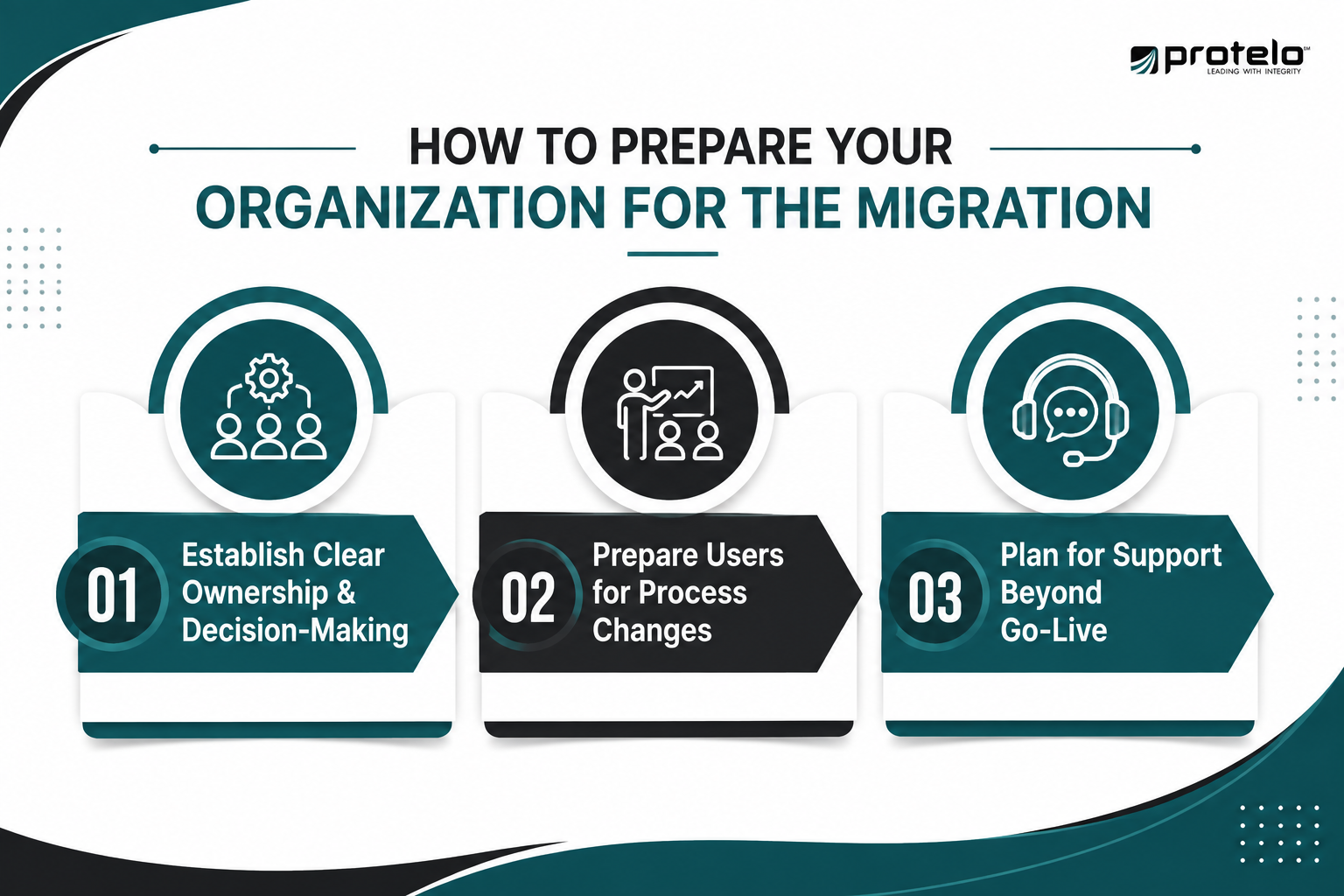
1. Establish Clear Ownership and Decision-Making
The project should have an executive sponsor who can resolve priorities and remove organizational roadblocks, along with process owners who understand how the business operates in practice.
Those process owners need authority to make decisions within their areas. If questions about the chart of accounts, purchasing approvals, inventory workflows, reporting, or customer processes remain unresolved between departments, configuration and testing can stall.
Decision-making responsibilities should be clear before implementation begins, especially for issues that affect multiple entities or departments.
2. Prepare Users for Process Changes
Longtime Sage 300 users may be accustomed to established screens, reports, spreadsheets, and workarounds. Before formal training begins, explain which workflows will change, which manual steps will be removed, and where responsibilities may shift between teams.
Training should then focus on each user's actual role in the configured NetSuite environment. A Controller needs different preparation than a warehouse supervisor or purchasing manager. Using realistic transactions and scenarios helps employees understand how their work will change after go-live.
3. Plan for Support Beyond Go-Live
The organization also needs a clear support model for the first weeks after launch. Users need to know where to report issues, who will determine whether a problem is related to configuration, data, an integration, or training, and which issues require immediate attention.
Process owners should remain involved after cutover to distinguish system issues from unfamiliar workflows or incorrect transactions. Once operations stabilize, use early user feedback to prioritize worthwhile improvements to reporting, workflows, automation, and configuration.
Should You Work With a NetSuite Implementation Partner?
For many Sage 300 migrations, an experienced NetSuite implementation partner can help reduce risk across solution design, data migration, integrations, testing, training, and cutover. Outside support becomes more valuable as the project adds multiple entities, complex workflows, custom requirements, or significant process change.
A strong partner should do more than configure NetSuite. They should help determine which Sage 300 processes should carry forward, which should be redesigned, and where standard NetSuite functionality can replace unnecessary customization.
Protelo’s NetSuite Implementation Services cover the implementation lifecycle from requirements and solution design through configuration, migration, testing, training, and go-live support.
Plan Your Sage 300-to-NetSuite Migration with Protelo
A move from Sage 300 to NetSuite makes the most sense when growth has made the current ERP environment harder to manage, report on, or scale. The decision should reflect how well that environment supports the company’s future operating model, with feature comparisons as one part of the evaluation.
Protelo helps organizations evaluate those requirements and plan NetSuite implementations around financial processes, data, integrations, reporting, testing, training, and cutover. The goal is to build a NetSuite environment that supports how the business needs to operate going forward without carrying unnecessary legacy complexity into the new system.
If you are evaluating whether your organization has outgrown its current Sage 300 environment, a Free NetSuite Discovery Session can help you review your requirements, migration scope, and potential path forward.
Frequently Asked Questions
When should a mid-market company consider moving from Sage 300 to NetSuite ERP?
A move becomes worth evaluating when growth adds entities, currencies, integrations, inventory locations, acquisitions, or global operations that make the Sage 300 environment harder to manage. Because Sage 300 already supports multi-company and multi-currency requirements, company size alone should not drive the decision. The stronger case for NetSuite is increasing operational complexity and a need to manage more processes within one ERP environment.
How do NetSuite and Sage 300 differ in cloud deployment?
NetSuite is a cloud-based ERP platform that NetSuite describes as having been built for the cloud, with customers operating on the same software version and receiving automatic updates. Sage describes Sage 300 as cloud-enabled and provides options for deploying the ERP system to the cloud. Companies comparing the two should therefore evaluate the broader operating model, including infrastructure, upgrades, administration, integrations, and how each approach fits long-term IT requirements.
Can NetSuite ERP support inventory management, supply chain, and global operations?
Yes. NetSuite ERP includes inventory management, order management, warehouse operations, production, accounting, and supply chain capabilities within its cloud-based ERP suite. NetSuite OneWorld also supports businesses with multiple entities, currencies, and international operations. For distributors, manufacturers, and other inventory-intensive businesses, these capabilities should still be evaluated against actual warehouse processes, fulfillment requirements, integrations, transaction volumes, and the level of operational control the company needs.
Should companies evaluating ERP also consider Sage Intacct?
Sage Intacct may belong in the evaluation when the organization is primarily focused on cloud financial management, multi-entity accounting, consolidation, and related finance requirements. Sage positions Intacct as a true-cloud financial management platform with multi-entity and multi-currency capabilities. NetSuite covers financial management as part of a broader ERP suite that also includes inventory, orders, supply chain, warehouse operations, and other functions. Choosing between ERP software systems should reflect the full operating scope the business expects the new system to manage.
How should a company choose the right ERP system after Sage 300?
Choosing the right ERP system starts with future requirements. Evaluate entity complexity, reporting, inventory, integrations, customization, global operations, scalability, administration, and which processes the ERP will own. Also consider how much surrounding software will still be required after implementation and whether the system supports the intended operating model without preserving unnecessary complexity.
Read Next: Top 14 NetSuite Competitors for ERP Buyers in 2026